Working with Freelance Translators In A Newsroom Subtitling Process
Subtitling is a crucial component of news media, allowing news agencies to reach broader audiences and ensure that their content is accessible to viewers with hearing impairments. While traditional subtitling processes are often time-consuming and costly, the increasing use of freelance translators in newsrooms has opened up new possibilities for faster turnaround times and more accurate translations. This article examines the role of subtitling in newsrooms, the emergence of freelance translators in this process, tips on building successful collaborations with them, best practices for integrating freelancers into your workflow, as well as case studies highlighting successful implementations.
Table of Contents
- The Role of Subtitling in Newsrooms
- The Emergence of Freelance Translators in Newsroom Subtitling
- Tips for Building Successful Collaborations With Freelance Translators
- Utilizing Technology in the Subtitling Workflow
- Overcoming Challenges and Pitfalls
- Case Studies: Successful Integration of Freelance Translators in Newsrooms
The Role of Subtitling in Newsrooms
Subtitling is an invaluable tool for news organizations, allowing them to expand their reach and engage with a larger and more diverse global audience. From breaking news, political debates, and investigative reports to entertainment programs, subtitling enables viewers to consume content across multiple language barriers in real time. Additionally, subtitling provides access to quality programming for people who are deaf or hard of hearing by providing them with a way to understand the audio components of a video without relying on interpreters or friends.
In the highly competitive newsroom setting, reporters face huge pressure to deliver timely updates on developing stories around the world as quickly as possible. This often leaves little time for accurate translations—a task that requires attention to detail and cultural sensitivity, as well as significant linguistic expertise and subject matter knowledge. As such, many news agencies are turning to freelance translators who have the specialized skills needed to meet tight deadlines while delivering quality translations that are both accurate and culturally appropriate.
Given its potential impact on public opinion on current events and other important topics, it’s critical that subtitle translations be precise and free from any misrepresentations or misinterpretations that could lead to significant misunderstandings among viewers from different backgrounds and cultures speaking different languages. Therefore, it’s essential that any freelance translator hired by a newsroom possess strong mastery of both source and target languages alongside adequate knowledge of relevant subject matters in order to produce accurate translations that are tailored for their intended audiences.
The Emergence of Freelance Translators in Newsroom Subtitling
The rise of digital media has transformed today’s news industry, presenting both opportunities and challenges to traditional news outlets as they compete for viewership against new entrants in the market. This has placed immense pressure on reporters and editors alike to quickly digest large amounts of rapidly evolving information and deliver accurate updates in multiple languages to viewers across different countries and cultures—a task that is nearly impossible without utilizing freelance translators who can provide timely translations with a high degree of accuracy and cultural sensitivity.
For many newsrooms, hiring full-time in-house translators may not be feasible due to budgetary constraints or time limitations associated with specific projects or stories. In such cases, engaging freelance translators allows them to access quick translations at competitive rates, granting them greater flexibility when dealing with tight deadlines or limited resources while still achieving high levels of accuracy and quality assurance standards set by their organization.
Benefits of Working With Freelance Translators

- Greater control over turnaround times due to increased flexibility when hiring based on project specifics, rather than relying solely on permanent staff members who may have other commitments or tasks that take precedence over subtitling assignments.
- Access to specialized subject matter expertise for more complex translations that require a deeper understanding of relevant topics or contexts beyond language proficiency alone, such as medical reports, legal documents, or financial statements
- Opportunity for newsrooms to work with a wider selection of native speakers from different regions who are familiar with local dialects and slang expressions used by their target audiences which may not be easily understood by non-native speakers.
- Increased cost savings that come with hiring freelancers on an hourly or project basis, as opposed to paying salaries and other benefits for permanent staff members.
Learn more about Subtitling in a newsroom
Read the blogTips for Building Successful Collaborations With Freelance Translators
Establish Clear Communication and Set Realistic Expectations
Foster open, direct communication with freelancers to ensure that both parties have a clear understanding of the project requirements and deadlines. This includes providing detailed instructions on the scope of work and the desired outcome, as well as setting realistic expectations about turnaround times for each task or assignment given to them. Create a system of feedback loops between newsroom managers and freelancers in order to track progress and ensure that adequate support is provided throughout the workflow process. Examples include regular check-ins via video calls or emails, timely responses to queries, clarification of tasks if needed, and prompt feedback on any revisions requested by editors or viewers when applicable.
Offer Competitive Payment Rates
Provide competitive rates based on the complexity of each subtitling task while also taking into account local currencies and living costs in different countries or regions where freelance translators might be located. This should incentivize freelancers to deliver quality translations while also allowing them to maintain financial stability without having to sacrifice their own personal time or resources in order to complete a project within set deadlines. Offer additional incentives such as bonuses or future projects if certain benchmarks are met during specific assignments in order to motivate freelancers who provide exceptional results or exceed expectations during particularly difficult tasks or assignments with tight turnaround times.
Develop an Effective QA System
Implement a quality assurance protocol that involves multiple rounds of proofreading from several editors (preferably native speakers) before subtitles are released for public viewings in order to ensure accuracy, consistency, clarity, cultural appropriateness, etc., across all languages being used in the newsroom’s translations projects worldwide. Utilize automated tools such as Automatic Speech Recognition (ASR) software for preliminary checks prior to manual review by human editors in order maximize efficiency and accuracy while minimizing errors due to rushed processes caused by tight deadlines associated with live broadcasts or breaking news updates requiring immediate attention from translation teams worldwide.
Maintain Professionalism and Respect
Treat freelance translators as part of the newsroom team by recognizing their contributions, promoting transparency throughout the collaboration process, and fostering an environment of mutual respect between all parties involved in the subtitling workflow. This should include courtesy when discussing tasks or assignments with freelancers in addition to timely payments for completed work, regardless of whether the project is successful or not. Establish a transparent feedback system that allows both sides to provide honest critiques while also giving credit where credit is due whenever appropriate without fear of retribution or reprimand. Such open communication fosters a sense of belonging within the translator community and encourages greater loyalty towards your organization which can help maintain long-term collaborations with the same freelancers in the future.
Embrace Diversity and Inclusion
Leverage the power of diverse perspectives when selecting freelance translators in order to ensure accuracy, cultural sensitivity, and appropriate representation across all languages used for subtitling projects within your newsroom. This could involve reaching out to native speakers in other parts of the world or integrating feedback from focus groups composed of viewers from different countries or regions who can provide insights into local dialects, slang expressions, etc., that might not be properly understood by non-native speakers working on translations for specific projects. Make a conscious effort to embrace inclusion in all aspects of your collaboration process by encouraging freelancers to share their unique perspectives and experiences with the newsroom team, as well as actively seeking out translators from different backgrounds in order to create a more diverse set of voices that can be represented within your subtitling projects.
By following these tips, newsrooms can ensure that they are getting the most out of their partnership with freelance translators and build a strong foundation of trust and respect in order to create successful subtitling projects in the long run. At the same time, freelance translators will have a better understanding of what is expected from them and how they should conduct themselves to achieve success.

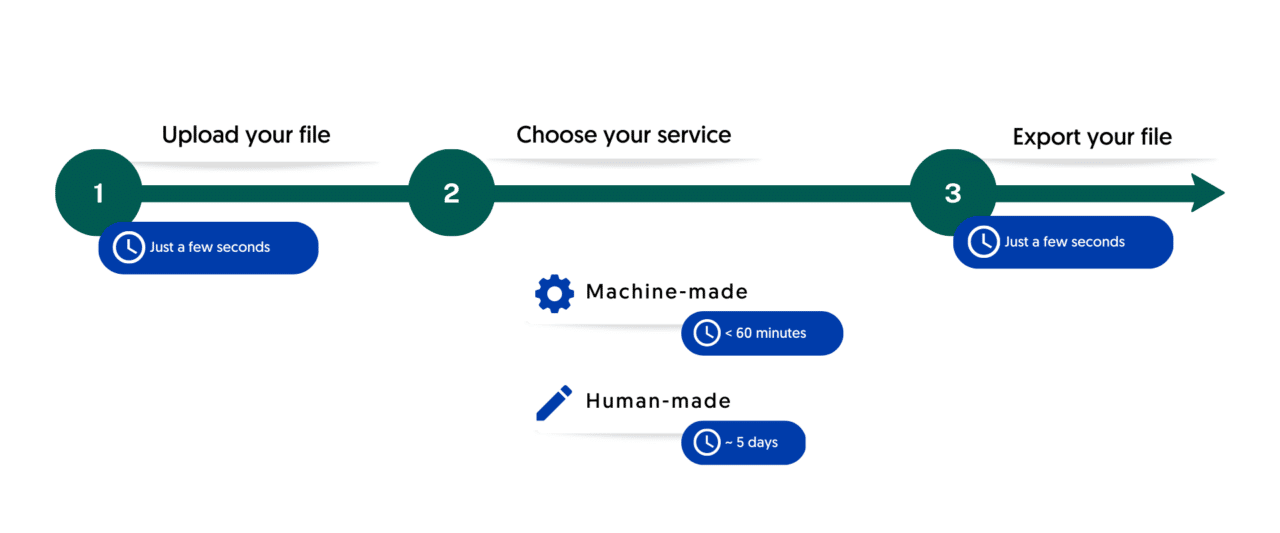
Upload your audio file. Our speech recognition software creates a first version of the subtitles for your audio, which you can improve in our online editor for a 10x time-saving.

We connect your audio to the subtitles in our online editor and align them perfectly, which you can see in the subtitle preview window. You can realign, adjust and search through your text with ease.

Quickly export your audio with subtitles, or the subtitles separately in Text, SRT, VTT or EBU-STL and many other formats, with optional timestamps and speaker distinction.
Utilizing Technology in the Subtitling Workflow
In today’s modern and highly digitized world, newsrooms can leverage a variety of advanced technology tools to streamline and optimize their subtitling workflow. Here are a few tips on how to maximize efficiency and accuracy when utilizing technology in the subtitling process:
Leverage Automation for Efficiency
- Utilize Automatic Speech Recognition (ASR) software which allows audio recordings to be automatically converted into text that can then be quickly edited by human translators before being released for public viewings. This helps to significantly reduce time spent on transcription while also improving accuracy due to fewer human errors caused by rushed processes associated with tight deadlines.
- Utilize Machine Translation (MT) services such as Google Translate or Amazon Translate which allow newsrooms to quickly generate subtitles for live broadcasts or breaking news updates within set deadlines without having to wait for native speakers from other countries or regions who may not have access to the Internet at all times.
Introduce Intelligent Quality Assurance
- Incorporate Natural Language Processing (NLP) tools that can detect grammar mistakes, typos, incorrect words or syntax that could potentially detract from the overall quality of translations before they are released for public viewings in order to ensure accuracy across all languages used in your project.
- Implement Artificial Intelligence (AI) algorithms that can perform automated checks on translations against a pre-defined set of criteria such as cultural appropriateness, regional dialects, etc., in order to ensure consistency across different languages used in various subtitling projects worldwide.
Utilize Cloud Storage Solutions
- Leverage cloud-based storage solutions such as Dropbox, Google Drive or Microsoft OneDrive which allow newsroom teams (including freelance translators from anywhere around the world) easy access and sharing of documents, subtitles files and other media assets necessary for completing a project within set deadlines without delays caused by any technical issues related to data loss or retrieval problems from remote locations where freelancers might be located at any given time during a collaboration process with newsrooms abroad.
- Develop an efficient system for archiving completed projects so that newsroom teams can easily refer back to previous translations if needed while also allowing them quick access new materials whenever a translator needs assistance with understanding certain terms or expressions across multiple languages during specific assignments involving non-native speakers working on translations tasks outside their own language proficiency zones.
Overcoming Challenges and Pitfalls
Working with freelance translators in the newsroom subtitling process does come with certain challenges and pitfalls which must be addressed in order to ensure success. Here are a few tips on how to best overcome these issues when collaborating with freelancers:
Establish Clear Communication Protocols
Agree upon a set of guidelines between newsrooms and freelance translators regarding expectations, deadlines, payment terms, and other details such as required software or tools before beginning any project together. This helps to reduce potential misunderstandings from happening during the collaboration process due to different working styles of both parties involved.
Utilize cloud-based communication platforms such as Zoom, Google Meet or Microsoft Teams that allow for real-time interactions between all members of the project team regardless of their geographic location or native language proficiency levels – providing an opportunity for better understanding amongst everyone involved in the subtitling process while also allowing freelance translators from anywhere around the world to participate more effectively in projects without having to travel long distances for physical meetings or conference calls.
Offer Competitive Rates and Incentives
Pay competitive rates that match industry standards in order to attract top quality talent while also rewarding those members who show dedication and commitment towards completing tasks on time especially when tight deadlines need to be met.
Create bonus incentives that reward freelance translators for successful collaborations such as offering discounts on future projects or recognition programs that highlight their work contributions thus motivating them to strive for higher quality translations even under pressure situations associated with shorter turn-around timelines expected by newsrooms worldwide today.
Leverage Automation Tools For Quality Assurance
Incorporate automated checks within the subtitling workflow which look out for common grammar mistakes, typos, incorrect syntax and other errors that could possibly detract from the overall accuracy of translations before they are released publicly – this helps ensure consistency across multiple languages used in various projects while also saving time spent on manual editing processes associated with tight deadlines usually expected by newsrooms today.
Introduce artificial intelligence algorithms into your workflow which can detect subtle nuances between different dialects (such as regional slang) across various languages so translations are accurate even when dealing with unfamiliar cultures or regions – helping newsrooms maintain a high level of quality control amongst all members involved in the subtitling process regardless of their native language proficiency levels at any given time during a project’s lifecycle.
Overall, the use of technology in the subtitling process can help newsrooms to save time, reduce costs and ensure accuracy across all languages while also building more efficient ways to collaborate with freelance translators from around the world.
Case Studies: Successful Integration of Freelance Translators in Newsrooms
With the rise of globalization, many newsrooms have found it essential to incorporate freelance translators into their operations. Here are some examples of successful collaborations between newsrooms and freelance translators that demonstrate the value of integrating global talent into subtitling projects.
BBC World News
BBC World News, a major international news broadcaster, has successfully integrated freelance translators into their operations as part of their subtitling and captioning workflow. Through the effective use of cloud-based storage solutions such as Dropbox, Google Drive and Microsoft OneDrive, BBC World News has created an efficient system for sharing documents with translators from around the world quickly and securely. Additionally, they leveraged automated checks within their subtitling workflow to help identify common errors such as typos and incorrect syntax which allowed them to ensure a high level of quality control amongst all members involved in the process regardless of language proficiency levels or geographic locations. This collaboration proved successful and helped BBC World News maintain its reputation as an international leader in news broadcasting across multiple languages.
CNN International
CNN International has also been able to successfully incorporate freelance translators into their subtitling operations by using AI algorithms to detect subtle differences between dialects across various languages which enabled them to ensure accuracy even when dealing with unfamiliar cultures or regions. By introducing this technology into their workflow, CNN International was able to maintain a high level of quality control amongst all members involved while also allowing them access new materials whenever needed without any delays caused by technical issues related to data retrieval or language proficiency levels of freelance translators working on projects outside their native countries. This successful integration helped CNN International become a leading source for international news coverage in multiple languages across the globe.
In conclusion, newsrooms can benefit greatly by integrating freelance translators into their operations. By leveraging the power of modern technology such as cloud-based storage solutions and AI algorithms to detect subtle differences between dialects across various languages, newsroom teams are able to ensure a high level of quality control in all aspects of their subtitling process while also allowing them quick access new materials whenever necessary without any delays caused by technical issues or language proficiency levels. The success stories from BBC World News, CNN International demonstrate just how powerful collaboration between these two parties can be when both sides communicate effectively with one another at all stages during a project’s lifecycle.
The Do’s and Don’ts of Transcribing in a Newsroom
Transcription is an integral part of journalism and newsrooms, as it provides accuracy and clarity to the content produced. It is essential for transcribers to be meticulous in their approach, taking into account the nuances of language as well as other considerations such as confidentiality and privacy. This article will provide a comprehensive guide on the dos and don’ts of transcribing in a newsroom, from using specialized software to preserving privacy when necessary. With these tips, you can ensure that your transcriptions are accurate and effective!
Table of Contents
The Do’s of Transcribing
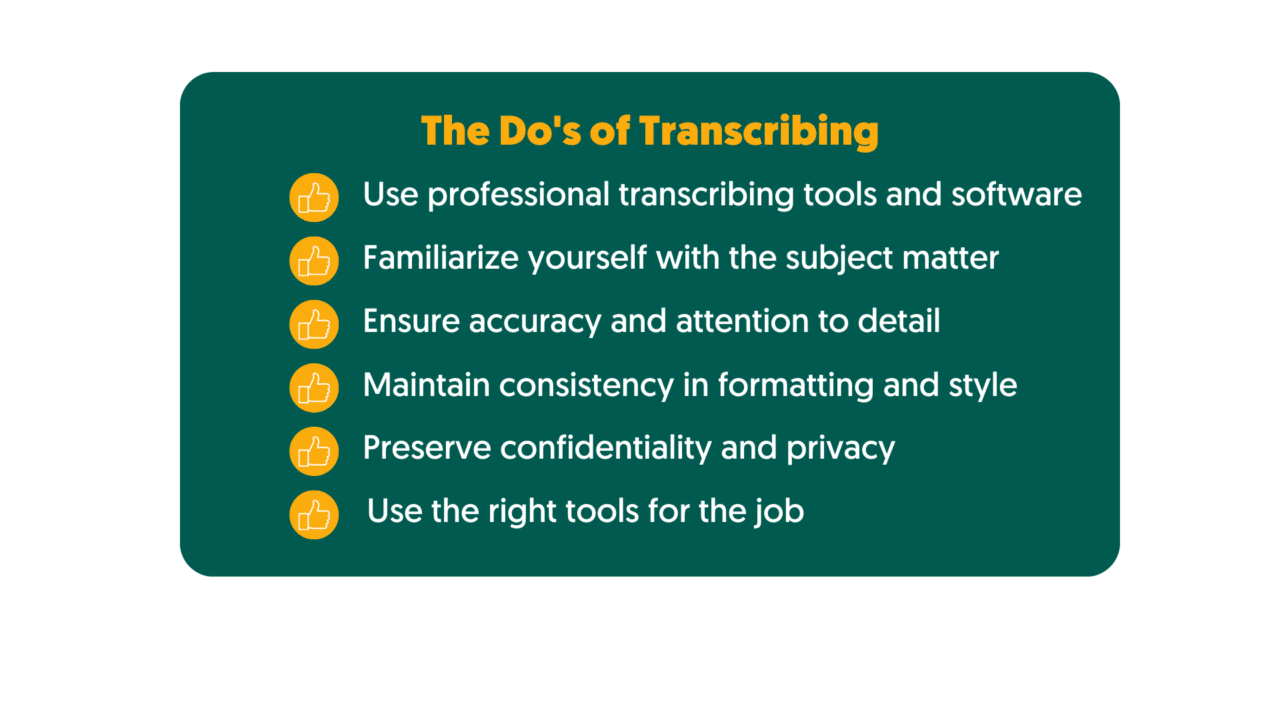
Use professional transcribing tools and software
Professional transcription tools and software provide a wide range of features to facilitate accurate and efficient transcription. These include automatic playback features, speech recognition capabilities, time stamps, and customizable user interfaces that make transcribing easier. Additionally, these tools offer useful features such as audio splitting, noise cancellation, and punctuation marks for improved accuracy. Popular tools for transcription in newsrooms include Amberscript, Express Scribe Transcription Software, NCH Express Scribe Pro Transcription Software, and Audacity.
Familiarize yourself with the subject matter
It is essential to understand the context of the audio or video being transcribed before beginning work on it. This requires researching the topic extensively and becoming well-versed in relevant terminology or jargon used in the newsroom environment. Being familiar with the topic at hand will help you capture nuances better and produce more accurate transcripts than you would otherwise achieve with minimal background knowledge.
Doing your research is also important when it comes to ensuring accuracy when dealing with names or places mentioned in an audio clip – double-check these names against reliable sources if necessary to ensure accuracy in transcription results.
Ensure accuracy and attention to detail
Accuracy is key when it comes to transcribing – capturing exactly what was said in an audio clip should be your primary goal as a transcriber in a newsroom environment. Paying attention to small details such as intonation and accent can make all the difference when it comes to producing an accurate transcript that captures tone or emotion accurately as well as specific words used by speakers during conversations or interviews recorded on audio files/clips.
After completing your transcription work, proofread your transcript thoroughly for typos or errors before submitting your final version – this could involve using spell checkers to ensure accuracy of any proper nouns mentioned during conversations that were recorded on audio files/clips while double-checking against reliable sources if necessary for further precision when necessary (for example when handling sensitive information). Additionally, consider running multiple drafts of your transcriptions through third-party software like Grammarly for quality assurance purposes before submitting final versions of transcripts to superiors or publishing houses if necessary depending on company policies/rules pertaining to such matters within newsroom environments across industries/sectors today.
Find out more about ensuring accuracy
Read the blogMaintain consistency in formatting and style
When producing transcripts for public consumption or other purposes such as archival materials etc., maintaining consistency is vital – this applies not just for punctuation but also capitalization choices made throughout entire documents/files created during transcription processes within newsrooms today. Utilizing a style guide is recommended here given how this can flesh out details pertaining different elements involved (such as proper nouns being handled) depending on sector specific requirements concerning such areas across industries.
Keeping track of date formats (including year formats), usage conventions related questions posed during interviews etc., are some other matters that require keeping consistent during transcribing processes within newsrooms today. Having reference points such as existing company produced documents/files containing related content (elements obtained from interviewing subjects etc.) can help here when looking into setting up standardization rules applied uniformly across board throughout entire process where possible dependent upon particular requirements concerning sectors presently active on market today.
Preserve confidentiality and privacy
Handling sensitive information in a newsroom requires strict adherence to ethical standards and respect for privacy. Transcribers must be cautious about disclosing personal details without public interest and should avoid causing unnecessary harm to individuals mentioned in the content. To uphold privacy, it’s crucial to set boundaries and avoid transcribing private matters disclosed in interviews or recordings. Additionally, when dealing with vulnerable individuals or victims, extra sensitivity is necessary. Transcribers should also be aware of relevant legal requirements, such as data protection laws, to ensure compliance.
When dealing with sensitive content, obtaining informed consent is vital. This involves clearly explaining the transcription’s purpose to interviewees and sources and offering options for anonymity or pseudonyms if appropriate. Consent may be obtained in writing for contentious topics to have a record of agreement. It’s essential to respect individuals’ decisions and remove sensitive information if consent is revoked.
Use the right tools for the job
Transcribing in a newsroom environment requires having access to reliable tools that can help speed up the process and ensure accuracy of transcripts produced during this time, ranging from automated transcription software to specialized journalism transcription services. Automated transcription software, such as Amberscript, are great for quickly generating transcripts with minimal effort on the part of transcribers although some editing may be necessary depending on the level of accuracy required by superiors or publishing houses if relevant.
For those who prefer human-powered transcription services, there are specialized journalists’ transcription services available which provide more accurate results since they involve experienced transcribers. These services can be hired on a per-project basis and are often more reliable than automated transcription services, making them an attractive option for those in need of the utmost accuracy. If you are working on short deadlines, Amberscript has got you covered: by offering rush services, we ensure that you obtain your transcript as fast as 24 hours.
At the end of the day, when it comes to transcribing in a newsroom environment, there is no one-size-fits-all approach – what works best for one company may not necessarily work best for another. It’s important to be aware of the dos and don’ts so that you can ensure accuracy while preserving confidentiality and privacy at all times. With the right tools and processes in place, you can guarantee successful transcriptions every time!
The Don’ts of Transcribing
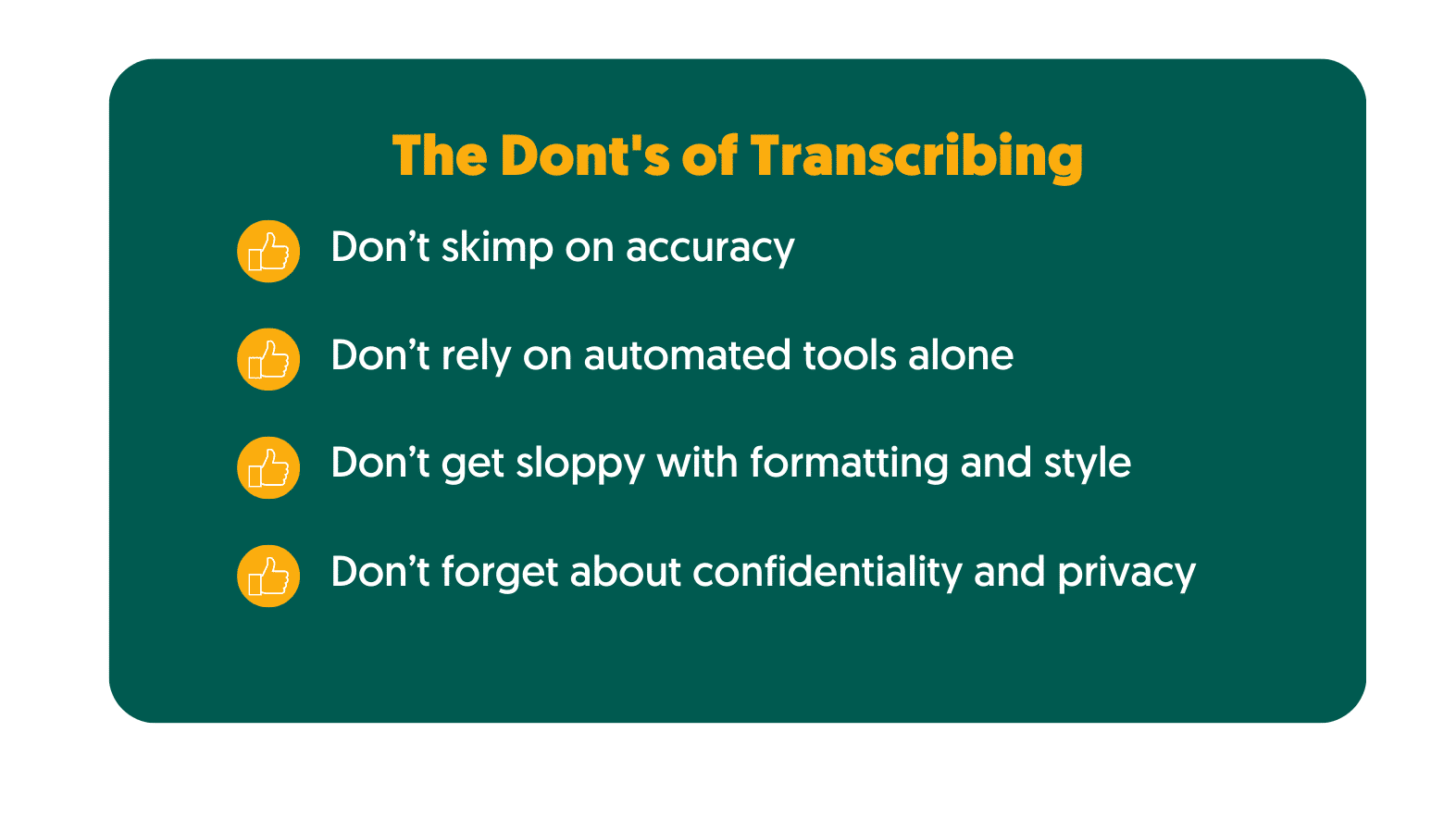
- Don’t skimp on accuracy – transcribers should take the time to ensure that their transcripts are 100% accurate, especially when it comes to text related to sensitive information or legal matters. Double-check facts, spellings and other details against reliable sources if necessary for further precision when necessary. Additionally, consider running multiple drafts of your transcriptions through third-party software like Grammarly for quality assurance purposes before submitting final versions of transcripts to superiors or publishing houses as required.
- Don’t rely on automated tools alone – although automated transcription tools can help speed up the process, they aren’t always 100% accurate – they may miss out certain words or phrases depending on the context in which such terms are mentioned within recordings etc., making it important to double-check results obtained via manual methods prior to submission/publication related activities proceeding forward. Furthermore opting for human-powered transcription services (where available) is recommended due more accurate results produced here since experienced transcribers are handling respective tasks in question presently discussed .
- Don’t get sloppy with formatting and style – when producing transcripts for public consumption or other purposes such as archival materials etc., maintaining consistency is key. Utilizing a style guide is recommended here given how this can flesh out details pertaining different elements involved (such as proper nouns being handled) depending on sector specific requirements concerning such areas across industries today . Keeping track of formatting rules (including punctuation & capitalization choices made throughout documents/files created during transcription processes within newsrooms today ) is also vital towards achieving desired outcome here dependent upon particular requirements pertaining sectors presently active market so forth .
- Don’t forget about confidentiality and privacy – when handling sensitive information during transciption processes within newsrooms today , ethical considerations need addressing properly via obtaining consent from relevant parties involved (interviewees etc.) especially so when content obtained could potentially breach confidentiality agreements currently established between them & superiors / publishing houses etc . Failing do so due regulations currently applicable under law post completion respective task could then render entire exercise involving illegal activities case which carries dire consequences best avoided at all cost here given potential damages incurred due same impacting negatively long term prospects concerning respective individual’s career prospects future related engagements alike so forth best prevented via proactive measures adopted prior commencement works concerning same presently discussed herein .
In conclusion, following the dos and don’ts of transcribing in a newsroom environment can help ensure accurate results while preserving confidentiality and privacy at all times. With the right tools and processes in place, you can guarantee successful transcripts every time.
Transcribing in a newsroom is complex and requires careful consideration of the dos and don’ts to ensure accuracy, confidentiality, and privacy. The right tools for the job can help speed up the process while also providing accurate results. Whether you choose automated transcription software or specialized journalists’ transcription services, having access to reliable tools will make sure your transcripts are successful every time. With these tips in mind, transcribers should be able to confidently produce quality transcripts that meet their organization’s needs.
How to find and use quotations in your transcript
Quotations are an invaluable tool for anyone transcribing and analyzing spoken language. Not only do they help capture the essence of a conversation or speech, but they can also be used to add color and context to your transcripts. Whether you’re a journalist, researcher, student, or just someone who wants to record important conversations accurately, learning how to find and use quotations is essential.
In this article, we’ll look at the basics of understanding quotations in transcripts as well as tips on finding them effectively. We’ll also go over ethical considerations and explore tools and techniques for using quotes more efficiently. Finally, we will provide some examples of effective quotation usage along with case studies that demonstrate best practices for quoting accurately in different contexts.
Table of Contents
- Understanding Quotations
- Finding Quotations
- Using Quotations Effectively
- Credibility and Ethical Considerations
- Tools and Techniques
- Common Challenges and Solutions
- Examples and Case Studies
Understanding Quotations
Quotations are direct or indirect references to someone’s words, thoughts, or opinions. They can be used in a variety of contexts such as writing, speeches, presentations, and transcripts. Quotations are typically noted by quoting marks, and they should accurately reflect the source’s original words and intent.
There are two main types of quotations: direct and indirect. Direct quotations quote directly from the source using their exact words, while indirect quotations allude to the source’s ideas without using their exact words. It is important to differentiate between quotes and paraphrases since one is more accurate than the other when it comes to transcripts and other forms of written communication.
Finding quotations for a transcript is not always an easy task but it can be done with patience and practice. When listening to a recording, look out for key moments or impactful statements that could be worth quoting in your transcript. Mark these down during your transcription process so you can easily identify them later on. It is also important to make sure you are accurately recording these quotes with time stamps so you have an easier time finding them later on when needed.
Finding Quotations
When listening to a recording, try to get into the habit of noting down key moments and impactful statements that could potentially be used in your transcript as quotes. This allows you to easily go back and review the recording later on to identify any quotes worth including.
Making sure you are accurately recording these quotes is also imperative, as this will help you pinpoint them later on when needed. It is best practice to note down time stamps or create labels for each quote so that you can quickly access them if needed for review or further analysis. Additionally, it is important to ensure the accuracy of the transcription by double-checking each quote before using it in your transcript.
This process is significantly faster when using Amberscript: after recording, you only need to upload your file on the platform and you’ll obtain your transcription within minutes. The online tool is easy to use and allows you to edit and customise your file before you export it. Moreover, the tool identifies different speakers and adds timestamps to the transcript for you, optimizing your workflow.
When looking for purposeful quotes, consider what kind of effect they may have on your overall message. Are there any specific phrases or words that carry more weight than others? Consider how certain lines may resonate with the audience or make a lasting impression on readers. A well-crafted quote can make all the difference in how effectively a transcript conveys its intended message, so take care when selecting which ones to include in your document.

Edit your text in minutes, or let our professionals take over. Rush your order and get your file as fast as 24h.

Native speakers and quality checks ensure that you receive 100% accurate transcripts.

Your files are confidentially stored in a secure environment.
Using Quotations Effectively
Once you have identified and transcribed the quotations, the next step is to use them effectively in your transcript. When using quotes, it is important to provide necessary context and attribution for each quote so that readers can understand its significance. This includes noting who said the quote and when it was said, as well as describing any relevant circumstances surrounding it.
Integrating quotations into your writing is also a key factor to consider. Avoid making the transcript sound too choppy or disjointed by placing quotes strategically within your text. Consider how various sentences and phrases might flow together to capture the intended tone or message better. Additionally, make sure that all quotes are accurately quoted from the source material and properly set apart from other text with quotation marks or indentation.
When working with quotations, there are certain ethical considerations to keep in mind. It is important to always verify that any quote used in a transcript is accurate and true to what was originally stated by the speaker. Misquoting someone or taking their words out of context can lead to embarrassing situations or even legal implications, so double-checking every quote before including it in a transcript is essential. Additionally, when quoting conversations between multiple people, try to include any relevant responses in order to maintain an accurate representation of the exchange.
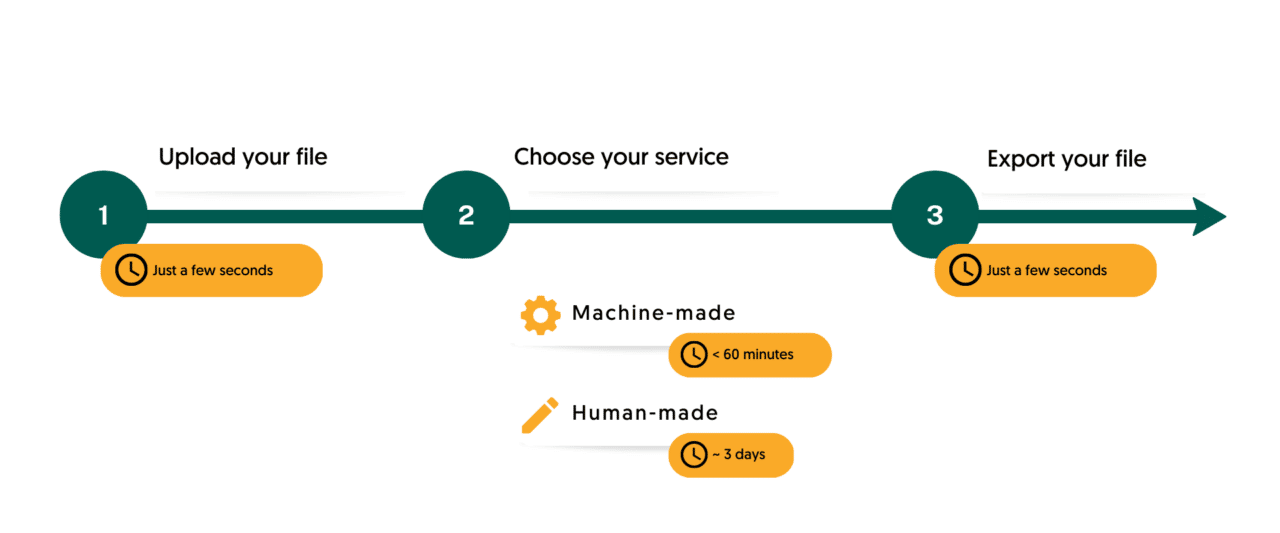
Finally, take advantage of technology tools available for transcribing and quoting accurately and efficiently. For example, Amberscript offers different services based on your needs: whether you choose Machine-made or Human-made transcriptions, you can rest assured that your file will be handled with the utmost care for security and accuracy, to give you the best experience possible.
Best practices for citing and referencing quotations should also be taken into account depending on your use case – this includes guidelines for formatting citations as well as providing proper attribution for quotes used across different media sources (blogs, newspapers, websites, etc.).
Credibility and Ethical Considerations
When working with quotations, there are certain ethical considerations to keep in mind. It is important to always verify that any quote used in a transcript is accurate and true to what was originally stated by the speaker. Misquoting someone or taking their words out of context can lead to embarrassing situations or even legal implications, so double-checking every quote before including it in a transcript is essential. Additionally, when quoting conversations between multiple people, try to include any relevant responses in order to maintain an accurate representation of the exchange.
Furthermore, it is also necessary to provide proper attribution for any quotes used across different media sources (blogs, newspapers, websites, etc.). This means accurately citing the source material along with details such as author name, publication date, and website URL (if applicable). Failure to do so could constitute plagiarism or intellectual property violations if published content is used without permission from the copyright holder.
Tools and Techniques
When transcribing audio recordings, it is important to make sure that all quotes are accurately recorded and properly attributed. Fortunately, there are tools and techniques available that can help streamline the transcription process along with features such as auto-timestamps for recording quotes during playback or text matching tools for pinpointing specific words quickly within large files of recorded audio.
For example, Amberscript is a comprehensive transcription tool that allows users to easily record, store, and manage quotes from audio recordings. It offers a wide range of features such as automatic transcription capabilities which can convert audio into text in real time; advanced search options that can be used to quickly locate specific words or phrases within large files; and powerful editing tools which enable users to seamlessly integrate quotes into transcripts for maximum impact. Additionally, Amberscript also complies with all ethical guidelines related to quoting and citing so users can rest assured that any quote used in their transcript is accurate and properly attributed.
By utilizing effective tools such as Amberscript, you can guarantee that your transcripts remain both credible and ethical. Utilizing these resources correctly will also ensure that all quotes used in your transcript are accurately recorded and properly cited when necessary according to best practices.
Common Challenges and Solutions
Working with audio recordings and transcripts can often be a challenging process. Transcribers are faced with the difficult task of accurately capturing spoken language in written form, which requires careful attention to detail as well as a good understanding of grammar and punctuation rules. Additionally, when dealing with quotes from multiple sources, it is important to ensure that all quotes are properly attributed to their respective sources.
One of the most common challenges associated with transcription is the time-consuming nature of the process.Manually transcribing long or complex recordings can take several hours or even days depending on the length and complexity of the material. Fortunately, tools like Amberscript can help streamline the process thanks to their automatic transcription capabilities and powerful editing features that allow you to integrate quotes into transcripts.
Another challenge is maintaining accuracy when dealing with quotes from multiple sources or long conversations between multiple people. To ensure that all quotes are accurate and properly attributed, double-check each quote before including it in your transcript and make sure to capture any relevant responses in order to maintain an accurate representation of the exchange. Additionally, always cite source material correctly according to best practices for citing quotations and references when necessary.
By utilizing effective tools such as Amberscript along with best practices for quoting accurately and ethically, you can minimize these common challenges associated with transcription and guarantee that your transcript remains credible and ethical.
Get a customized offer
Request a quote for your transcription needs
Examples and Case Studies
In order to illustrate the importance of accurately transcribing quotes and properly attributing them to their respective sources, here are some examples and case studies from real-world scenarios.
- In 2017, a Washington Post investigation uncovered numerous instances in which President Trump had falsely claimed credit for creating jobs or saving existing ones. However, upon closer examination, it was revealed that the quotes attributed to Trump were actually from other sources such as local officials or business executives. This reinforced the need for accurate transcription when dealing with quotes from multiple sources, particularly when it comes to public figures such as elected officials.
- Another example can be found in a 2016 dispute between popular YouTubers PewDiePie and TotalBiscuit regarding certain comments made by TotalBiscuit during an interview. To settle the matter, several independent transcriptionists were commissioned to transcribe the audio recording of the interview in question. After careful review, it was determined that two different transcripts contained subtle discrepancies which could have serious implications if taken out of context. This serves as a reminder of how important it is to make sure all quotes used in transcripts are accurate and true to what was stated by the speaker.
These examples demonstrate why it is essential to take extra precautions when dealing with quotes from multiple sources. By utilizing effective tools such as Amberscript along with best practices for quoting accurately and ethically, you can guarantee that your transcript remains credible and ethical while avoiding any potential legal issues or embarrassing situations caused by misquoting someone or taking their words out of context.
When transcribing audio recordings, it is essential to ensure that all quotes used in the transcript are accurate and properly attributed. Utilizing tools such as Amberscript can help streamline the process while best practices for quoting accurately and ethically will guarantee a credible and ethical transcript. By taking these extra steps when dealing with quotes from multiple sources, you can avoid any potential legal issues or embarrassing situations caused by misquoting someone or taking their words out of context.
Best Practices For Transcribing Interviews For Journalists & Reporters
Accurate transcription is essential for reporters and journalists who are gathering important information from their sources. Whether it’s a one-on-one interview, a group discussion, or an audio recording of an event, having an accurate transcript allows journalists to review the source material quickly and effectively.
This article will provide best practices for transcribing interviews in order to ensure accuracy and objectivity while protecting confidentiality and privacy. We’ll discuss how to prepare for transcription, effective techniques for recording interviews, the pros and cons of manual vs automated transcription methods, quality assurance processes, tools & resources available to journalists & reporters, as well as key takeaways from this article.
Table of Contents
- Preparing for Transcription
- Recording Interviews
- Transcription Process
- Quality Assurance and Editing
- Tools and Resources
Preparing for Transcription
Preparing for transcription is essential to ensure accuracy and high quality results. Before beginning the transcription process, it’s important to become familiar with the subject matter and research the interviewee and their background in order to gain a better understanding of the context of the interview.
Equipment and software are also necessary considerations for successful transcription. Selecting a reliable recording device is important as it will directly affect audio quality, while transcribing software or services can help streamline the transcription process. Popular options available include Amberscript, Otter.ai, Rev, and more. Depending on budget constraints, free alternatives such as YouTube audio transcriptions or manual typing may be used instead.
When choosing a recording device, consider factors such as mobility & portability, data storage capacity, compatibility with other systems and devices, ease of use and operation etc. For larger interviews where multiple people are being recorded simultaneously or where background noise is present, using an external microphone may help capture clearer audio recordings which makes it easier to transcribe later. It’s also important to obtain verbal agreements from all parties involved before recording begins, ensuring that everyone understands the purpose of the interview and has given consent to be recorded if necessary (especially when dealing with sensitive information). Taking extra precautions such as discussing confidentiality beforehand can help protect anonymity for all participants if needed.
Find out more about transcribing for journalism
Read the blogRecording Interviews
In order to ensure accurate transcription of interviews, it is important to carefully consider the environment and equipment used during recording. Positioning the recording device in an optimal spot will help capture clear audio quality, minimizing any background noise that may interfere with the conversation. If possible, use a microphone for larger interviews or when background noise may be present, as this can provide a higher quality signal and help reduce ambient sounds that can disrupt clarity.
When recording an interview, it is vital to get verbal consent from all parties involved before proceeding. This helps protect the privacy and confidentiality of any sensitive information discussed, as well as ensuring that all participants are aware of the purpose of the interview and are comfortable with being recorded. Depending on the subject matter of the interview and its potential repercussions, discussing anonymity and confidentiality in advance can also be beneficial.
Once recording begins, use active listening techniques such as restating key points or repeating back answers in order to ensure accuracy and understanding. Taking notes throughout the interview is also recommended in order to highlight key sections for detailed transcription later on. In addition to note-taking, it may also be helpful to pause periodically throughout the conversation in order to check in with both parties and make sure everyone is still on track discussing relevant topics; this can reduce editing time later during the transcription process.
Transcription Process
Transcribing interviews is a critical task for journalists and reporters, as it ensures the accurate representation of the spoken words in a written format. Here are some best practices to follow during the transcription process:
Choosing the Appropriate Method
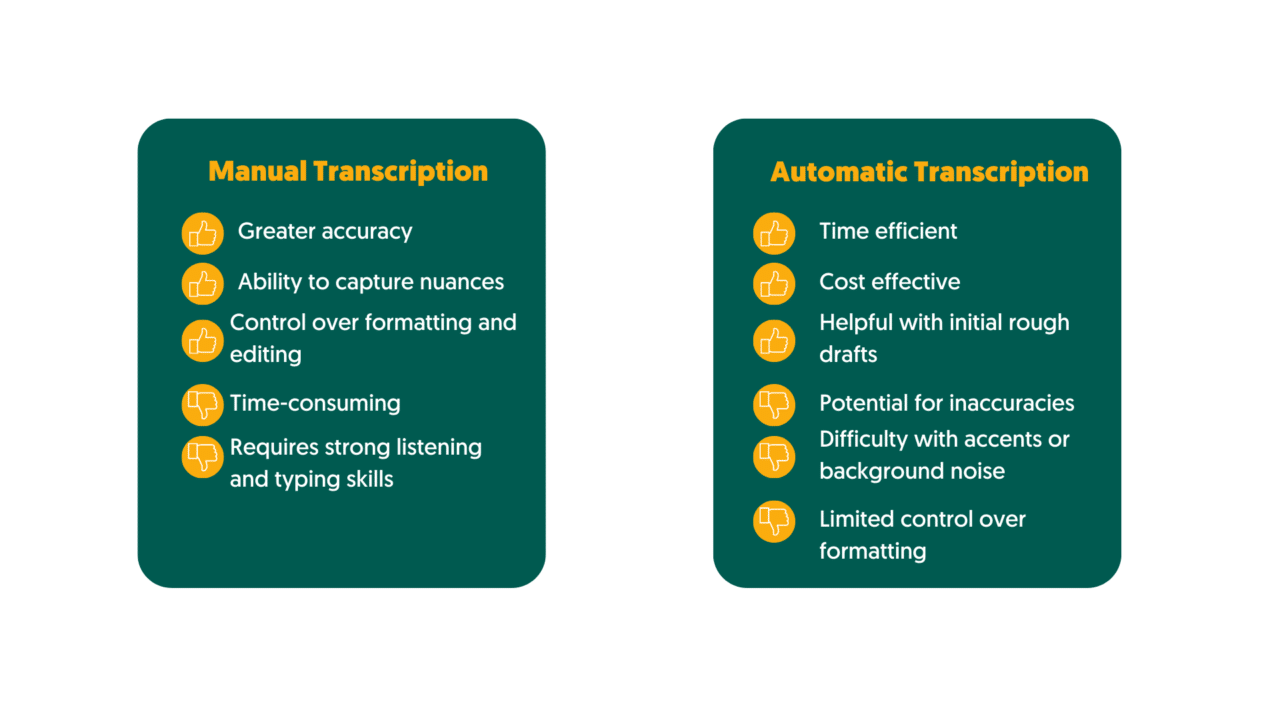
When deciding on the transcription method, consider the nature of the interview and your available resources. Manual transcription involves listening to the recording and transcribing it word by word, whereas automated transcription tools use speech recognition software to transcribe the audio automatically. While automated tools can save time, they may not always be as accurate as human transcription due to potential errors in speech recognition.
Effective Listening and Note-Taking
Develop active listening skills to capture important details accurately. Maintain focus, take brief pauses when needed, and avoid distractions during the transcription process. Make use of playback options to review unclear sections. As you listen, use appropriate techniques to identify and mark significant segments of the interview. This can include notable quotes, key topics, or any sections requiring further attention during transcription. Highlighting these areas will help streamline the process and ensure accurate representation of critical information.
Transcribing Style and Format
Aim for an accurate and unbiased representation of the interviewee’s words. Transcribe the speech faithfully without altering or omitting any essential information. Include any verbal cues, pauses, or non-verbal expressions that contribute to the context. Follow standard grammar and punctuation rules while transcribing interviews. Use appropriate paragraph breaks, quotation marks, and speaker identifiers to ensure clarity. Use [inaudible] for any indiscernible parts and [unclear] for sections that are difficult to understand.
Time Management and Organization
Create a realistic schedule to manage your transcription workload effectively. Consider the length of the interview, your other commitments, and any deadlines you need to meet. Breaking down the transcription process into manageable chunks can improve efficiency. Develop a consistent naming convention for your transcription files, including the interviewee’s name, date, and any other relevant details. Organize your files into appropriate folders or use transcription management software to ensure easy access and retrieval of transcripts when needed.
Remember, accurate transcription is essential for maintaining journalistic integrity and providing reliable information to your audience. By following these best practices, you can streamline the transcription process and produce high-quality transcripts that serve as valuable resources for your journalistic work.
Quality Assurance and Editing
Quality assurance and editing are two important steps for any transcription process, especially when it comes to transcribing interviews for journalists and reporters. A thorough review and editing process will ensure accuracy in the transcripts, which can be an invaluable resource for journalists.
One of the best practices for quality assurance is to have multiple sets of eyes review the transcript. Having a second set of eyes review the transcript will help catch any mistakes or inconsistencies that may have been missed during transcription. It also ensures accuracy in spelling, names, and other details that are essential to a complete transcript.
In addition to having multiple sets of eyes review the transcript, another important practice is to adhere strictly to a certain style guide throughout the entire transcription process. This will help maintain consistency in formatting, terminology, punctuation, and other aspects of each transcript. By following a predetermined style guide, accuracy in each transcript is more likely.
Editing should occur both during and after the transcription process as well. During transcription, if there are certain words or phrases that may be difficult to understand or interpret correctly, they should be noted so that they can be double-checked later on during editing. During editing after transcription has taken place, all notes made during transcription should be reviewed and corrected where necessary. Additionally, any abbreviations used should be checked against their full versions to ensure accuracy in understanding each phrase or sentence accurately. Lastly, any typos should obviously be fixed before sending out a final transcript for use by journalists or reporters.
Overall, quality assurance and editing are essential steps when it comes to transcribing interviews for journalists and reporters. Through following best practices such as having multiple sets of eyes review transcripts as well as adhering strictly to style guides throughout the entire process; accuracy in transcripts is far more likely which can help provide invaluable resources for journalists’ research needs.
Tools and Resources
When it comes to transcribing interviews for journalists and reporters, there are several tools and resources available. These include both physical tools such as recorders, microphones, and even transcription software; as well as online resources such as templates or style guides.
For physical tools, a basic recorder or microphone can be an invaluable asset when it comes to capturing audio recordings that need to be transcribed. Recording devices vary in price depending on the quality of audio that is desired however most recorders come with adequate sound recording capabilities. Additionally, transcription software provides a way for transcripts to be created quickly and efficiently from an audio recording. Transcription software also allows for easier integration with other services such as speech-to-text or text-to-speech.
In addition to physical tools, there are also online resources that can help with the transcription process. For example, Amberscript has a transcription app that allows you to record the interview and obtain your transcript all with your phone. This streamlines the transcription process, as you do not have to upload the files from a laptop, saving time and enhancing productivity.
Overall, there are several options available when it comes to transcribing interviews for journalists and reporters. Physical tools like recorders and microphones can help capture audio recordings accurately while transcription software provides a way to quickly create transcripts from recorded audio files. Additionally, online resources such as templates and style guides can help ensure accuracy in formatting while tutorials on how to use certain types of software can offer further instruction if necessary.
Get a customized offer
Request a quote for your transcription needs
Transcribing interviews for journalists and reporters can be a difficult process, but with the right tools and resources it doesn’t have to be. Quality assurance and editing are key steps in creating accurate transcripts that will provide invaluable assistance to journalists during their research efforts. By utilizing physical tools such as recorders or microphones along with transcription software, capturing audio recordings accurately is possible. In addition, online resources like templates and style guides can help ensure accuracy in formatting while tutorials on how to use certain types of software offer further instruction when needed. With these tips in mind, transcribing interviews for journalists should become much easier going forward!
How transcription can help solve legal challenges
It’s no secret that legal transcription can be challenging. It requires accuracy, attention to detail, and a deep understanding of the nuances of the law. But for those willing to take on these difficult tasks, there are tremendous rewards. With legal transcription, you can create accurate documents quickly and efficiently while ensuring that all parties involved in a document have an accurate representation of the legal situation at hand. In this article, we’ll explore the challenges and opportunities associated with legal transcription as well as provide tips on how to tackle these obstacles head-on. We’ll also look at how companies are using legal transcription services to meet their unique needs and help streamline their operations. Let’s get started!
Table of contents
- Understanding legal challenges
- The role of transcriptions in legal proceedings
- Solving legal challenges with transcriptions
- Overcoming potential limitations and concerns
- Case studies and Success stories
Understanding legal challenges
Legal challenges permeate various aspects of society, encompassing a wide range of scenarios and circumstances. Individuals, businesses, and institutions often find themselves entangled in complex legal proceedings, requiring them to navigate a web of regulations, rights, and obligations. Such proceedings can be intricate, involving nuanced legal arguments, burdens of proof, and procedural requirements. Legal professionals rely on precise records to understand the facts, present arguments, and make informed decisions. Whether it is capturing witness testimonies, preserving courtroom dialogue, or documenting contractual terms, the quality of documentation significantly influences the outcome of legal cases.
Given the complexity of legal challenges, accurate and reliable documentation plays a pivotal role. Legal transcription involves more than merely transcribing a conversation verbatim. It requires understanding complex legal language and accurately transcribing it to create an accurate record. This can be difficult for those who are unfamiliar with the terminology, as the slightest mistake in transcription could have significant implications in a legal case.
It is also important to ensure that all transcripts meet court standards and rules of evidence. For example, certain documents may need to be presented with authentication or notarization for them to be accepted by a court. On top of this, there are often strict deadlines which must be met when filing legal documents, meaning that precise accuracy and quick turnaround times are paramount for successful legal transcription services.
In this context, transcription emerges as a powerful tool for addressing legal challenges. By converting spoken words into written text, transcription provides a means to capture, preserve, and analyze critical information. It enables legal professionals to refer back to precise accounts of verbal exchanges, ensuring accuracy and facilitating the resolution of disputes. In the following sections, we will explore the role of transcription in legal proceedings and delve into its potential benefits in overcoming legal challenges effectively.
How to choose: 5 Best Transcription Services for Attorneys and Law Firms
Discover the top 5 transcription services for attorneys and law firms. Streamline your workflow and enhance accuracy in legal documentation.
The role of transcriptions in legal proceedings
The role of transcription in legal proceedings is a crucial one. In most cases, transcription services are necessary to create an accurate and complete record of the court proceedings. These transcripts can then be used as evidence in court or for other types of legal challenges.
Transcriptionists must have a deep understanding of legal terminology and protocol in order to accurately transcribe testimony from court proceedings. They must also have knowledge of the rules governing document authentication and admissibility in order to ensure that their work meets all applicable requirements.
Transcriptions enable efficient record-keeping during court proceedings. Instead of relying solely on handwritten notes, legal professionals have access to a comprehensive text-based record, facilitating referencing and retrieval of information. This streamlined approach ensures that no crucial details are overlooked or forgotten. In addition to providing accurate records, transcription services can also help reduce costs related to trial preparation.
By providing timely transcripts, attorneys can save time and money by eliminating the need to transcribe lengthy court proceedings themselves. Furthermore, transcription services allow lawyers to review and prepare their cases more quickly, as they do not need to wait for a transcript of the proceedings in order to access key information. Having written transcripts means that lawyers can review testimonies, identify key points, and extract relevant information more efficiently. This aids in constructing stronger arguments, identifying inconsistencies, and ultimately contributing to the success of the legal case.
Types of legal transcriptions
-
Courtroom Transcription
Transcribing court proceedings helps create a comprehensive and accurate record of everything said in the courtroom. It assists in maintaining an official account of trials, hearings, and oral arguments, providing a reliable source for future reference.
-
Deposition Transcription
Depositions involve sworn testimonies taken outside the courtroom, typically in preparation for trial. Transcribing depositions enables attorneys to thoroughly analyze witness statements, identify key facts, and develop effective cross-examination strategies.
-
Hearing transcripts
Hearing transcripts are yet another type of courtroom transcript. They provide an accurate account of pre and post-trial hearings, which might include arraignments, bail hearings, plea bargain discussions, sentencing hearings, among others. These transcripts are key to capturing the procedural nuances that occur outside the main trial but significantly influence a case’s trajectory.
-
Legal Dictation Transcription
Lawyers often dictate legal documents, memos, or correspondence that require transcription. This allows them to communicate their thoughts, arguments, and instructions in a time-efficient manner, which can then be transformed into written text for further processing
Solving legal challenges with transcriptions
Transcription is a beneficial tool for attorneys, paralegals, legal administrators and other legal staff to help them overcome the obstacles that come with the day-to-day operations of a legal office. A transcription service can provide fast, accurate transcripts of courtroom proceedings, hearings, depositions or any other type of audio or video recordings. The speed and accuracy of these services allows lawyers to quickly review evidence and be better prepared for court cases. Additionally, transcribed documents can be used as reference material during trials or hearings.
Transcription ensures that court proceedings are accurately documented, capturing every word spoken during hearings, trials, and oral arguments. This verbatim record serves as a reliable reference, resolving disputes, clarifying statements, and ensuring that the facts are accurately represented. Legal professionals can rely on transcriptions to review testimonies, identify crucial details, and make informed decisions based on an accurate record of what transpired in the courtroom.
Transcription is also a great way to improve client relationships by providing transcripts of client meetings or phone conversations for review. This helps attorneys stay organized and ensure accuracy in legal documents. Furthermore, these services can provide document storage solutions so clients have an easy way to store important records securely.
Overcoming potential limitations and concerns
While legal transcription offers numerous benefits in addressing legal challenges, it also presents some challenges. To make sure the transcriptions are accurate, it is important that legal professionals who use transcription services understand any potential limitations of the technology and how these can be managed to ensure success.
Transcription accuracy
Legal documentation typically requires a high degree of accuracy in order to maintain its integrity. Most transcription services provide accuracy guarantees, but there may be occasions where errors creep in due to background noise or incorrect spelling. In such cases, it is important to review the document and make corrections as necessary. Implementing quality control measures, such as human proofreading or advanced speech recognition technology, can help enhance accuracy and minimize errors. Regular training and monitoring of transcriptionists can also contribute to maintaining high standards of precision.
Impact of Automated Transcription Tools
Transcription services are often used for urgent documents that require quick turnaround times. It is important to make sure the provider can meet your deadlines and provide reliable results. Automated transcription tools, powered by artificial intelligence, have become increasingly prevalent and, while they offer speed and convenience, their accuracy and reliability may vary. Legal professionals should then exercise caution when relying solely on automated transcription tools, as errors or misinterpretations can occur.
Privacy and Confidentiality Issues
Legal documents often contain sensitive or confidential information which should be protected to maintain privacy. To safeguard privacy and maintain confidentiality, it is important to check that the transcriptions service you use employs robust security measures to protect this data, such as encryption, two-factor authentication, and regular backups of data stored on their servers.
Get a customized offer
Request a quote for your transcription needs
By understanding these potential limitations and concerns when using a transcription service, legal professionals can be confident that their transcripts will be accurate and secure. Careful consideration of these factors also ensures that the end product meets all relevant legal requirements.
Case Studies and success stories
The application of transcription services in the legal field has yielded numerous success stories, showcasing the positive impact it can have on addressing legal challenges. Let’s explore a few compelling case studies that demonstrate how transcription has played a pivotal role in achieving favorable outcomes:
Resolving Disputes with Accurate Transcriptions
In a complex civil litigation case involving conflicting contractual interpretations, transcription services proved instrumental in resolving the dispute. The verbatim transcriptions of negotiation meetings, recorded telephone conversations, and email exchanges provided an accurate record of the parties’ communications. The clarity and precision of transcribed evidence facilitated an amicable resolution, ensuring both parties’ interests were respected and minimizing further legal proceedings.
Strengthening Litigation Strategy through Deposition Transcriptions
In a high-stakes personal injury lawsuit, transcription services proved invaluable during the deposition stage. Transcribing witness testimonies allowed the legal team to meticulously analyze statements, identify inconsistencies, and extract critical information. These transcriptions played a pivotal role in building a robust litigation strategy, enabling the attorneys to effectively challenge opposing witnesses, present compelling arguments, and ultimately secure a favorable settlement for their client.
Facilitating Legal Research and Precedent Identification
A team of legal researchers faced the daunting task of analyzing a vast body of case law to identify relevant precedents for a landmark constitutional challenge. Transcription services were employed to convert court judgments and oral arguments into text. This transformed the previously time-consuming and tedious research process into a more efficient one. The ability to search and extract specific references within the transcriptions accelerated the identification of pertinent precedents, contributing to a stronger legal argument and increasing the likelihood of success.
The Guide to Optimizing Your Video Pre-production with Transcripts
Table of contents
- Why would you use video transcript
- Best practices for accurate and high-quality transcripts
- How to optimize videos in pre-production with transcripts
- How to get a transcript
- Conclusion
Are you creating YouTube (or any other video platform) content and want to optimize your video pre-production? Then you should consider using transcripts! Transcripts are a great way to streamline the process of creating engaging videos that viewers will love.
Why would you use video transcripts
So, what is a transcript and how does it help with YouTube video production? A transcript is simply a written record of the audio and visual elements of a video. It’s useful for several reasons: it helps create an engaging story arc, makes editing easier, allows for better search engine optimization (SEO), and provides valuable data insights. This blog will explore the importance of optimizing your pre-production process with transcripts.
Using transcripts for pre-production of YouTube videos provides several benefits that content creators can leverage to enhance their workflow and optimize the reach and impact of their content. Below are some of the benefits of utilizing transcripts in YouTube video pre-production
Overview and editing
Transcripts provide a comprehensive overview of the video content, making it easier for the content creators to plan and organize their videos. With transcripts, creators can identify the key themes, topics, and ideas discussed in the video and use them to structure their content more effectively.
They are also an invaluable tool for scriptwriting and editing processes. They provide an accurate and detailed account of what was said in the video, making it easier for creators to transcribe the audio into a written script and edit it accordingly.
SEO
When transcripts are uploaded to YouTube alongside the video, they are indexed by Google and become searchable. This means that when users search for the content, the transcript will appear in the search results, increasing the discoverability of the video.
Captions and subtitles
Transcripts make it easier to create accurate captions and subtitles for the video, making it more accessible to viewers who are deaf or hard of hearing. With transcripts, creators can quickly and easily create captions for their videos while also ensuring their content is ADA compliant.

Best practices for accurate and high-quality transcripts
Regardless of the method chosen to create transcripts, some of these tips can ensure accuracy and high quality. These include:
- Choosing a quiet and well-lit environment with minimal background noise and interruptions for recording
- Using a high-quality microphone to record audio
- Providing speakers with a copy of the script or an outline of topics to be covered beforehand, to minimize rambling or off-topic conversations
- Adding time stamps at every few seconds or at natural breaks to note who is speaking and to make the editing process easier
- Listening to the audio or watching the video more than once to ensure accuracy in transcription regardless of technique used
Whether through manual transcription, automatic transcription tools, or outsourcing transcription services, the creation of transcripts can streamline pre-production workflows and provide structured content planning. Transcription best practices can ensure that the transcripts created are detailed, readable, and minimize errors for maximum accuracy. Therefore, creating and harnessing the power of transcripts can help content creators produce high-quality videos with a clear and consistent message for their audiences.
Amberscript is a cloud-based speech-to-text tool that uses artificial intelligence and machine learning to transcribe audio and video recordings. It is fast, accurate, and reliable, and offers a user-friendly interface that simplifies the transcription process.
How to optimize videos in pre-production with transcripts
Transcripts can aid in several aspects of video pre-production, allowing for the optimization of content for searchability, accessibility, and engagement. Below are some of the ways using transcripts can help optimize video pre-production:
Content planning and storyboarding
Transcripts provide an overview of what is said in the video, including key points and themes, which in turn helps with content planning and storyboarding. This enables creators to plan their videos more efficiently, and organize them into structured content for a more natural flow.
Scriptwriting and editing
Transcripts can make the scriptwriting and editing process faster and more efficient. By using transcripts, creators can easily identify what is said in the video and use it to transcribe the audio into a written script. This can then be edited according to the needs of the creator more quickly and accurately.
Language translation and localization
Transcripts can be used for language translation and localization, enabling creators to reach wider audiences. Transcripts can be easily translated into different languages for localization, and the use of machine translation can assist in this process.
Captioning and subtitling
Transcripts can be used for captioning and subtitling, making videos more accessible for viewers who are deaf or hard of hearing. Captions and subtitles can also aid in SEO as they provide an additional layer of textual information, making videos more searchable.
Search engine optimization (SEO)
The text in transcripts can help optimize videos for search engines, making videos more discoverable and easier to find. Transcripts provide additional text that can be indexed by search engines, making it easier for viewers to find and engage with the content.
Accessibility considerations
Transcripts can aid in making videos more accessible to persons with disabilities. It can also help avoid the risk of non-compliance with universal standards like the Americans with Disabilities Act which require that video content providers ensure their videos are accessible to those with disabilities.
How to get a transcript
Now that you know why you need a transcript, let’s look at how to get transcripts of your YouTube videos. The easiest way is to use a video transcript generator. These tools allow you to quickly generate transcripts of your videos and can be used on any type of platform, including YouTube, Vimeo, Facebook, and more. Some generators even convert audio to text with the click of a button and offer additional features such as subtitles and captions.
One of the most efficient and automated ways to obtain transcripts for YouTube videos is by using speech-to-text tools like Amberscript. With Amberscript, content creators can easily generate high-quality transcripts for their videos in just a few steps.
Once you have your transcript, it’s time to start optimizing your pre-production process. With a transcript in hand, you can easily review the audio elements of your video and decide which segments need improvement or clarification. You can also analyze how well viewers are responding to individual segments by using data insights from the transcript. This can help inform future content creation decisions and ensure that every video is as entertaining and informative as possible.
Creating transcripts
There are, however many ways to get a transcript. Below are some of the most common methods of creating transcripts for video pre-production:
1. Manual transcription
Manual transcription involves transcribing the video manually by listening to the audio and typing it out. It is time-consuming, but it provides highly accurate transcripts as it takes into account all contextual cues, nuances, and speaker identities.
2. Automatic transcription tools
As mentioned before, automatic transcription tools like Amberscript use AI and machine learning to transcribe the audio or video recordings automatically. While this method can be faster than manual transcription, it can have a lower level of accuracy and can lead to errors in the final transcript.
3. Outsourcing transcription services
Outsourcing transcription services to professional transcriptionists or transcription companies can be a viable option. Professionals have the necessary training and experience to transcribe the audio quickly and accurately. This option may, however, be pricey and could add a significant amount to the overall pre-production cost.

Conclusion
In conclusion, using transcripts for YouTube video pre-production can offer a range of benefits for creators, ranging from enhanced organization, streamlined workflows, searchability, accessibility, and engagement. By utilizing manual transcription, automatic transcription tools like Amberscript, or outsourcing transcription services, creators can streamline their workflows and produce high-quality video content with ease.
Recapitulating the benefits of using transcripts for YouTube video pre-production, they help to enhance content planning and organization, streamline scriptwriting and editing, improve search engine optimization, support accessibility, and facilitate captioning and subtitling. All of these elements contribute to successful video creation and can significantly boost the reach of good content.
Therefore, as an encouragement to leverage Amberscript in pre-production, creators can achieve faster and more accurate transcription results for their videos while optimizing their content for accessibility, searchability, and engagement. Amberscript provides a simple-to-use interface, AI-powered technology, and customization options that can be tailored to creators’ preferences.
In conclusion, optimizing transcripts for YouTube video pre-production is crucial to the success of content creation. Creators can harness the power of transcripts to enhance their videos’ structure and flow, engage their audience, and boost searchability and accessibility. With Amberscript’s user-friendly interface, powerful AI technology, and customization options, creators can obtain fast, accurate, and high-quality transcripts to optimize their content. By leveraging Amberscript for transcript generation, creators can create compelling and engaging videos that resonate with their audience and grow their YouTube channels. If you want to know more about Amberscript’s services you can view our product page.
Audio Description: What Is It, and How Does It Work? Guideline
In today’s increasingly visual world, providing equal access to content for people with visual impairments is of paramount importance. One key element of making visual content accessible is audio description. This guide aims to offer an overview of audio description, explain its importance in accessibility, and provide some best practices for creating high-quality audio descriptions.
Table of contents:
- Definition of Audio Description
- Importance of Audio Description in Accessibility
- The Basics of Audio Description
- Best Practices for Audio Description
- Accessibility Standards and Laws
- Examples of Audio Description in Action
- Advancements in Audio Description Technology
- Conclusion
Definition of Audio Description
Audio description is a narration service that provides a verbal description of key visual elements in a video, film, or other multimedia content. Audio description typically includes descriptions of characters, settings, actions, facial expressions, costumes, and other important visual elements that contribute to the overall understanding of the content. By providing this additional layer of information, audio description allows visually impaired individuals to have a more immersive and inclusive experience when engaging with visual media.
Importance of Audio Description in Accessibility
For millions of people worldwide who are visually impaired, audio description is a vital tool for accessing visual media. It provides a more inclusive experience and ensures that everyone can enjoy the same content, regardless of their level of vision. In addition to enhancing the enjoyment and understanding of the content, audio description also serves as a valuable tool for education, promoting social inclusion, and fostering independence among people with visual impairments.
The Basics of Audio Description
In this section, we will explore the fundamentals of audio description, covering the essential concepts and terminology you need to understand as a content creator. By learning the basics of audio description, you can begin to appreciate its importance in making visual content accessible to a wider audience.
What is Audio Description?
Audio description is a separate audio track that runs alongside the main audio of a video, film, or multimedia content. It provides a verbal description of key visual elements, such as actions, settings, and body language, to help visually impaired individuals understand the context and enjoy the content.
Types of Audio Description
There are two main types of audio description: pre-recorded and live. Pre-recorded audio description is created in advance and can be carefully scripted and edited. It is typically used for movies, TV shows, and other pre-recorded content. Live audio description, on the other hand, is created in real-time by a trained audio describer during live events, such as theater performances or sports events.
The Difference Between Audio Description and Captions/Subtitles
While both audio description and captions/subtitles aim to make visual content more accessible, they serve different purposes. Captions and subtitles provide a written translation of the spoken dialogue and important sounds in a video for those who are deaf or hard of hearing. Audio description, conversely, provides a verbal description of key visual elements for those who are blind or visually impaired.

The Process of Audio Description
Creating effective audio descriptions involves a series of steps, from analyzing the content to quality assurance. In this section, we will guide you through the entire process of audio description, providing a comprehensive understanding of what it takes to create high-quality, accessible content.
Steps involved in creating audio description
Each step in the audio description process plays a crucial role in ensuring that the final product effectively communicates key visual information to the visually impaired audience. In this section, we will delve deeper into each step, highlighting the importance of thorough planning, scripting, recording, editing, and quality assurance.
1. Analyzing the content
The first step in creating audio description is to analyze the content thoroughly. This involves watching the video multiple times to identify the key visual elements that need to be described. These elements may include character actions, facial expressions, scene transitions, on-screen text, and other important visuals that contribute to the narrative or overall understanding of the content. During this stage, it is crucial to take detailed notes and create a comprehensive list of visual elements to be described.
2. Scripting
Once the content analysis is complete, the next step is to write a script that describes the identified visual elements in a concise and clear manner. The script should be structured in a way that complements the existing dialogue and sound without interfering with the original audio. It is important to use simple, easy-to-understand language and avoid jargon or complex terms.
When scripting, it is essential to prioritize the most critical visual elements and describe them in a manner that is easy for the listener to follow. This might involve breaking down complex actions or scenes into smaller, more manageable parts. Additionally, the script should be written in the present tense to maintain a sense of immediacy and better engage the listener.
3. Recording
Once the script is complete, the next step is to record the audio description. This process requires a professional voice actor or trained audio describer who has experience in creating audio descriptions. The voice talent should have a clear, articulate voice and be able to convey the necessary information without overshadowing the original audio.
It is crucial to provide the voice actor with a well-structured script and clear guidelines on the desired tone, pace, and style of the audio description. This ensures that the recording process runs smoothly and efficiently, resulting in a high-quality audio description.
4. Editing
After the audio description has been recorded, it must be edited and synchronized with the original content. This involves carefully aligning the audio description with the original audio, ensuring that the descriptions fit within the natural pauses in the dialogue and sound. During this stage, it may be necessary to make adjustments to the audio description’s timing or wording to achieve a seamless integration with the original content.
Additionally, the editing process should involve checking for any inconsistencies, errors, or unclear descriptions in the audio description. Any issues should be addressed and corrected to ensure the final product is polished and professional.
5. Quality assurance
The final step in creating audio description involves reviewing the finished product to ensure it meets the required quality standards and accessibility guidelines. This may involve seeking feedback from visually impaired users or consulting with accessibility experts to identify any potential issues or areas for improvement.
During the quality assurance process, it is essential to ensure that the audio description is clear, accurate, and effectively conveys the necessary information. Any identified issues should be addressed, and the audio description should be revised and retested until it meets the desired quality standards.
Choosing the right content for audio description
When selecting content for audio description, it is essential to identify the key visual elements that contribute to the narrative or overall understanding of the content. These elements may include character actions, facial expressions, scene transitions, and on-screen text.
Scripting and recording the audio description
Creating a high-quality audio description script requires a thorough understanding of the content and the ability to convey visual information in a concise and clear manner. The script should be written in a way that complements the existing dialogue and sound without interfering with the original audio. When recording the audio description, it is crucial to use a clear and natural voice that is easy to understand and follow.
Best Practices for Audio Description
To create effective and engaging audio descriptions, it’s essential to follow best practices that ensure clarity, accuracy, and consistency. In this section, we will discuss various guidelines and tips for creating high-quality audio descriptions that enhance the viewing experience for visually impaired users.
Guidelines for writing clear and concise descriptions
A well-written script is the foundation of a successful audio description. In this section, we will provide you with guidelines on how to write clear and concise descriptions that effectively convey the essential visual information in your content. Here are some things to keep in mind:
1. Focus on essential visual elements
When writing an audio description script, it is crucial to focus on the most important visual elements that contribute to the understanding of the content. This may include actions, settings, and character expressions, among other things. By prioritizing these essential elements, the audio description will be more effective and easier for the listener to follow.
2. Be objective
An effective audio description should be objective, providing an accurate and unbiased account of the visual elements on screen. Avoid interpreting or adding personal opinions to the description, as this can lead to confusion and detract from the listener’s experience. Instead, focus on conveying the facts and allowing the listener to form their own interpretations.
3. Use concise language
When crafting an audio description script, it is essential to use concise language that gets to the point quickly and efficiently. Avoid unnecessary details or overly complex language that may confuse or distract the listener. Instead, aim for simplicity and clarity, ensuring that the listener can easily understand and follow the description.
4. Match the tone and style of the content
The language and style of the audio description should match the tone and style of the original content. This helps create a cohesive and immersive experience for the listener. For example, if the content is lighthearted and humorous, the audio description should adopt a similar tone. Conversely, if the content is serious or dramatic, the audio description should reflect that as well.
5. Use the present tense
When writing an audio description script, it is essential to use the present tense to describe actions and events as they happen. This creates a sense of immediacy and helps the listener feel more connected to the content. Using the present tense also helps maintain consistency and makes the audio description easier to follow.
Tips for recording quality audio description
The quality of the audio description recording can significantly impact the overall accessibility of your content. In this section, we will share tips for recording high-quality audio descriptions that are easy to understand and enjoyable to listen to.
1. Use a professional voice actor or trained audio describer
The person recording the audio description should be a professional voice actor or trained audio describer with experience in creating audio descriptions. This ensures that the audio description is of high quality and effectively conveys the necessary information. A skilled voice talent will also be able to adapt their tone, pace, and style to match the original content, resulting in a seamless and engaging listening experience.
2. Maintain a consistent volume and pace
During the recording process, it is essential to maintain a consistent volume and pace. The audio description should be easily audible without overpowering the original audio and should be delivered at a comfortable pace that allows the listener to follow along without feeling rushed or overwhelmed. To achieve this, the voice actor should practice the script and receive feedback on their volume and pacing before recording the final version.
3. Use appropriate inflection
The voice actor should use inflection to convey emotion and context in the audio description, without overdoing it. This helps to create a more engaging and immersive experience for the listener. When recording the audio description, the voice talent should pay attention to the emotions and tone of the original content and adjust their inflection accordingly.
4. Synchronize with the original content
One of the most critical aspects of recording quality audio description is synchronizing the descriptions with the original content. The audio description should be carefully timed to fit within the natural pauses in the original audio, avoiding any clashes or interruptions. This may require multiple takes and careful editing to achieve the desired synchronization.
5. Test the final product
Once the audio description is complete, it is essential to test it with visually impaired users to ensure it effectively conveys the necessary information. This testing process can help identify any issues or areas for improvement, ensuring that the final product meets the needs of the intended audience.

Common mistakes to avoid
Even experienced content creators can make mistakes when creating audio descriptions. In this section, we will discuss some common pitfalls to avoid, ensuring that your audio descriptions meet the highest standards of quality and accessibility.
1. Over-describing
One common mistake in creating audio description is providing excessive detail that may distract or confuse the listener. While it is essential to include necessary information, it is equally important to strike a balance and avoid overloading the listener with too much detail. Focus on the most critical visual elements and prioritize clarity and conciseness.
2. Being subjective
Another common mistake is adding personal opinions or interpretations to the audio description. This can lead to confusion and detract from the listener’s experience. Instead, strive to be objective and provide an accurate, unbiased account of the visual elements on screen.
3. Clashing with original audio
A crucial aspect of creating effective audio description is ensuring that it does not interfere with the original dialogue and sounds. Poorly timed or overly loud descriptions can detract from the overall experience and make it difficult for the listener to follow the content. Be mindful of the original audio when scripting and recording the audio description, making sure it fits within the natural pauses and does not overshadow important dialogue or sound effects.
4. Using complex language
Using complex language or jargon in an audio description can make it difficult for the listener to understand and follow the content. Instead, aim to use simple, easy-to-understand language that conveys the necessary information clearly and concisely. This will make the audio description more accessible to a wider range of listeners, including those who may not be familiar with specific terminology.
5. Neglecting quality assurance
Quality assurance is a critical step in the audio description creation process that should not be overlooked. Skipping this step or rushing through it can result in a subpar final product that does not meet the required quality standards and accessibility guidelines. Always take the time to review and test the final audio description, addressing any issues and making necessary revisions until it meets the desired quality standards.
Accessibility Standards and Laws
To ensure that your content is accessible to all users, it’s essential to understand and comply with relevant accessibility standards and laws. In this section, we will provide an overview of the various guidelines and regulations that govern the use of audio description in different countries.
Overview of accessibility laws and guidelines
Various laws and guidelines govern the use of audio description to ensure that visual content is accessible to those with visual impairments. These regulations vary by country and may include requirements for broadcasters, streaming services, and other content providers to include audio description in their content.
In the United States, for example, the 21st Century Communications and Video Accessibility Act (CVAA) requires broadcasters and other video programming distributors to provide audio description for certain programming. The Federal Communications Commission (FCC) enforces these requirements and sets specific guidelines for the amount of audio-described content that must be provided.
Other countries, such as Canada, Australia, and the United Kingdom, also have their own accessibility laws and guidelines that mandate the provision of audio description for visual content. Content creators and providers should familiarize themselves with the relevant laws and guidelines in their jurisdiction to ensure compliance.
How audio description fits into accessibility standards
Audio description is an essential component of accessibility standards for visual content. By providing a verbal description of key visual elements, audio description ensures that people with visual impairments can enjoy and understand the content on an equal footing with those who are sighted.
Accessibility standards, such as the Web Content Accessibility Guidelines (WCAG), include specific criteria related to audio description. By meeting these criteria, content creators and providers can ensure their content is accessible to a wider range of users and compliant with internationally recognized accessibility standards.
Examples of Audio Description in Action
Audio description can be found in a wide range of visual content, enhancing the viewing experience for those who are visually impaired. In movies and TV shows, audio description fills in the gaps between dialogue and music, describing key visual elements such as character appearances, facial expressions, and important actions. Streaming platforms like Netflix, Hulu, Amazon Prime Video, and Disney+ offer audio description options for select titles, enabling visually impaired users to enjoy popular films and series alongside sighted viewers.
In addition to recorded content, audio description is also provided for live events such as theater performances, concerts, and sports events. In these settings, audio describers often provide live narration, describing the action on stage or the field as it unfolds. Venues may offer specialized equipment, such as headsets, to deliver the audio description directly to the visually impaired patrons, allowing them to follow along with the performance in real-time.
Educational materials, such as instructional videos and online courses, also benefit from audio description. By providing verbal descriptions of visual content, educators can ensure that visually impaired students have equal access to the information being presented. This not only fosters inclusivity but also supports the academic success of students with visual impairments.
Advancements in Audio Description Technology
As technology continues to advance, so does the potential for more efficient and effective audio description creation. In this section, we will explore some of the latest tools, software, and innovations that are shaping the future of audio description and accessibility.
Tools and software for creating audio description
There are various tools, software, and services available to help content creators produce high-quality audio descriptions. These solutions may include scriptwriting software, audio recording and editing programs, specialized audio description production software, and transcription services like Amberscript.
Scriptwriting software, such as Final Draft or Celtx, can assist in the creation of well-structured and properly formatted audio description scripts. These tools often include features like automatic formatting, collaboration capabilities, and revision tracking.
For recording and editing the audio description, professional audio software such as Adobe Audition, Audacity, or Pro Tools can be used. These programs offer a wide range of features for capturing, editing, and processing audio, ensuring that the final audio description is of the highest quality.
One essential component of creating high-quality audio descriptions is accurate transcription, and that’s where Amberscript comes in. Amberscript is a transcription service that offers fast and accurate transcriptions for a variety of applications, including audio description. By using Amberscript, content creators can quickly and accurately transcribe their original content, making it easier to create a script for the audio description.
The future of audio description and accessibility
As technology continues to evolve, there is great potential for advancements in audio description and accessibility. Innovations such as artificial intelligence and machine learning may lead to more efficient and accurate audio description creation processes, while improvements in voice recognition technology could enhance the overall quality of audio description recordings.
In addition to technological advancements, ongoing research and collaboration between content creators, accessibility experts, and the visually impaired community will play a critical role in shaping the future of audio description. By working together to identify new best practices, develop innovative tools, and advocate for greater accessibility, the future of audio description looks promising for both content creators and users.
Conclusion
In this guide, we have explored the importance of audio description and its role in making visual content accessible to everyone, regardless of their level of vision. As we wrap up, we will reiterate the significance of audio description in creating a more inclusive and accessible world and offer some final thoughts and recommendations for content creators, broadcasters, and anyone interested in making their content more accessible to those with visual impairments.
The importance of making media accessible to everyone
In today’s world, ensuring that visual content is accessible to everyone, regardless of their level of vision, is crucial. By providing audio description, content creators and broadcasters can create inclusive experiences that cater to the needs of visually impaired individuals. This not only helps promote equal access to information and entertainment but also demonstrates a commitment to social responsibility and inclusivity.
The role of audio description in accessibility
Audio description plays a significant role in making visual content accessible to those with visual impairments. By providing a verbal description of key visual elements, audio description enables individuals who are blind or visually impaired to understand and enjoy the content, enriching their overall experience.
Final thoughts and recommendations
Audio description plays a crucial role in creating a more inclusive and accessible world for individuals with visual impairments. As a content creator or provider, it’s essential to prioritize accessibility and implement audio description where possible, ensuring that your content can be enjoyed by all.
For those looking to create high-quality audio descriptions, consider partnering with a professional service like Amberscript. Amberscript offers innovative solutions for accessibility needs, including transcription, subtitling, and audio description services. By utilizing Amberscript’s expertise and advanced technology, you can ensure that your content meets the highest standards of accessibility and quality. To learn more about Amberscript and how we can help you make your content more accessible, check out our services for transcripts and subtitles.
In conclusion, we encourage you to continue learning about audio description, accessibility standards, and best practices. By staying informed and taking action, you can make a meaningful difference in the lives of millions of people who are visually impaired, fostering a more inclusive and accessible world for everyone.
Best 6 speech to text tools for academics
In today’s fast-paced academic environment, time is of the essence. With an increasing amount of information and a limited amount of time, academics are always looking for ways to optimize their workflow. One way to save time is by using speech to text tools. These tools can help academics transcribe their lectures, research interviews, and other audio content quickly and accurately. In this article, we’ll look at some of the best speech to text tools for academics and discuss their features and benefits.
Table of contents
- Why is speech to text important in academics
- Which types of speech to text tools are there
- What features should you look for in a speech to text tool
- The top speech to text tools for academics
- Conclusion
Why is speech to text important in academics
Speech to text tools have become increasingly important for academics as they can save time and enhance efficiency in their research, writing, and teaching. These tools allow academics to transcribe lectures, interviews, and research data into written form quickly and accurately, without having to spend hours typing or listening to recordings repeatedly.
Additionally, speech to text tools can be beneficial for individuals with hearing or visual impairments, providing a way to access information that might otherwise be inaccessible. These tools can also help with language learning by providing accurate transcriptions of spoken language.
Moreover, with the rise of remote learning and virtual conferences, speech to text tools have become more essential than ever. Academics can use these tools to transcribe virtual meetings, webinars, and online classes, making it easier to review and share important information.
Overall, speech to text tools are a valuable asset for academics, enabling them to work more efficiently, reach a wider audience, and provide equal access to information for all individuals. If you want to know more, you can check out our detailed guide on transcription.
Which types of speech to text tools are there?
There are several types of speech-to-text tools available to academics, each with its own unique features and advantages. The most common types of tools include automatic transcription software, dictation software, and voice recognition software. Automatic transcription software uses advanced algorithms to transcribe speech into text in real-time, while dictation software allows users to speak their ideas and notes into a microphone for automatic transcription. Voice recognition software, on the other hand, uses machine learning and artificial intelligence to recognize and transcribe speech into text. Amberscript is a leading provider of high-quality automatic transcription software, with a user-friendly platform that makes it easy for academics to transcribe lectures, interviews, and research data with accuracy and speed. To find out more about Amberscript’s speech to text tools you can check out our transcription page with all the information you need.
What features should you look for in a speech to text tool?
Accuracy and reliability
Accuracy and reliability are two essential features to consider when choosing a speech to text tool for academic purposes. The tool must be able to accurately transcribe the spoken words into text without significant errors or omissions. The transcription should also be reliable, meaning it is consistent and does not fluctuate in quality from one use to the next. This feature is especially important for academics who need to rely on the tool for research or to create transcripts of lectures and presentations. Amberscript’s speech to text tool has a high accuracy rate and uses advanced speech recognition technology to ensure reliable transcriptions. Its algorithms and machine learning models are continually being improved, resulting in even more accurate and reliable transcriptions over time.
Customization and flexibility
Customization and flexibility are important features to consider when choosing a speech to text tool for academic use. A good tool should allow for customization of settings such as language, dialect, and accent recognition, as well as the ability to adjust the transcription speed and accuracy. Flexibility is also key, as academics may need to use the tool in various contexts and for different types of audio, such as lectures, interviews, or recordings with multiple speakers. Amberscript is a great option for those looking for customization and flexibility in their speech to text tool, as it offers a range of settings that can be tailored to individual needs and preferences.
Integration with other tools and software
Integration with other tools and software is an important feature to consider when choosing a speech to text tool. The ability to integrate with other software, such as word processors, note-taking apps, and transcription management systems, can significantly improve the efficiency and productivity of the transcription process. Some speech to text tools offer built-in integrations with popular software, while others may require the use of third-party integrations or custom programming. It is important to consider the specific needs of your workflow and ensure that the speech to text tool you choose is compatible with the other tools you use. Amberscript, for example, offers integrations with various transcription management systems, making it easy to manage and organize your transcriptions in one place.
Language support and accents
When selecting a speech to text tool, it’s essential to ensure that it supports the language(s) you need to transcribe accurately. Many tools offer support for multiple languages, but the level of accuracy may vary. Additionally, it’s also crucial to consider the tool’s ability to recognize and transcribe different accents accurately. For instance, if you’re transcribing a lecture from an academic with a non-native accent, the tool should be able to accurately transcribe the speech, accounting for any differences in pronunciation or inflection. When looking for a speech to text tool, consider companies like Amberscript that offer support for a wide range of languages and accents, ensuring that your transcripts are accurate and reliable, regardless of the speaker’s accent or native language.
Compatibility with different programmes and platforms
When choosing a speech to text tool, it’s important to consider its compatibility with different devices and platforms. You want a tool that can be used on multiple devices, such as smartphones, tablets, and computers, and that works seamlessly across different operating systems, such as iOS, Android, Windows, and macOS. Additionally, the tool should be compatible with different web browsers, so you can use it on any website or application you need. A cloud-based tool, such as Amberscript, can be a good option since it allows you to access your transcripts from anywhere with an internet connection, regardless of the device or platform you are using.
The top 6 speech to text tools for academics
In this list you can see an overview of some of the best speech to text tools, but if you wanna learn more about all programs, we recommend you too read our general speech to text tools guide on our blog.
Dragon NaturallySpeaking
Dragon NaturallySpeaking is a top-rated speech to text tool for academics that has been available since the early 1990s. It is known for its high level of accuracy and reliability in transcribing speech into text. The software allows users to customize and train it to recognize specific vocabulary and syntax, making it an excellent choice for those with specialized academic terminology. Dragon NaturallySpeaking can be integrated with various software, including Microsoft Office, and has support for multiple languages and accents. It is compatible with different devices and platforms, making it a versatile tool for academics on-the-go. While Dragon NaturallySpeaking may be relatively expensive compared to other speech to text tools, its robust features and reliable performance make it an excellent investment for academics who require high-quality transcription.
Google Docs Voice Typing
Google Docs Voice Typing is a free and easy-to-use speech-to-text tool that allows users to dictate their documents directly into Google Docs. The tool works seamlessly with Google’s suite of productivity tools, making it an attractive option for academics who use Google Docs for their work. Google Docs Voice Typing supports over 100 languages and accents, including English, Spanish, French, German, Chinese, and Japanese, to name a few. Users can also add custom words and phrases to the tool’s dictionary, further improving accuracy and productivity. Additionally, the tool is cloud-based, meaning that users can access their documents from any device with an internet connection. Overall, Google Docs Voice Typing is a reliable and convenient option for academics looking for a speech-to-text tool that integrates well with their existing productivity tools.
Otter.ai
Otter.ai is another popular and powerful speech to text tool used by academics. It offers real-time transcription and can handle multiple speakers, making it ideal for lectures, seminars, and group discussions. Otter.ai has a user-friendly interface that is easy to navigate, and it provides features such as speaker identification, keyword searching, and collaboration options that make it a great choice for academics.
One of the best things about Otter.ai is its ability to learn and improve over time, providing more accurate transcriptions as you use it more frequently. It is also compatible with a range of devices and platforms, including Windows, iOS, and Android.
Otter.ai offers a free version with some limitations, as well as paid plans with more features and higher transcription limits. Its affordability and versatility make it a great option for academics looking for a reliable and efficient speech to text tool.
Transcribe
Transcribe is a user-friendly tool that is great for students and researchers who need to transcribe interviews, focus groups, or lectures. It has a simple interface that makes it easy to upload audio or video files and start transcribing. Transcribe also allows users to add speaker labels and timestamps to the transcriptions, making it easier to identify who is speaking and to jump to specific sections of the audio or video.
Transcribe has a range of features that make it a popular choice for academics, including the ability to slow down or speed up audio playback, and the option to loop sections of audio that need to be transcribed more accurately. Transcribe also offers automatic transcription with speech recognition technology, which can help speed up the transcription process significantly. Additionally, the tool has a powerful search function that allows users to search for keywords within the transcription.
Transcribe is available on Mac, Windows, and Linux, and has a mobile app for iOS devices. It offers a free trial, and pricing starts at $20 per month for unlimited audio and video transcription. Overall, Transcribe is an excellent tool for academics who need to transcribe audio or video content quickly and accurately.
Descript
Descript is a powerful audio and video editing tool that also includes a speech to text feature. With Descript, users can easily transcribe audio and video files into text with high accuracy. In addition to transcription, Descript also offers a variety of other features such as speaker labeling, editing tools for text and audio, and the ability to add music and sound effects to your content. Descript is available for both Mac and Windows operating systems, and offers integrations with popular video conferencing tools like Zoom and Google Meet. Descript’s intuitive interface and advanced features make it a great option for academics looking for a speech to text tool that can also assist with editing and producing high-quality audio and video content.
Amberscript
Amberscript is a web-based automatic speech recognition tool that provides accurate and reliable speech-to-text transcription services. Its advanced algorithm can transcribe various accents, including non-native English speakers, making it a perfect tool for international academics. Amberscript offers a range of customization options and flexibility, allowing users to modify transcriptions and easily make corrections. Its user-friendly interface and easy-to-use editor make it an excellent option for academics who want to transcribe interviews, lectures, and research data. Additionally, Amberscript offers a built-in translation feature that can quickly translate transcriptions into multiple languages. Its compatibility with various platforms and devices, including Microsoft Word and Google Drive, makes it a versatile tool for academics who need to collaborate and share their transcriptions with others.
How to choose the best speech to text tool for you
Personal preferences and requirements
When choosing the best speech to text tool for your needs, it’s important to consider your personal preferences and requirements. For example, some users may prioritize accuracy and reliability above all else, while others may prioritize customization and flexibility. Additionally, you may want to consider the language support and accents of the tool, as well as its compatibility with different devices and platforms. It’s also important to consider any specific features that you require, such as the ability to integrate with other tools or software. By carefully considering your personal preferences and requirements, you can choose the speech to text tool that best meets your needs.
Features and limitations
When it comes to choosing the best speech to text tool for your needs as an academic, it is important to evaluate the features and limitations of each tool to determine which one aligns with your requirements. Consider the accuracy and reliability of the tool, as well as its customization and flexibility options. It’s also essential to assess the tool’s language support and compatibility with different accents, devices, and platforms. Integration with other tools and software can be a significant factor for some academics, so be sure to investigate this aspect. Lastly, don’t forget to factor in your personal preferences and requirements when making your final decision. With careful consideration and evaluation, you can select a speech to text tool that fits your specific academic needs.
Personalized selection
When choosing the best speech to text tool for your needs, it is important to consider the task at hand and the specific features required to complete it. After evaluating the features and limitations of each tool, you should select the most appropriate one for your needs. For example, if you need a tool that can accurately transcribe multiple speakers in real-time, Otter.ai may be the best choice. On the other hand, if you need a tool that can integrate with other software and platforms, Dragon NaturallySpeaking or Amberscript may be more suitable. It is also important to consider your own personal preferences and requirements, such as ease of use and pricing. By taking these factors into account, you can choose the best speech to text tool for your needs and increase your productivity and efficiency as an academic.
Conclusion
Speech to text tools are becoming increasingly important for academics, as they provide an efficient and accurate way of transcribing lectures, interviews, and other spoken content. When choosing a speech to text tool, there are several features to consider, including accuracy, customization and flexibility, integration with other tools and software, language support and accents, and compatibility with different devices and platforms.
Some of the top speech to text tools for academics include Dragon NaturallySpeaking, Google Docs Voice Typing, Otter.ai, Transcribe, Descript, and Amberscript. Each of these tools has its own unique features and limitations, so it’s important to evaluate them carefully and select the most appropriate tool for the task at hand.
When selecting a speech to text tool, it’s also important to consider personal preferences and requirements, as well as the specific features and limitations of each tool. With careful evaluation and selection, academics can benefit from the speed, accuracy, and convenience of speech to text tools in their research and writing processes.
Essential transcribing tips for reporters
As a journalist or reporter, transcribing interviews and speeches is an essential part of your work. It can be a time-consuming task, but it’s crucial to ensure that accurate quotes and information are included in your articles. However, transcribing can also be challenging, especially if you’re new to it or if the audio quality is poor.
That’s why we’ve compiled a list of essential tips to help you transcribe more efficiently and accurately. Whether you’re a seasoned reporter or just starting out, these tips will help you produce high-quality transcriptions that will make your job easier and your articles better. So, let’s dive in and explore the essential transcribing tips for reporters!
Table of Contents
Benefits of Transcribing
Reporters can benefit greatly from transcribing their interviews and other recordings that they encounter in their daily work. Transcribing allows reporters to easily search through recordings to find specific phrases or topics that may be useful for a story, as well as have quick access to a text version of the recording which is much easier to read than listening back through an audio file.
Additionally, transcripts are great for reviewing quotes and important points made during an interview or meeting that would be difficult to remember without having written them down beforehand. This makes it easy for reporters to quote sources accurately and efficiently when writing up stories.
Furthermore, transcribing helps with accuracy when taking notes since all details are captured in the transcript, whereas some may be missed if only notes are taken.
Finally, transcripts can be shared with other members of the reporting team for collaboration and review, making it simple to ensure accuracy and gather feedback on stories. All in all, transcribing is an essential tool for any reporter working in the field today.
Essential Tips for Reporters
Being a successful reporter requires more than just the ability to tell a great story. There are certain tips and tricks that can help boost the effectiveness of your reporting, ensuring you deliver the best possible coverage. Here are some essential tips for reporters to help them get the most out of their job:
1. Develop a routine and stick to it: Reporters need structure and consistency in order to be productive. Working within a schedule will ensure that tasks are completed on time and deadlines are met. It’s also important to set aside time for research, fact-checking, interviewing sources, and other necessary tasks associated with reporting so that all aspects of the job are covered effectively.
2. Use quality equipment and software: Quality equipment and software are essential for reporters. Investing in the best tools available, such as digital recorders, microphones, cameras, editing software, and other technology can make a huge difference in the quality of your work. By using transcription software like Amberscript, reporters can ensure that their transcriptions are accurate. Amberscript has a range of features designed for accuracy such as automated speech recognition and customizable speech-to-text options.
Find out how to improve your audio quality
Read the blog3. Invest in professional services if necessary: Reporters also need to be willing to invest in professional services if needed. This could include hiring an expert source or consultant to help with research or finding someone who specializes in media relations to handle press releases and contact sources. Taking advantage of these resources can greatly improve the quality of reporting you produce.
4. Listen Carefully: It is important to listen to the audio recording carefully in order to catch any subtle nuances or mistakes. Taking notes while listening can help with this process, allowing you to keep track of what was said and make sure each section is accurately transcribed.
5. Double check your work: After completing the initial transcription, it is important to go back over the work and double check for any errors or inaccuracies. Even small mistakes can have big implications, so it’s important to take the time to make sure all details are correctly transcribed.

Choose a human-made transcription service
Avoid the hassle of going through your own transcripts and hire a human-made transcription service which will provide 100% accuracy in all your transcripts.
Find out more6. Use Templates: Using templates can help streamline the transcription process and ensure accuracy of data. This is especially useful when dealing with reports or interviews containing multiple speakers or topics. With Amberscript, you can create customizable templates that make your work easier and more accurate.
By following these tips and using transcription softwares like Amberscript, reporters can ensure their transcriptions are as accurate as possible. This not only safeguards them from potential inaccuracies but also saves time in the long run by helping them streamline the process. Investing in a good software will prove invaluable for any professional reporter looking for accurate transcriptions.
Amberscript: What is it?
Amberscript is a web-based transcription service that allows you to quickly and accurately transcribe audio files into text. It uses advanced speech recognition technology (ASR) to generate transcripts with high accuracy without needing a human transcriber. This ensures that the transcription task can be done quickly and cost-effectively. Amberscript also offers various features such as flexible payment options, secure storage of files, and support for multiple languages. Its user interface is easy to use, making it suitable for anyone looking to get started with transcription services.
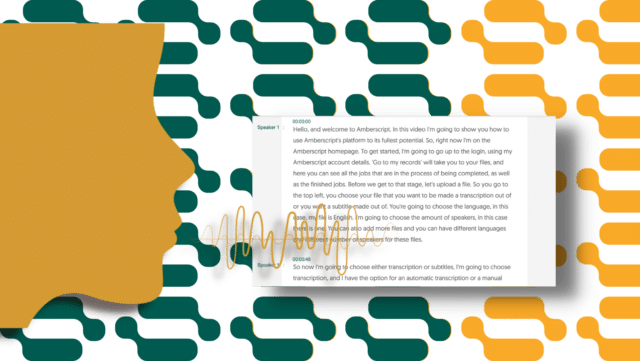
Find out how ASR works
Read the blogOverview of Features and Benefits
Features of Amberscript:
Amberscript is a powerful software that allows users to create transcriptions and subtitles of their content in no time. It has a range of features that make it an ideal choice for creating interactive and accessible content. Here is an overview of the features:
- Machine-made transcription: Amberscript offers AI-powered automatic transcription that can convert audio and video files into text in over 30 languages. Users can upload their files to the platform, and the software transcribes the content in real-time.
- Human-made transcription: Amberscript’s human-made transcription service allows users to upload audio or video files and receive a fully accurate, human-generated transcript. This option is ideal for recordings with challenging audio quality or multiple speakers, or for those who prefer the personal touch of a human transcriptionist.
- Multi-language support: The software supports more than 30 languages, including English, Spanish, French, German, Dutch, and Arabic. Users can choose the language they want to transcribe their content into and get accurate results.
- Customizable vocabulary: Amberscript allows users to create custom vocabularies, add specific words or phrases, and train the software to recognize them accurately.
- Automatic punctuation: The software can automatically add punctuation marks and paragraphs to the transcribed content, making it easier to read and understand.
- Speaker identification: The software can differentiate between multiple speakers in a recording and assign them unique labels. This feature is helpful for transcribing interviews, focus groups, or meetings.
- Machine-made subtitles: Amberscript can also generate captions for videos in multiple languages, making it easier for viewers to understand the content.
- Human-made subtitles: Amberscript’s human-made subtitle service provides users with the option to upload a video and receive professional, human-generated subtitles. This service is perfect for businesses and organizations that want to ensure their video content is accessible and understandable to viewers worldwide. Users can select from a variety of subtitle formats and languages and receive their subtitles within 3-5 business days.
- Editing tools: The platform provides users with editing tools to make corrections to the transcribed content manually. Users can add or remove words, change punctuation, or format the text as needed.
- Integrations: Amberscript can integrate with other software, such as Dropbox, Google Drive, and YouTube, making it easier to upload and manage files.
- Security and privacy: The platform uses advanced encryption and follows strict security protocols to protect users’ data and maintain their privacy.
Benefits of using Amberscript:
1. Easy to use: With Amberscript, you can easily create detailed reports in a matter of minutes – no complicated software or lengthy training sessions required. Plus, it’s user-friendly interface makes navigating the platform simple and intuitive even for those with limited technical ability.
2. Convenient & secure: Amberscript offers safe and secure data storage options, so that you can keep track of key information anytime, anywhere – all without having to worry about your files being misused or tampered with. You also have the option to export reports as PDFs for easy sharing and accessibility.
3. Comprehensive reporting: From individual projects to company-wide workflows, Amberscript provides accurate transcripts so that you can easily monitor and modify, if necessary, your projects.
4. Cost efficiency: With Amberscript, there are no upfront costs or complicated contracts – just one low monthly fee for unlimited access to all of its features and tools. This makes it an ideal solution for businesses looking to save money without compromising quality or reliability.
5. Advanced analytics: With its advanced analytics tool, you can quickly identify where improvements need to be made.
Benefits of using Amberscript
Amberscript’s transcription services are:

Edit your text in minutes or leave the work to our experienced transcribers.
Our experienced transcribers and thorough quality controls ensure 100% accuracy of transcripts and subtitles.
Through a series of integrations and API interfaces, you can fully automate your workflows.

Your data is in safe hands. We are GDPR compliant + ISO27001 and ISO9001 certified.
With Amberscript, you can easily create comprehensive reports in a matter of minutes – no complicated software or lengthy training required. It’s user-friendly interface and intuitive design make it easy to navigate the platform, even for those with limited technical ability. Plus, Amberscript offers safe and secure data storage options so that you can keep track of key information anytime, anywhere – all without having to worry about your files being misused or tampered with. You also have the option to export reports as PDFs for easy sharing and accessibility. And with its advanced analytics tool, you can quickly identify where improvements need to be made, track goals over time and increase your organization’s overall productivity. So why wait? Sign up for Amberscript today!
Request a quote
Conclusion
In conclusion, having an effective transcription method is essential for reporters. Amberscript provides a great tool for reporters that allows them to quickly and accurately transcribe their recordings with accuracy. With its advanced features like automated speech recognition, machine-learning algorithms, and integrated tools, Amberscript helps streamline the entire transcription process. Overall, Amberscript is an invaluable resource for reporters looking to save time while producing accurate transcripts of their interviews and recordings.
Frequently asked questions
-
Can I add a glossary with specific words to the transcription job?
Yes, we also offer specialized transcription, which can include jargon or specific vocabulary. To learn more about this or discuss specifics, please contact us.
-
Can you also deliver transcriptions for other media formats?
We deliver data annotation for speech-to-text solutions. However, if you have a special request, please contact our sales team here.
- Do you offer transcription services of pre-recorded files?
-
Do you provide legally trained transcriptionists?
Yes, we do. If you need a legally trained transcriptionist, please contact us via here.
-
Do you provide full verbatim or clean read transcripts?
In the manual transcription service, we provide both transcription types.
How to improve your podcasting skills
Podcasting has become a popular and effective way to communicate with people around the world. Whether you are an aspiring podcaster or have already established your podcast, there is always room for improvement. Podcasting is a great way to engage with your audience, share stories, and broadcast your message.
But podcasting can be challenging if you don’t have the right tools and techniques. Fortunately, there are many services available that can help you produce high-quality podcast episodes.
One such service is Amberscript, which provides podcast transcription. Amberscript uses advanced transcription technology to quickly transcribe podcast recordings, allowing podcast creators to focus more time on creating content rather than dealing with tedious editing tasks.
Podcast transcription can provide an added layer of accessibility for listeners who may not be able to listen directly or want to read a transcript before listening. With podcast transcription, podcast creators can provide a more immersive podcasting experience for their listeners.
In this blog post, we will explore some tips on how to improve your podcasting skills, and discuss the benefits of transcribing your podcast episodes with Amberscript.
Table of contents
- The increasing popularity of podcasts
- Planning your podcast
- Recording your podcast
- Transcribe your podcast with Amberscript
- Publishing your podcast
The increasing popularity of podcasts
Podcasting is becoming increasingly popular as a way to connect with an audience, share ideas, and expand your knowledge. As its popularity increases, it’s important for podcasters to continue to hone their skills and improve their podcasting techniques in order to create the best possible content. Here are some tips for improving your podcasting skills:
- Practice and Rehearse: Before hitting record, it’s important to practice what you’re going to say. This ensures that your podcast is well-structured and flows naturally. It also helps you stay focused on the topics you want to cover. Rehearsing also gives you a chance to find any mistakes or areas that need improving before you record.
- Tell a Story: People want to be entertained when they listen to podcasts, so it’s essential to tell a story in order to keep your audience engaged. You can do this by keeping things interesting and creating narrative arcs throughout the podcast, while also providing valuable content.
- Know Your Audience: It’s important to understand who your audience is, and tailor your content accordingly. This will ensure that your podcast resonates with the people you’re trying to reach, as well as giving it a more professional look.
- Invest in Quality Equipment: Podcasting relies on quality audio, so investing in good equipment is essential. Investing in a quality microphone and other audio gear can greatly improve the sound of your podcast and make it more enjoyable to listen to.
- Connect with Other Podcasters: Networking with other podcasters can help you learn from each other and stay informed on the latest trends in podcasting. It’s also a great way to meet new people and build connections with potential listeners.
By following these tips, you can greatly improve your podcasting skills and create more engaging content for your listeners. Podcasting is an incredibly rewarding experience, so be sure to practice and continually strive to become better!

Learn how to improve your audio quality
Read the blogPlanning Your Podcast
Identifying your niche and target audience:
Before you start podcasting, it’s important to identify your niche and target audience. Knowing who you want to reach with your podcast can help you create content that is relevant to them and more likely to engage them. It’s also important to make sure that the topics you discuss are of interest to your target audience, and that you provide valuable content.
Using podcast hosting services
Podcast hosting services provide an easy way to publish your podcast online. They allow you to upload audio files to their server, create RSS feeds, and distribute your podcast across multiple podcast directories such as iTunes and Spotify. Using a podcast hosting service can help your podcast reach a larger audience and make it easier to manage.
Managing podcast promotion
Once you’ve created your podcast, it’s important to promote it in order to reach new listeners. This could include creating social media accounts, writing blog posts about the podcast, or submitting your podcast to podcast directories. It’s also important to reach out to podcast reviewers and influencers in order to get your podcast noticed.

Learn more about how to convert your podcast into text
Read the blogBy following the tips above, you can make sure that your podcast is well-planned, produced efficiently, and reaches the right audience. Podcasting can be an extremely rewarding experience, so make sure you put in the effort to make the podcast successful!
Recording Your Podcast
- Get Set Up: Before you start recording your podcast, get everything set up correctly and make sure all of your equipment is working properly. Make sure you have a soundproof room if possible, or use sound dampening material to reduce any background noise. Once everything is set up, check the mic levels and do a sound check to ensure that the audio quality is good.
- Follow an Outline: Having an outline of what you want to discuss on your podcast can help keep you organized and ensure that all the topics are covered. It’s also important to make sure that your podcast flows well and is easy to follow.
- Practice Your Delivery: Practicing your podcast before you record can help you become more comfortable with the content and delivery, and make sure that it sounds natural. It’s also important to speak clearly and confidently in order to keep listeners engaged.
- Edit Your Podcast: Once you’ve recorded your podcast, it’s important to edit it in order to remove any errors or dead space. There are a variety of podcast editing software programs available, such as Amberscript, which can make the editing process easier. It’s also important to add intro and outro music, sound effects, and other audio elements to make your podcast sound more professional.
By following the tips above, you can ensure that your podcast is recorded and edited properly for a better listening experience. With proper planning, preparation, and practice, podcasting can be an enjoyable and rewarding experience!
Transcribe your podcast with Amberscript
Once you have finished recording your podcast, it’s good to transcribe it to help make it accessible to people from all over the world as well as one’s who are Deaf or Hard of Hearing.
Using podcast transcription services like Amberscript can help you quickly and accurately transcribe podcast audio into text. With Amberscript, you don’t have to worry about manually transcribing podcast audio by yourself. Instead, the Amberscript platform uses state-of-the-art AI technology to automatically generate transcripts of podcast audio in just a few minutes.
Amberscript’s machine-made transcription can offer several benefits for podcasters who want to produce high-quality content while saving time and resources. Here are some of the key advantages of using Amberscript for podcast transcription:
Benefits of machine-made transcription

Amberscript’s machine-made transcription is powered by advanced artificial intelligence technology, which means it can produce accurate transcriptions of podcast episodes. This can be particularly helpful for podcasters who want to create written content from their audio recordings, such as show notes or blog posts.

Transcribing podcast episodes manually can be a time-consuming and laborious task, especially for longer episodes. By using Amberscript’s automatic transcription service, podcasters can save time and focus on other aspects of their production, such as editing and promotion.

Hiring a professional transcriptionist to transcribe podcast episodes can be expensive, especially if a podcaster produces a lot of content. Amberscript’s automatic transcription service is a more cost-effective option that can still produce high-quality transcriptions.

Providing transcripts of podcast episodes can make the content more accessible to people who are deaf or hard of hearing, as well as non-native English speakers. This can help broaden the podcast’s audience and make it more inclusive.
While Amberscript’s machine-made transcription service offers a fast and cost-effective way to transcribe your podcast episodes, sometimes you may require a higher degree of accuracy and attention to detail. In these cases, Amberscript’s human-made transcription service can be an excellent solution. Here are some of the reason’s that Amberscript’s human made transcription is beneficial for your podcasts.
Benefits of human-made transcription

Unlike machine-made transcription, which relies on artificial intelligence and machine learning algorithms to transcribe audio, human-made transcription uses actual human transcriptionists. These professionals have the experience and expertise to transcribe your audio with a high degree of accuracy, ensuring that your transcripts are error-free and reliable.
Amberscript’s human-made transcription service also includes a quality assurance process, which further ensures accuracy and consistency in your transcripts. After the transcription is complete, it is reviewed by quality checker who checks for errors and inconsistencies. This process helps ensure that your transcripts are of the highest quality and meet your specific requirements.

Amberscript’s human-made transcription service is also entirely customizable, allowing users to tailor their transcripts to their specific needs. Users can choose from a range of transcription options, including speaker identification, timestamps, and more. This customization ensures that your transcripts meet your unique requirements and are easy to use for your specific needs.

Amberscript takes data privacy and confidentiality seriously and has strict data protection policies and protocols in place to ensure that your audio files and transcripts remain secure and confidential.
How to transcribe your podcast with Amberscript
Creating podcast transcripts using Amberscript is easy and straightforward. All you need to do is upload your podcast audio files to the Amberscript platform, choose between human-made or machine-made transcription, and the podcast transcription process will start automatically. You can also set your preferred language for transcriptions, add speaker information and timestamps to make it easier for readers to follow along as they read the podcast transcripts. Once the podcast transcription is complete, you can quickly edit and refine the podcast transcripts on Amberscript’s easy-to-use editing interface.
Once the podcast audio is transcribed into text, you can easily edit and refine the transcripts to create professional podcast transcripts that are ready for publishing on your website or podcast hosting platform.
So, if you’re looking to improve your podcasting skills, podcast transcription with Amberscript is a great way to do it. With its automated podcast transcription services and easy-to-use editing tools, Amberscript makes podcast transcription quick and easy. Whether you’re looking to increase the reach of your podcast or make podcast transcripts available for readers to follow along, podcast transcription with Amberscript can help you do that quickly and easily.
Publishing Your Podcast
1. Choose a Hosting Service
Before you can publish your podcast, you will need to choose a podcast hosting service. These services provide an easy way to upload audio files and create RSS feeds for podcast directories such as iTunes and Spotify. Choosing the right podcast hosting service is important as it can affect podcast discovery and podcast analytics.
2. Submit to Podcast Directories
Once your podcast is uploaded to a hosting service, you will need to submit it to podcast directories in order to reach a larger audience. Most podcast directories are free, but some may require payment for additional services such as podcast analytics or deeper podcast discovery features.

Learn how to grow your business through podcasts
Read the blog3. Promote Your Podcast
Finally, it’s important to promote your podcast in order to reach new listeners. This can include creating social media accounts, writing blog posts about the podcast, or submitting your podcast to podcast reviewers and influencers for promotion. It’s also important to use podcast analytics platforms such as Amberscript to gain insights into podcast performance and reach.
Conclusion
Podcasting can be an incredibly rewarding experience that allows podcast hosts to share their stories and reach a larger audience. In order for podcasting to be successful, podcast hosts need to take the time to plan and prepare each podcast episode, as well as edit the podcast recordings and promote their podcast. Additionally, podcast hosts can use podcast transcription services such as Amberscript to easily generate podcast transcripts and improve podcast SEO. By following these tips, podcast hosts can ensure that their podcast is successful and reaches its intended audience!
Frequently asked questions
-
Can I add a glossary with specific words to the transcription job?
Yes, we also offer specialized transcription, which can include jargon or specific vocabulary. To learn more about this or discuss specifics, please contact us.
-
Can I translate my subtitles and transcriptions via your app?
No, translation is not available in the automatic services but you can order translated manual subtitles services on our platform. Unfortunately, we do not offer translated manual transcriptions. Please check our prices here.
-
Can you also deliver transcriptions for other media formats?
We deliver data annotation for speech-to-text solutions. However, if you have a special request, please contact our sales team here.
-
Can you transcribe audio with foreign accents?
Yes, our software is constantly being trained to pick up on accents and know how to understand them. Want to know more about how this works? Read it here!
Zoom etiquette for students: do’s and don’ts during the meeting
Online meetings have been around as far back as the inception of the internet itself. However, a lot of people from different parts of the world preferred the basic way of meeting. That was up until now. However, Covid-19 came into the discussion, and it changed the way people interact. Online meetings became popular. Apps like Zoom became a must-have for many on their PC or mobile phones.
Even the education systems of many countries started adopting Zoom meetings as an alternative to meeting physically in class. Lecturers, teachers, and students have all had to adapt to the new life of working or learning from home. However, this new way of meeting is still new to many.
This is why it is important to learn some zoom etiquettes while having meetings on the platform. This article will focus on Zoom etiquette for students. They need to know a few things that can help with learning.
Zoom etiquette: do’s and don’ts

Students need to follow proper zoom meeting etiquette. It could be the difference between a wholesome learning experience and a complete waste of time behind the screen. It will also improve the relationship between the lecturers and the students. We would use this etiquette in the form of dos and don’ts. We would also discuss the importance of each rule of engagement. Let’s get right to them.
What are the do’s of a Zoom meeting?
1. Appropriate outfit
Online meetings can be enjoyed from anywhere. For students, most times, this happens at home. However, the time for a zoom meeting should be treated as a time at work and away from home. When ‘work’ is mentioned in the context of students, it refers to ‘class.’ Therefore, students must treat zoom meeting classes like they are in actual classrooms. This means dressing well. Some meetings or classes involve the use of videos by participants, while some others do not. You might think it is unnecessary to dress in a class that does not require the zoom video option. But it is the first important step; dressing well.
Why it is important to dress well during an online meeting:
- One of the obvious reasons is in the case of using videos. If you are not dressed for class, you won’t be able to participate if called by the host to contribute or answer a question. Dressing well gives others, especially the lecturer, the impression that you are interested in the class.
- Another reason that is not very obvious to many has to do with mood and work setting. Dressing for class in the right way sets you in a mood that makes it easier to concentrate. Your mind feels ready for class, so concentration becomes achievable. Dress like you would if you are going to class and prepare your brain and mind for the class. This is another important reason why it is necessary to dress well.
2. Looking into the camera

Another zoom meeting etiquette for students that falls under the list of “do’s” is the proper use of cameras. One could be called during the class to make presentations or answer a question. What is the best way to do this? Talking while facing the camera is the best way to do this. It is important to set up the camera in a way that makes it easy for you to look directly into it while talking.
Why it is important to look into the camera?
- Speaking directly into the camera prevents the students from getting distracted by happenings in the surrounding.
- It is also important to look into the camera because it gives the impression of a focused student. Other participants find it easier to focus on what is being said if the speaker speaks directly into the camera. The presentation will be well received if the student looks into the camera.
3. Staging the background
Staging the background is quite necessary, and it should be done before the start of the meeting. Here are some tips for setting up the stage for a meeting.
- The background should be a wall.
- Only the wall should be exposed, and not the other belongings in the room.
- Choose a stage that allows you to face a light source.
Why it is important to stage the background properly
- You should remember that the camera would show not just the student but also everything behind the student. This is why it is important to have a background that is proper and plain. A background that shows the things in the room could be a source of distraction. But backing a wall helps others focus on the student and not the room.
4. Appropriate names
Before you can log into a zoom meeting, you have to input a name that stands as a source of identification. You can also change the name at any point during the meeting. This is one key feature of zoom meetings that attendees, especially students, need to use properly.
Why it is important to use appropriate names
The use of nicknames and short forms of names is not ideal. For reasons such as attendance and the likes, you must use your real name. The class should be treated as a professional workspace, so the use of names should be proper.
Now that we have gone over the Dos of zoom meetings, here are some don’ts to help put things in order.
Don’ts of Zoom meetings

1. Don’t unmute your mic if there’s no need
It is wrong to leave the mic on when you are not talking. It would contribute to noise and distract others from learning and concentrating in class. The option to turn off the mic and video is available when joining a meeting. So, one should not forget to set it properly before joining the meeting.
2. Don’t publicize private meetings
The meeting ID is always sent to students before the class. While some classes set up a meeting password, others do not. Whichever is the case, it is proper zoom meeting etiquette for students not to make the zoom meeting public. This is to ensure that only the students have access to the meeting.
3. Don’t exit and join the meeting unnecessarily
Some zoom meetings give notifications when a new member joins the meeting or when they exit the meeting, which is why it is proper to avoid leaving or joining the meeting frequently. It would draw attention to what is being discussed.
4. Avoid noisy environment
A student should not choose a noisy environment as the place for zoom meetings. It will distract the students from learning. If one is speaking in a noisy environment, it will also distract others.
5. Avoid other types of distractions
Some other types of “don’ts” that one should avoid during a zoom meeting
- Avoid turning on notifications during meetings.
- Eating during meetings should be avoided.
Recording Meetings
One of the many options available to students during zoom meetings is to record them. A student can decide to listen to a meeting for learning purposes. This allows the student to visit and revisit the class at will and take note of previously missed points. However, there is a problem with revisiting an entire recording that could very well last hours. It will be difficult to listen to all, especially if one is listening for a single point. So how does one overcome such problems? Let’s answer that.

Transform your audio andu003cbru003ernvideo to text and subtitles
u003culu003ern tu003cliu003eHigh accurate, on demand serviceu003c/liu003ern tu003cliu003eCompetitive pricing with the fastest turnaround using AIu003c/liu003ern tu003cliu003eUpload, search edit and export with ease.u003c/liu003ernu003c/ulu003e
Transcription
Transcription is the process of converting audio and video recording to texts. It is the easy solution to getting the best out of a recorded zoom meeting. But it is also important to get quality transcription in order to get the right information and avoid mistakes. That is where we come in at Amberscript.
Amberscript
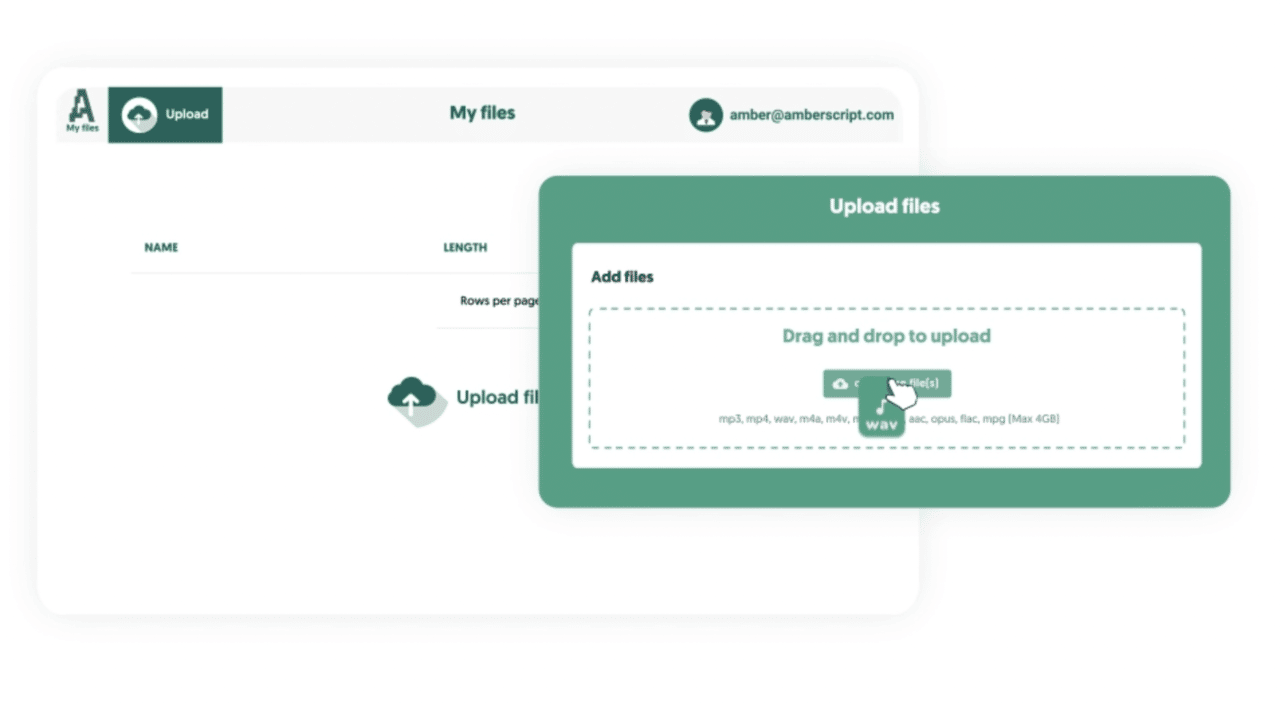
We provide the best and most reliable transcription service for our clients. Our system makes use of AI software to generate text from videos automatically. The whole process is simple and smooth.
How to transcribe your video
After recording your zoom meetings, you can easily transcribe them using our website. All you have to do is visit our website and select your preferred service. Upload your video and leave the rest to our experts. Your transcript would be ready in no time.
Our transcription services
Choose and learn about any of the two transcription services on our website.
Zoom meeting provides convenience and ease for its users. This is especially true for students. If one can follow the proper zoom meeting etiquettes for students, the experience would be wholesome. You can also use our transcription services to convert your recorded meetings to text and read it at your pace and convenience.
7 Tips for Transcription in Field Research
Field research is a critical component of various academic disciplines, including anthropology, sociology, psychology, and political science. It involves collecting primary data in a natural setting, such as a community, workplace, or social environment. This can provide researchers with a deeper understanding of the behavior, interactions, and responses of individuals or groups. However, transcribing all of this data can be a tedious and time-consuming task.
In this article, we’ll share seven valuable tips for transcription in field research, along with the benefits of using professional transcription services.
Table of contents
- What is field research?
- Why is field research important?
- Why do you need transcriptions?
- Different kinds of transcription
- How Amberscript can help
- 7 tips for transcription in field research
What is Field Research?
Field research is a qualitative research method that involves collecting primary data through various methods, including surveys, observations, and interviews. The goal of field research is to study individuals or groups in their natural environment and to understand their behavior, beliefs, and attitudes. Field research provides researchers with insights into social phenomena that cannot be studied in a lab or a controlled environment. Field research is essential because it allows researchers to collect data in a real-life context and provides them with a deeper understanding of complex phenomena.
Why is Field Research Important?
Field research is crucial for several reasons:
- It allows researchers to study social phenomena in a natural setting, providing them with a more profound understanding of individuals or groups’ behavior and attitudes
- It allows researchers to collect data that cannot be studied in a laboratory or a controlled environment
- Field research is critical for developing theories, testing hypotheses, and gaining a deeper understanding of complex phenomena
- Field research is important for policymakers and practitioners, as it provides them with insights into the real-world problems that they need to address.
Different Kinds of Field Research
There are several types of field research, including ethnography, case study, action research, and participatory research. Ethnography involves observing a social group or community for an extended period to understand their culture and social behavior. Case study research focuses on a particular case or situation and examines it in-depth. Action research involves researchers collaborating with the community to address social problems. Participatory research involves the participation of the community in the research process.

Why Do You Need Transcriptions?
Transcriptions are written records of audio or video recordings. They provide researchers with a written account of their field research data, making it easier to analyze and interpret. Transcriptions are essential for several reasons:
- They provide researchers with a detailed account of their data, making it easier to analyze and interpret.
- They ensure that nothing is lost in translation, removing the potential for misinterpretation or misunderstanding.
- They make it easier to share research findings with others, making research more accessible and understandable.
The Benefits of Transcription
Transcription offers several benefits for field researchers, including accurate data analysis, easy data retrieval, and the ability to share research findings with others. Accurate data analysis is essential for researchers, as it allows them to draw valid conclusions from their data. Transcription makes it easier to retrieve data, as researchers can search for specific words or phrases in their transcripts. Sharing research findings with others is critical for researchers, as it makes their research more accessible and can lead to further research collaborations.
Different kinds of transcription
There are three primary ways to transcribe data for field research: do it yourself, hire a freelancer, or use a transcription company. Each method has its advantages and disadvantages, depending on your needs and budget.
Do It Yourself
Transcribing your data yourself can be time-consuming, but it allows you to have complete control over the transcription process. Doing it yourself can be a good option if you have a small amount of data or a limited budget. Additionally, transcribing data yourself can help you to gain a deeper understanding of your research data, making it easier to analyze and draw conclusions from.
However, transcribing data yourself can be a challenging task, especially if you have limited transcription experience. It can also be time-consuming, taking up valuable time that could be spent on other important aspects of the research process. Transcribing data yourself can also result in errors, which can lead to inaccuracies and misinterpretations in your data.

Learn how to transcribe yourself
Learn moreHire a Freelancer
Hiring a freelancer is a cost-effective option, but it can be challenging to find someone with the necessary skills and experience. Freelancers can be found on various freelance platforms, such as Upwork, Freelancer, or Fiverr. When hiring a freelancer, it’s essential to check their experience, references, and reviews before hiring them.
One advantage of hiring a freelancer is that they can be flexible with your schedule and transcription needs. They can also provide a more personal touch to your transcriptions, allowing you to customize your transcription to your specific needs. However, hiring a freelancer can be time-consuming, as it can take some time to find the right freelancer with the necessary skills and experience.
Transcription Company
One advantage of using a transcription company like Amberscript is that they can transcribe large volumes of data quickly and accurately. Using a transcription company can also be more cost-effective than hiring a freelancer or transcribing data yourself. This is especially true if you have a large amount of data to transcribe.
Amberscript’s machine-made transcription services use advanced speech recognition software to transcribe data quickly and accurately. Machine-made transcription is ideal for straightforward audio or video recordings with one speaker, such as lectures or speeches. Human-made transcription services are offered for recordings with multiple speakers, difficult audio quality or jargon.
Another advantage of using a transcription company like Amberscript is that they can provide a consistent and high-quality transcription service. This reduces the risk of errors and inaccuracies in your data, ensuring that your research findings are reliable and valid. All you need to do is upload your file and let Amberscript take care of the rest.
How Amberscript can help
Amberscript is a leading transcription service that provides researchers with a reliable and convenient option for transcribing their data. They offer both machine-made and human-made transcription services, depending on your needs. Let’s take a closer look at both of these options, so that you can choose the method of transcription that best suits your specific needs.
Machine made transcription
Machine-made transcription uses advanced speech recognition software to transcribe the data automatically. However, the accuracy of machine-made transcription can be affected by various factors, such as background noise, multiple speakers, or non-native speakers. Therefore, machine-made transcription is often best suited for high-volume tasks. It’s also ideal for companies on a budget or people who don’t mind making a few quick edits.
Human made transcription
Human-made transcription, on the other hand, is more accurate but can also be more expensive and time-consuming. Human-made transcription is performed by professional transcribers who have the necessary skills and knowledge to transcribe your data accurately. They can provide you with different transcription styles, such as verbatim or non-verbatim transcription. As such, human-made transcription is often best suited for tasks where accuracy is the main concern, such as transcribing sensitive or complex data.
Get a customized offer
Request a quote for your transcription needs
7 Tips for transcription in field research
Field research is an essential component of many academic disciplines, and accurate data transcription is crucial for producing reliable research findings. However, transcribing data in the field can be a daunting and time-consuming task, particularly for students who are new to the process. That’s why we’ve put together seven tips to help make transcribing data in field research more manageable and efficient.
These tips cover a range of best practices, and they can help you transcribe your data accurately, saving you time and effort in the process. Whether you’re a student or a professional researcher, these tips can help you to produce high-quality research findings that are reliable and valid.

Tip 1: Share Research Findings with Others
Sharing research findings with others is essential for researchers, as it makes their research more accessible and can lead to further research collaborations. Transcribing your data is the first step in sharing your research findings with others. However, it’s also essential to format your transcription correctly, so it’s easy to read and understand. You can use a transcription company like Amberscript to help you format your transcription, making it more accessible to others.
Another way to share your research findings with others is to use different platforms, such as social media, blogs, or academic journals. Social media platforms like Twitter, Facebook, and LinkedIn can be useful for sharing short snippets of your research findings. Blogs and academic journals are more suitable for long-form research articles. By sharing your research findings with others, you can increase the visibility and impact of your research.
Tip 2: Use Searchable Texts to Find What You’re Looking For
Using searchable texts is an effective way to find specific information in your transcriptions. Many transcription software programs offer search functions that allow you to search for specific words or phrases in your transcripts. You can also use keywords and tags to label your transcriptions, making it easier to find specific information.
Searchable texts also make it easier to compare and contrast different parts of your research data. By searching for specific words or phrases, you can identify patterns, themes, and relationships in your data that you may have missed otherwise. You can use this information to draw more informed conclusions from your research data.
Tip 3: Be More Objective with Your Study
Being objective in field research is essential to ensure that your findings are accurate and reliable. One way to be more objective is to transcribe your data as soon as possible after collecting it. This allows you to avoid any potential bias that may occur when transcribing data after a long period.
It’s also essential to use a consistent transcription style when transcribing your data. Using a consistent transcription style helps ensure that your data is transcribed accurately and consistently, reducing the risk of bias or misinterpretation. You can use a transcription company like Amberscript to help you choose the right transcription style for your research data.
Tip 4: Record Every Detail and Engage Yourself in the Study
Recording every detail of your field research is essential for ensuring that your data is accurate and reliable. It’s also essential to engage yourself in the study and to take detailed notes during the research process. This allows you to capture important details that may not be evident in the audio or video recording.
When transcribing your data, it’s essential to transcribe everything that is said in the recording, including non-verbal cues, pauses, and background noise. This ensures that your data is transcribed accurately and completely. Taking detailed notes during the research process can also help you identify themes, patterns, and relationships in your data, making it easier to draw conclusions from your research.
Learn more about how to make detailed notes for transcription
Read the blogTip 5: Look back at a conversation
Looking back at a conversation is an effective way to identify potential biases or misinterpretations in your data. When transcribing a conversation, it’s essential to transcribe everything that is said, including non-verbal cues and pauses. By looking back at a conversation, you can identify any misinterpretations or biases that may have occurred during the conversation.
Looking back at a conversation can also help you identify themes, patterns, and relationships in your data. By analyzing a conversation in more detail, you can draw more informed conclusions from your research. This can help you to gain a deeper understanding of the research topic and to identify potential areas for further research.
When looking back at a conversation, it’s essential to consider the context in which the conversation took place. This includes the setting, the participants, and the topic of the conversation. By understanding the context, you can gain a better understanding of the conversation and the data it contains.

Learn more about interview transcription
Learn moreTip 6: Spend your valuable time on something else
Transcribing data in field research can be a time-consuming task, which can take up valuable time that could be spent on other important aspects of the research process. One way to save time is to use a transcription company like Amberscript. By outsourcing your transcription needs to a professional transcription company, you can free up valuable time that can be spent on other aspects of the research process, such as data analysis, literature review, or writing.
Another way to save time is to use transcription software that offers advanced features like automatic timestamping, speaker identification, and transcription shortcuts. These features can save you time and effort by automating certain aspects of the transcription process. For example, automatic time-stamping allows you to add time codes to your transcription, making it easier to navigate and analyze your data.
Tip 7: Don’t have things get lost in translation
Translating data in field research can be a complex task that requires specialized skills and knowledge. If your research involves participants who speak different languages, it’s essential to translate the data accurately and effectively. One way to ensure accurate translation is to use a professional translation service like Amberscript.
Amberscript offers translation services in 39+ languages, including French, German, Spanish, Dutch, and Italian. They have a team of professional translators who have the necessary skills and knowledge to translate your data accurately and effectively.
It’s important to keep in mind that accurate translation is crucial for ensuring the validity and reliability of your research findings. By using a professional translation service like Amberscript, you can ensure that your data is translated accurately and effectively, reducing the risk of misinterpretation or miscommunication.
Summary
Transcribing data in field research can be a challenging task, but it’s essential for producing accurate and reliable research findings. Whether you’re a student or a professional researcher, using the right transcription techniques and tools can help you to transcribe your data accurately and efficiently.
In this article, we’ve covered seven tips for transcribing data in field research, These tips can help you to transcribe your data accurately and effectively, saving you time and effort in the transcription process.
We’ve also discussed the different kinds of transcription services available, including doing it yourself, hiring a freelancer, or using a transcription company like Amberscript. Each method has its advantages and disadvantages, depending on your needs and budget. By choosing the right transcription service for your research needs, you can ensure that your data is transcribed accurately and efficiently, reducing the risk of errors and inaccuracies in your research findings.
All things considered, transcribing data in field research is a critical task that requires attention to detail, patience, and skill. By following the tips and techniques discussed in this post, you can improve the accuracy and reliability of your research findings, making your research more effective and valuable.
How to Transcribe Fast: 10 Tips
Transcribing audio can be a time-consuming and laborious task, especially if you are dealing with long recordings. But transcriptions are essential for a variety of reasons, such as creating captions and subtitles for videos, generating transcripts of meetings or interviews, and converting audio recordings into text. So, what to do? Well, it turns out that there are many things you can do to make the process of transcribing audio quicker and more efficient.
In this article, we’ll go over ten practical tips on how to transcribe audio quickly and efficiently, so you can get the job done faster and with much less effort.
Table of contents
- Why do you need transcriptions?
- The benefits of transcription
- The different types of transcription
- Do it yourself
- Hire a freelancer
- Use a transcription company
- How Amberscript can help
- 10 tips to transcribe fast
Why Do You Need Transcriptions?
There are many reasons why transcriptions can be useful, depending on your specific needs and goals. For example, if you’re a content creator, you may want to transcribe your podcasts or videos to make them more accessible to people with hearing impairments. Transcriptions can also help improve your content’s SEO by making it more discoverable to search engines, such as Google and Bing.
If you’re a researcher, transcriptions can help you quickly analyze and extract insights from your interviews or focus group discussions. And for marketers, transcriptions can be a valuable asset for repurposing audio content into other formats, such as blog posts or social media posts, which can help expand your content’s reach and engagement.
The Benefits of Transcription
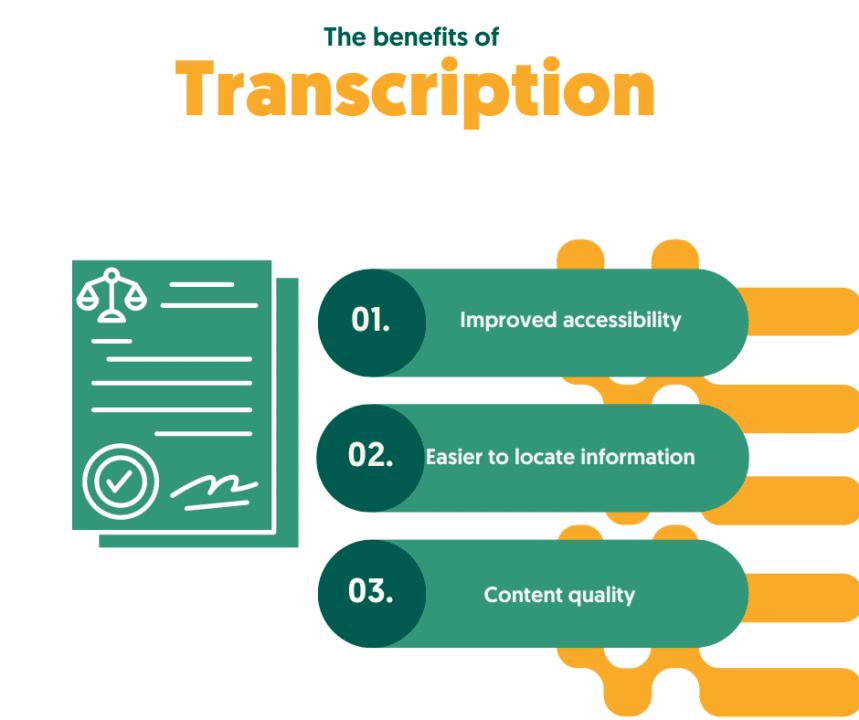
As mentioned, transcriptions can offer numerous benefits for a variety of purposes. Whether you’re creating content, conducting research, or just trying to improve accessibility, transcriptions can help make the process easier and more efficient.
One of the most significant benefits of transcription is improved accessibility. By converting audio content into text, transcriptions allow individuals with hearing impairments to access the content and improve the overall user experience. Transcriptions can also help non-native speakers better understand content and make it easier for people to consume your content in their preferred format.
Another benefit of transcription is that it makes it easier to locate specific information within an audio file. Rather than listening to the entire recording, you can search for specific keywords or phrases within the text, saving you time and effort. This is particularly useful for researchers who need to analyze and extract insights from interviews or focus group discussions.
Transcriptions can also improve the overall quality of content. By having a written version of the audio content, you can edit and refine the text to improve its clarity and effectiveness. Again, transcriptions can also help improve your content’s SEO by making it more discoverable by search engines. This can attract more traffic to your website and potentially increase your revenue.
The different types of transcription
When it comes to transcription, there are several options available, depending on your needs and budget. These options include doing it yourself, which is the most time-consuming but cheapest option, hiring a freelancer which can save you time but will cost you a fair bit of money, and working with a professional transcription service, which offers the best of both worlds.
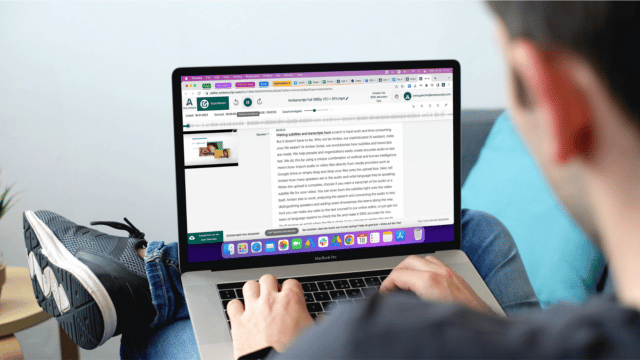
Learn more about everything you need to know about transcription
Learn moreDo it Yourself
If you have the time, patience, and necessary tools, you can transcribe the audio yourself. This can be a cost-effective option, but it can also be time-consuming and requires a certain level of skill and experience. You’ll need a computer with a word processing program, a reliable headset, and a transcription software or app.
Here are some additional tips to help you transcribe audio yourself:
- Use the right equipment: A good quality headset with noise-canceling features can help you transcribe audio more accurately and efficiently. A transcription foot pedal can also be useful to control the audio playback while typing.
- Practice touch typing: Touch typing is a skill that allows you to type quickly without looking at the keyboard. This can be useful when transcribing audio as it allows you to type faster and with fewer errors.
- Focus on accuracy: Accuracy is key when transcribing audio. Take the time to listen carefully and ensure that your transcription is as accurate as possible. Consider using a spell-checker and grammar checker to improve the accuracy of your transcription.
- Use timestamps: Adding timestamps to your transcription can help you keep track of specific times within the audio. This can be useful when you need to refer to a specific section of the audio later on.
- Take breaks: Transcribing audio for an extended period can be tiring and may affect the accuracy of your transcription. Take regular breaks to avoid fatigue and maintain accuracy.
- Proofread your work: Once you have finished your transcription, take the time to proofread it. Check for spelling and grammar errors and ensure that the transcription is accurate and complete.
By following these tips, you can transcribe audio yourself efficiently and accurately. However, if you don’t have the time, skill, or patience to transcribe audio yourself, you may want to consider outsourcing the task.
Hire a Freelancer
If you want to outsource the task, you can hire a freelance transcriptionist. Freelancers are a good option if you have a small project or a one-time need. You can find freelance transcriptionists on websites like Upwork or Fiverr. Keep in mind that prices and quality can vary, so it’s essential to do your research and read reviews before hiring a freelancer.
When hiring a freelancer, here are some tips to help you find the right one:
- Check their experience: Look for a freelancer with experience in transcribing audio. Check their portfolio or samples of their work to ensure that they have the necessary skills.
- Consider their rates: Freelancer rates can vary significantly. Look for a freelancer who offers competitive rates while maintaining a high level of quality.
- Read reviews: Read reviews from previous clients to get an idea of the freelancer’s work quality, responsiveness, and professionalism.
- Set clear expectations: When hiring a freelancer, make sure to set clear expectations and deadlines for the project. Provide detailed instructions and guidelines to ensure that the freelancer understands your needs.
- Maintain communication: Regular communication with the freelancer can help ensure that the project is on track and that any issues are addressed promptly.
Hiring a freelancer can be a good option if you have a small project or a one-time need. However, if you have ongoing transcription needs or need highly accurate and specialized transcriptions, you may want to consider using a professional transcription service like Amberscript.
Transcription company
If you have a larger project or need ongoing transcription services, then working with a professional transcription company like Amberscript can be the best option. In fact, working with a professional transcription company has several advantages over doing it yourself or hiring a freelancer.
Here are some benefits of working with a company like Amberscript:
- Fast turnaround: With Amberscript, you can get your transcriptions done in as little as 5 minutes for machine-made transcriptions and 2-3 days for human-made transcriptions. This can be crucial if you have a tight deadline or need your transcriptions quickly.
- High accuracy: Amberscript uses a combination of artificial and human intelligence to provide high-quality and accurate transcriptions. You can choose between machine-made or human-made transcriptions, depending on your needs and budget.
- Cost-effective: While professional transcription services may seem more expensive than doing it yourself or hiring a freelancer, they can be more cost-effective in the long run. This is because professional transcription companies can provide higher quality and more accurate transcriptions, saving you time and effort in the long run.
- Secure and easy-to-use platform: With Amberscript, you’ll have access to a secure and easy-to-use platform for storing and managing your transcriptions. You can access your transcriptions from anywhere, and they’ll be stored in a secure and encrypted environment.
- Customer support: Amberscript provides excellent customer support, with a dedicated team of professionals ready to help you with any questions or issues you may have.
All things considered, working with a professional transcription company like Amberscript can provide faster, more accurate, and higher quality results than doing it yourself or hiring a freelancer.
How Amberscript Can Help
Transcribing audio can be a real chore, but with Amberscript, you can make the process more efficient and less frustrating. Amberscript provides both machine-made and human-made transcription services, depending on your needs and preferences. With high accuracy and fast turnaround times, Amberscript can provide you with the transcription you need quickly and efficiently. Here’s a closer look at how Amberscript can help:
Machine-made Transcription
Amberscript’s machine-made transcription service is perfect for those who need quick and affordable transcriptions. With advanced speech-to-text technology, Amberscript can accurately transcribe your audio in a matter of minutes. The machine-made transcription service is best suited for clear audio recordings without much background noise, such as interviews, lectures, and podcasts. The service is available in over 30 languages, including English, French, German, and Spanish.
The machine-made transcription service is easy to use, and you can upload your audio files to the platform in just a few clicks. Once your transcription is ready, you can edit and customize it in Amberscript’s highly secure cloud-based environment. With competitive pricing and fast turnaround times, Amberscript’s machine-made transcription service is a cost-effective solution for those who need fast and accurate transcriptions.
Human-made Transcription
For those who need highly accurate and specialized transcriptions, Amberscript’s human-made transcription service is the way to go. With a team of professional transcribers and captioners, Amberscript can provide high-quality transcriptions that are up to 100% accurate. The human-made transcription service is best suited for complex audio recordings with difficult accents or multiple speakers, such as legal or medical transcriptions.
The human-made transcription service includes a dedicated project manager who will work with you to ensure that your transcription meets your specific requirements. With flexible pricing options and fast turnaround times, Amberscript’s human-made transcription service is a reliable and efficient solution for those who need highly accurate and specialized transcriptions.
Get a customized offer
Request a quote for your transcription needs
10 Tips to Transcribe Fast
Transcribing audio can be a tedious task, but there are several ways to make the process more efficient and less frustrating. As promised, here are ten tips to help you transcribe audio faster and with less effort:
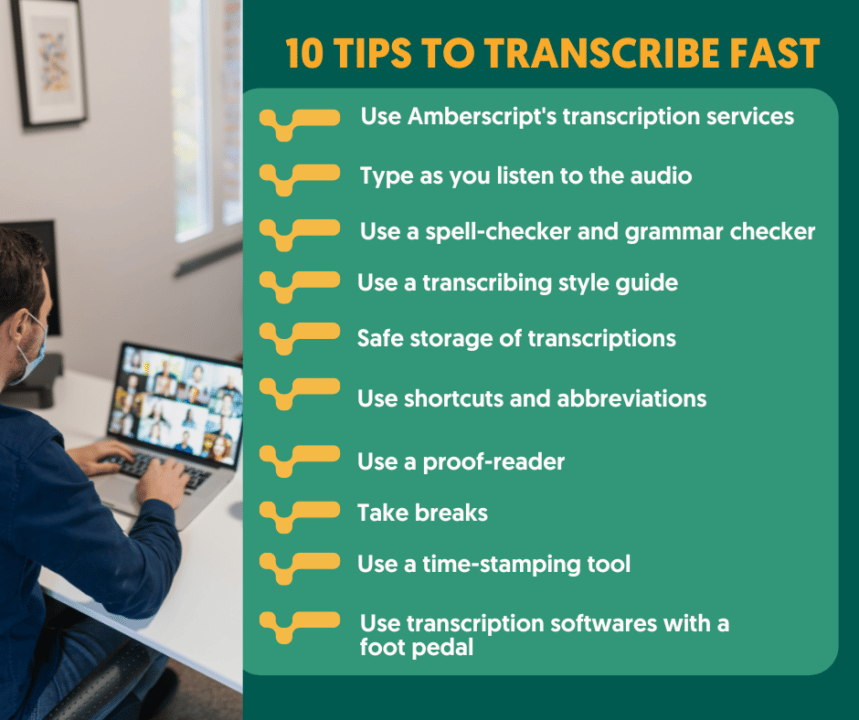
1. Use Amberscript’s transcription services
If you want fast and accurate transcriptions without the hassle of doing it yourself, consider using Amberscript’s transcription services. With advanced speech-to-text technology and human-made transcription options, you can get high-quality transcriptions in a matter of minutes or a few days. Plus, the platform is easy to use, secure, and customizable to fit your needs. Save time and effort by letting Amberscript handle your transcription needs.
2. Type as you listen to the audio rather than trying to transcribe after the fact
One way to transcribe audio quickly and efficiently is to type as you listen to the audio, rather than trying to transcribe after the fact. This can help you stay focused and make the process more seamless. Play the audio at a slower pace if necessary and use a transcription software with hotkeys or keyboard shortcuts to make the typing process smoother. With practice, you can improve your typing speed and accuracy, making it easier to transcribe audio with less effort.
3. Use a spell-checker and grammar checker to improve accuracy
To improve the accuracy of your transcriptions, consider using a spell-checker and grammar checker. This can help you catch errors and improve the overall quality of the transcription. Some transcription software already includes spell-check and grammar-check features, or you can use a separate tool to review your text. By catching mistakes early, you can save time and effort by not having to go back and correct errors later.
4. Use a transcribing style guide to maintain consistency
Consistency is key when it comes to transcribing audio. By using a transcribing style guide, you can maintain consistency throughout your transcription, ensuring that your document is accurate and easy to read. The guide can include things like preferred spellings, punctuation rules, and formatting guidelines. By following a consistent style, you can make it easier to review and edit your transcript and reduce the likelihood of errors.
5. Store the transcriptions in a secure, easily accessible location
To ensure that your transcriptions are easily accessible and secure, consider using a cloud-based storage solution. This can help you keep your transcriptions organized and easily accessible, while also ensuring that they are stored securely. With Amberscript, you can store your transcript in a highly secure cloud-based environment, making it easy to access and manage your transcriptions from anywhere.
6. Use shortcuts and abbreviations to increase typing speed
To increase your typing speed and transcribe audio more quickly, consider using shortcuts and abbreviations. This can help you type more efficiently and reduce the amount of time you spend typing. For example, you can use abbreviations for common words or phrases, or use hotkeys to insert frequently used phrases. With practice, you can improve your typing speed and make the transcription process more efficient.
7. Consider enlisting a second person to verify the accuracy of the transcription
To improve the accuracy of your transcription, consider enlisting a second person to verify the content. This can help catch any errors or mistakes that you may have missed, ensuring that the transcription is as accurate as possible. The second person can be a colleague, friend, or professional editor. By having a second set of eyes review your transcription, you can ensure that the final product is high quality and error-free.
8. Take breaks during long recordings to reduce fatigue
Transcribing long recordings can be mentally and physically exhausting, so it’s important to take breaks regularly. This can help you stay focused and alert, reducing the likelihood of errors and fatigue. Take short breaks every 30-45 minutes and stretch or walk around to keep your energy levels up. By taking breaks, you can improve your productivity and make the transcription process less daunting.
9. Use a time-stamping tool to keep track of specific times within the audio
A time-stamping tool can be a valuable asset when transcribing audio. It allows you to keep track of specific times within the audio, making it easier to find specific parts of the recording. This can help you avoid having to listen to the entire recording repeatedly and can help you make the transcription process more efficient. With Amberscript’s time-stamping tool, you can easily add timestamps to your transcription, making it easy to find specific parts of the audio.
10. Use transcription software with a foot pedal to pause and play the audio
A foot pedal can be a useful tool when transcribing audio. It allows you to control the playback of the audio without having to use your hands, making the process more efficient and less distracting. This can help you stay focused and reduce the likelihood of errors. With transcription software that supports foot pedals, you can also control the playback speed, pause the audio, and rewind or fast forward without having to use your hands.
Summary
Transcribing audio can be a challenging and time-consuming task, but with the right tools and techniques, you can make the process more efficient and less frustrating. By following the tips outlined in this post, you can transcribe audio quickly and accurately, saving you time and effort. And when it comes to finding the right transcription service, Amberscript is the perfect solution.
With both machine-made and human-made transcription services, Amberscript can provide you with accurate and fast transcriptions that meet your specific needs and preferences. Whether you’re a content creator, researcher, or marketer, Amberscript can help you transcribe your audio quickly and efficiently and make it more accessible to a wider audience.
So why waste time and effort transcribing audio yourself when you can use Amberscript’s fast and accurate transcription services? With competitive pricing, fast turnaround times, and high-quality transcriptions, Amberscript is the go-to solution for all your transcription needs. Try Amberscript today and take the first step towards hassle-free audio transcription.
Frequently asked questions
-
Can I add a glossary with specific words to the transcription job?
Yes, we also offer specialized transcription, which can include jargon or specific vocabulary. To learn more about this or discuss specifics, please contact us.
-
Do you add timestamps?
Yes, timestamps are included in the transcript.You can choose to export the transcript with or without timestamps.
-
Can I translate my subtitles and transcriptions via your app?
No, translation is not available in the automatic services but you can order translated manual subtitles services on our platform. Unfortunately, we do not offer translated manual transcriptions. Please check our prices here.
-
Can you transcribe audio with foreign accents?
Yes, our software is constantly being trained to pick up on accents and know how to understand them. Want to know more about how this works? Read it here!
-
Can you also deliver transcriptions for other media formats?
We deliver data annotation for speech-to-text solutions. However, if you have a special request, please contact our sales team here.
-
Do you offer cloud transcription services?
Yes, our services are offered on the cloud.
Springcast and Amberscript join hands to help creators easily transcribe their podcasts
Podcasters can now breathe a sigh of relief, with this new integration, you can seamlessly upload audio files directly from Springcast to get an accurate transcription.
That’s right, no more transcribing the audio by hand!
What are the benefits of transcribing a podcast?
Transcribing a podcast is beneficial for both the host and their audience. It increases accessibility, searchability, and engagement with the content.
Benefits for the host:
For the host, transcribing their podcasts allows them to reach more people who may not be able to listen due to hearing impairments, may be a non-native speaker or situated in a sound sensitive environment.
It also enables captions for videos on social media platforms such as YouTube and Instagram, which can lead to an increase in viewership.
Additionally, transcripts make episodes much easier to find when searching online since keywords are included.
Benefits for the audience:
Audiences benefit from transcripts because they are able to pause or review covered material easily without having to rewind audio. In short – transcripts make engaging with the audio simpler.
Ultimately, having transcriptions available makes podcasts more accessible and easier to interact with, making them a worthwhile addition for both hosts and listeners alike.
How to get started?
All you need to start turning your audio to text is a Springcast and an Amberscript account.
There’s no need to worry about switching between multiple websites or services; everything is situated right in your Springcast account.
Step 1: Create an Amberscript account
Step 2: Link your Springcast and Amberscript account by getting in touch with our Support team.
Step 3: Recording your podcast!
Step 4: Upload to Springcast and get your automatic transcript
With only a single push of a button in the Springcast dashboard, creators can effortlessly transcribe their podcast episodes!
Our state-of-the-art AI, will analyze the speech and generate a transcript of the episode – with up to 85% accuracy. Depending on how long your episode is, this should take anywhere between 15-20 minutes to generate the transcript.
Once complete, you can review the text and make any necessary edits.
By combining the power of Springcast and Amberscript together, podcasting is easier than ever! Whether you’re a beginner or a veteran podcast creator, transcribing audio files will help expand your audience and improve your overall production quality.
Get started with Springcast and Amberscript today!
Top 10 Closed Captioning and Subtitling Services 2024
Table of Contents
- What are subtitles and closed captions?
- What are the subtitling and closed caption services?
- Why use a subtitling service?
- Top 10 subtitling and closed captioning services 2024
Captioning and closed captioning are gaining ground in a world that has moved towards inclusion and globalization. Everyone needs to have access to resources and audiences are increasingly diverse thanks to the internet. For some companies, it’s even a matter of regulatory compliance, and rightly so.
What are Closed Captions and Subtitles?
Closed captions and subtitles are not the same things. Although they are often used interchangeably, closed captions and subtitles were both created for different reasons.
Closed captions are lines of text that are placed at the bottom or top of the screen to help audiences who cannot hear the audio experience the video in the same way that people who can hear the video experience it. They were created for deaf and hard-of-hearing people.
With captions, you will see audio content that is not necessarily related to the speakers’ words. For example, if someone bangs a door in the background, it will be indicated. If there is background music, it will be shown as well.
Captions also give tone markers and other non-verbal communication. If a speaker is talking excitedly about something, then there will be a tone marker showing excitement. If a person is gesturing wildly, crying silently, or eating on the screen, it will be included in the captions.
Subtitles on the other hand were made for people who do not understand the language being spoken in the video. They provide translations for the viewers in a language that they understand.
Therefore, if you cannot simply hear the audio because of noise and just want to know what is being said, you can use subtitles, even if the audio is originally in a language you understand. You can also use captions as a hearing person to boost concentration, or if you do not understand the culture of the people speaking and need tone markers to get the full context.
In short, subtitles focus on language while captions focus on recreating the auditory experience.
Transform your audio and
video to text and subtitles
- High accurate, on demand service
- Competitive pricing with the fastest turnaround using AI
- Upload, search edit and export captions and transcripts with ease.
What are Captioning and Subtitling Services?
Captioning and subtitling services are platforms that provide captioning and subtitling. They are fast, accurate, and efficient. Often, they also provide transcription and live translation services, since these are often involved in the captioning and subtitling process.
Why Use a Subtitling Service?
After fully understanding what subtitling is, you must be wondering why you wouldn’t be able to learn how to do it on your own. At first glance, subtitling seems like nothing more than converting audio to text, translating it, and displaying it on the screen. But it is not as simple as it sounds. Here’s why you should use professional subtitling services:
It’s More Accurate Than Doing It Yourself
Naturally, human beings speak with a lot of imperfections. They may mumble, rash their words, mispronounce two similar sounding words, or even spontaneously code-switch. Although all these are perfectly normal, they make transcribing and translating what a person is saying difficult.
You may find yourself struggling to hear what was said and even not understanding the content. These issues will increase the likelihood of errors. Professional subtitlers, on the other hand, have been trained to decipher these quirks in speech and will make significantly fewer errors.
Cost-Effective
Time is money; the more money you can make in a specific timeframe, the better. A task that has a low return but takes up a large chunk of your day is hurting your profits, and the ramifications will reach far into the future.
Subtitling videos on your own will cause delays and then take up most of your day. This reduces your income. But getting a professional subtitler will not only help you earn more per hour but increase your ROI.
It’s Less Manual Work
Subtitling may sound simple, but when you get down to it, it is an entirely different story. Before you start subtitling, you need to transcribe the work. Transcription is a labor-intensive task where you should expect to spend three times as much time as the duration of an audio or video. Keep in mind that this speed is what is expected from mid-level professional transcribers.
After transcribing, you will then need to translate the script. This part will only be as good as your translation skills are. Even if you use a translation service, you will need to edit it to make sure the translations are contextually and grammatically correct.
Using a subtitling service will save you all this manual labor and give you back time to focus on your company.
It’s Faster
Finally, subtitling and captioning services are simply faster.
As we have discussed, for any non-professional, expect to spend more than three times the length of a video to subtitle and caption on your own. Your videos will take too long to get the subtitles and this may even bring issues with compliance regulations.
Every task in your service must be performed proficiently. Slow subtitling hinders that process. But hiring a subtitling service allows you to comply with standards.
Top 10 Closed Captioning and Subtitling Services 2024
Now that we’ve covered what subtitling and captioning are and why you should use a professional subtitling service in 2024, let’s look at some of the best professional subtitling services online and see what makes them so good. We’ll compare their features and benefits so you can pick the best one for you, your needs, and your budget.
1. Amberscript
Since we discovered Amberscript to be the best overall service in many different categories, including best overall accuracy and best value for money, they have to be the first subtitling provider on this list.
After reviewing the service, it comes as no surprise that many of the biggest corporations in the world, such as Amazon, Disney+, Microsoft, Netflix, and Warner Bros., use Amberscript for their subtitling services.
Depending on your particular needs, Amberscript provides a few different solutions. Amberscript offers an automated transcription service with one of the quickest turnaround times online for those who need excellent but not pixel-perfect subtitling, want to save some money, and don’t mind perfecting the script themselves. The cost is incredibly low considering the quality of the subtitles.
But automated subtitles will have their fair share of inaccuracies, which you will have to edit just to be sure. If you want your subtitles perfect as soon as they are ready, try Amberscript’s professional manual subtitling service. After several reviews and extensive research, Amberscript’s manual subtitling service came out on top because of its outstanding quality and competitive pricing.
2. Otter.ai
Otter.ai is a platform that mostly offers automated captioning and subtitling services. They use machine learning and other AI technology to generate accurate captions and subtitles. To ensure quality, you can still edit the final transcripts but it will be much less labor than doing everything from scratch.
It is worth mentioning that Otter.ai has some of the best live captioning services available in the market today. You can use the live captioning service for Zoom and other video conferencing platforms. However, this becomes one of its biggest disadvantages. Otter.ai is not ideal for individuals. Also, one of its strongest points is its in-built ability to record, which is not much considering that you can use any device to record.
3. Veed.io
With veed.io, you can quickly and automatically create closed captions for your videos. No extended waiting periods. Their speech-recognition software is so advanced that it can recognize more than 100 languages and accents and create accurate captions automatically.
But Veed.io is web-based and does not take any extra steps to protect data. This fact may not sit well with companies that deal with sensitive data. It is also relatively expensive, even out-pricing Adobe.

4. Sonix.ai
Sonix.ai is gradually becoming one of the most trusted internet sources for dependable, professional subtitling services in 2024. Sonix.ai distinguishes itself from the competition by supporting 35+ languages.
The service is completely automated, which means they provide AI-based transcription, translation, and subtitling. However, this means that sometimes the final captions are filled with errors. It would be better with a combination of manual captioning and subtitling for easier editing.

5. Scribie
Scribie offers both automated and manual subtitling services, just like the other companies on this list. Similar to the others, Scribie’s manual transcription is more accurate than the automated one, where they deliver impressive 99% accuracy for all their manual transcription and subsequent translation services.
You’ll get a quick first draft of your recording with automated subtitles at a lower fee of $0.10/min. The free transcription editor on Scribie will then allow you to easily alter your subtitle transcripts online. For error-free subtitling, however, you can get the manual subtitling package for $0.80/min.
This pricing is not convenient. It’s a massive leap from $0.10/min to $0.80/min for accurate captions.
6. Rev
Rev is another solid option for quality live captions and accurate subtitles. They provide both automatic and manual subtitling services. Rev supports reliable foreign language subtitles which is a feature that is great for when your video has multiple speakers who are speaking in different languages throughout the recording.
The accuracy of these translations is often called into question for missing context and other subtleties. If this is an issue you can easily fix it because you have a multilingual person to confirm the translations, then Rev is a great option.

7. GoTranscript
Another great option for your subtitling needs is GoTranscript. Their average turnaround time is under 6 hours, and they guarantee 99% accuracy.
GoTranscript has an efficient automated system that is so good that you can order their subtitling services online, upload your audio, and get your final document without speaking to anyone or needing any help. It is also the most accurate automated system in the market.
But no machine is ever perfect and they have had a fair share of mishaps because of the full automation. If there is some kind of glitch in the system, it won’t be easy to find help. You may not necessarily prefer this model if you like having the assurance of assistance.
8. 3PlayMedia
Closed captioning, live captioning, audio description, and translation are just a few of the services offered by 3Play Media, which enables users to produce compliant, usable, and engaging videos that are accessible to all.
Each month, 3Play Media processes more than 7,000 hours of video for its more than 10,000 clients. But this means that there will always be a long line and captioning may not be as fast.
9. Verbit
Verbit provides all the services we have talked about: automated and manual subtitling, closed captioning, live closed captioning, and the ability to edit transcripts before converting them to SRT files. The only difference is that Verbit is almost half the price of most options available here.
The fair pricing means that Verbit attracts numerous customers, meaning they too will be quite busy. They also do not have a large portfolio of esteemed companies that they have worked for yet. Although there is nothing wrong with that, some companies may prefer tried and tested contractors.
10. Scriptix
Last but not least, we have Scriptix. This platform’s greatest charm is the inclusive range of languages they provide subtitles for. You can get your subtitles in any of the 13 languages. If the language you want is not on the list, you can get a translator specially sourced!
Scriptix is the best solution for companies that have extremely diverse audiences and worry that the languages they want are unavailable. However, getting these unique translators may take a long time. Also, you will rarely need a translator for a rare language. So, you should probably consider whether other factors suit you before choosing it for all your captioning needs.
Conclusion
Every company that produces video content should seriously consider captioning and subtitling services, even if it isn’t a compliance requirement. Subtitles give you access to worldwide audiences, while captions make your videos accessible to people with hearing issues.
Use Amberscript 😉
Finally, remember you deserve the best pricing, highest accuracy, reliability, and personalization available in the market. Do not hesitate to contact Amberscript, where we provide the best of these services.
What’s the difference between captioning and transcription?
The audio-to-text world can be a confusing place. Should you be captioning your content or providing viewers with a transcript? Even when you decide on what will work best with your content, how should you go about creating the text? What even is the difference between captioning and transcription in the first place?
In this article, we’ll explain the difference between captioning and transcription, how to create captions and transcripts for your content, the benefits of audio-to-text for different industries, and which software to use.
The difference between captioning and transcription:
Transcription is the process of converting voice or audio into a written, plain text document. The transcript will not have any time information linked to it because it is the plain-text result of transcription.
Captioning is the act of splitting transcript text into chunks (known as “caption frames”) and time-coding each frame to synchronize with video audio. Output is often displayed at the bottom of a video screen and should always portray speech and sound effects, identify speakers, and account for any sound that is not visible. The transcript is used to make the caption.
Transform your audio and
video to text and subtitles
- High accurate, on demand service
- Competitive pricing with the fastest turnaround using AI
- Upload, search edit and export captions and transcripts with ease.
Transcription vs. Captioning in depth
What are transcriptions?
Transcription, also known as transcribing, is the process of transforming audio-to-text. When you have recorded content, whether it be audio or video, a transcript is essentially the audio written out in text format, including, who said what and at what time. Transcripts are useful for a variety of content like podcasts or research interviews.
There are two types of transcripts:
Verbatim: the text includes filler words such as uhh’s and erms, false starts, etc.
Clean read: the text has been edited slightly for readability, so it does not contain filler words or distractions.
The benefits of transcribing your content:
- It helps those who are deaf and hard of hearing experience your audio content. Your content will be more accessible and engaging to a wider audience.
- Transcripts greatly help your content rank in search engine results, and are an easy way to boost your SEO performance!
- Transcripts create a better user experience for non-native speakers or those who may not be able to listen to your content with the sound on.
- Having your audio transformed into text helps you find key fragments quickly, without having to listen repeatedly to the audio. This is beneficial to researchers and those who work in media and production.
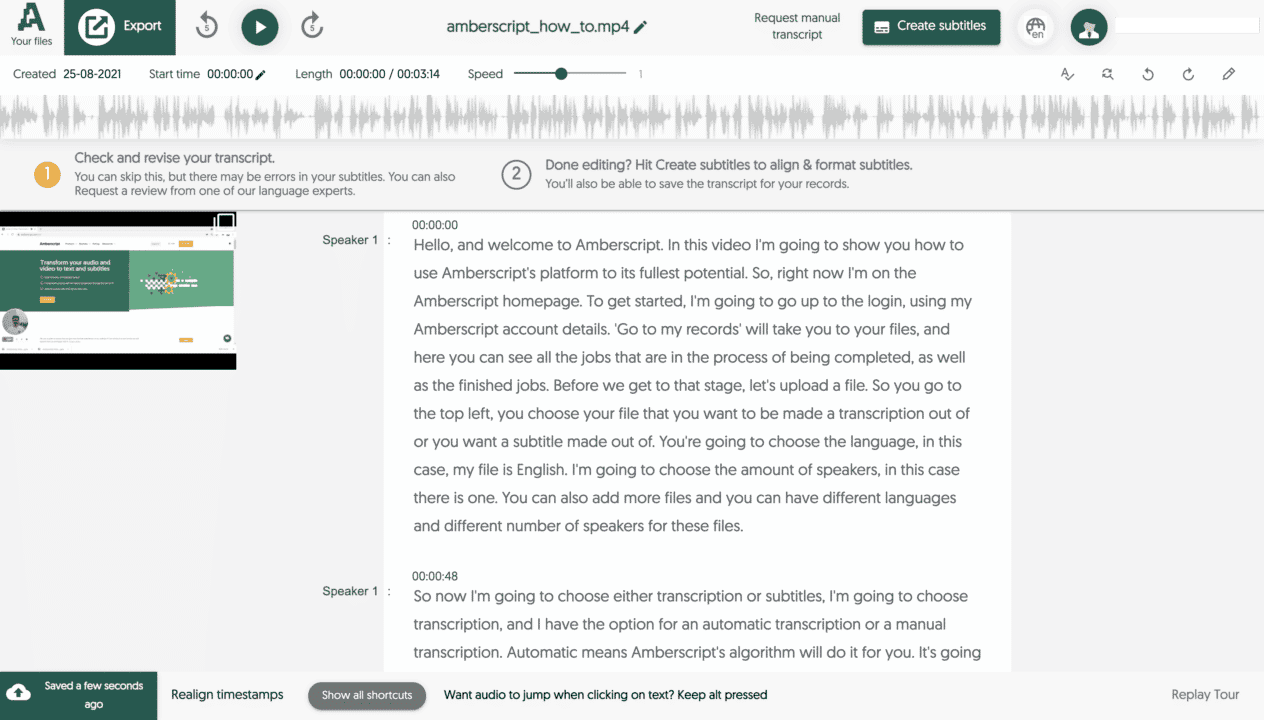
What are captions?
Captions are the text version of the audio of a video, but they are shown on the video. Captions can be in the same language as the audio or they can be translated into other languages to help those who are not native speakers, understand the content.
Types of captions
Closed captions: These captions are in a separate file from the video and can be turned on or off by the viewer.
Open captions: Open captions are burned into the video and the viewer has no control over whether to turn them off.
The benefits of captioning your videos:
- Captions help those who are deaf and hard of hearing experience your content
- Subtitles help people who may not understand the language of the audio experience the content
- Captions help to improve the SEO value of content, as it makes the video readable to search engines
- Those who cannot listen to your videos out loud in public settings can still understand what is being said

How to easily create transcripts and captions:
Creating transcripts and captions by yourself can be a time-consuming and boring process. For every minute of audio, it can take over 8 minutes to fully transcribe!
That’s why there are professional captioning and transcription services out there that can help!
At Amberscript, we’re on a mission to make all audio accessible by making the process of transcribing and captioning content a lot easier to do. We use state-of-the-art Automatic Speech Recognition (ASR) software to create high-quality audio-to-text, fast!
How to create captions and transcripts automatically with Amberscript:
- Start a free Amberscript account
- Upload your file(s)
- Choose whether you want subtitles or transcripts
- Select the audio’s language and how many speakers there are
- Choose your service:
- 5a. Human-made: Your content is created by professional transcribers and captioners. We handle the whole process, making sure that the text is 100% accurate.
- 5b. Machine-made: Your text is created automatically with our ASR. Depending on the audio quality of the file, the text will be up to 85% accurate. You can use our online editor to make changes to the text and perfect it as much as you like.
- 6. Export and share your file!
Bringing speech-to-text to the masses: Amberscript’s co-founders on how they aim to make audio accessible accurately
Reduce costs, improved accuracy, and faster turnarounds.
Our founders Peter-Paul de Leeuw, Thomas Dieste, and Timo Behrens sat down with Silicon Canals to discuss how we combine the power of AI and humans to create accurate subtitles and transcripts.
Amberscript vs. Otter.ai
These days there are many transcription and subtitle solutions available online. Some platforms rely on speech-to-text software, whereas others focus more on manual transcription completed by real humans. But although there are numerous options, they are not all created equally.
Some platforms are better for desktop devices, others for mobile; some are great for teams, and others for individuals. With so many different features available, it can be hard to decide which transcription service to use in 2022.
Two of the best options available are Amberscript and Otter.ai. Both of these platforms offer transcription services, but which is the better overall platform? And why? Well, we did the homework, compared the features, and crunched the numbers so that we could bring you this comprehensive comparison.
In this article, we will go over five basic categories, including automatic transcription, manual transcription, automatic subtitles, manual subtitles, and translated subtitles. We will compare both Amberscript and Otter.ai in these five areas so that you can decide for yourself which platform will work best for you and your needs.
| Feature | Amberscript | Otter.ai |
|---|---|---|
| Language support | 39 | English |
| Free trial | Yes | Yes |
| Online editor | Yes | Yes |
| Export as SRT/VTT/EBU-STL | Yes | No |
| Manual Services | Yes | No |
| Price | From $ 0.17 / minute ^ | Only monthly subscription |
| Security | GDPR + ISO27001 & ISO9001 certified | N/A |
| Automatic Delivery time | 5 minutes | 60 minutes |
| Manual Delivery time | 3 business days | N/A |
| Automatic Accuracy | Up to 85% | Up to 80% |
| Manual Accuracy | 100% | N/A |
Transform your audio and
video to text and subtitles
- High accurate, on demand service
- Competitive pricing with the fastest turnaround using AI
- Upload, search edit and export subtitles with ease.
Automatic Transcription
Automatic transcription is the most common type of online transcription service in 2022. The idea is that voice-to-text software listens to the audio and then transcribes it. This type of software is great for people who want to get a first draft down quickly and are prepared to proofread and edit the document themselves.
Automatic transcription is certainly a cheaper and quicker way to transcribe documents, but it is also more prone to errors. Both Amberscript and Otter.ai offer automatic transcription services, but which platform is better for automatic transcription?
Amberscript vs. Otter.ai
Amberscript is primarily a transcription and subtitle platform that excels at all things transcription. Otter.ai, on the other hand, is primarily a team collaboration and note-taking tool.
Amberscript can automatically transcribe audio or video files that you upload and can render the transcription into various file types for export. Amberscript also includes a built-in editor so that you can clean up the transcription yourself directly within the dashboard.
Otter.ai works a bit differently. The system can transcribe audio from meetings and lectures in real-time; in other words, it takes notes for you so that if you have to step out during a meeting, you will have a fairly accurate record of what was said while you were away.
Both services work well but are intended for different purposes. If you need to transcribe an audio or video file, then Amberscript will be the best option. If you need to take notes in an online meeting, then Otter.ai can provide that service.
Manual Transcription
Manual transcription is essentially a transcription service performed by real humans who listen to your audio file and actually write it out word for word with timestamps and speaker tags.
With manual transcription, you’ll know who said what and when they said it. Manual transcription is almost always more accurate than automatic transcription, but it is also more expensive. Let’s see how both platforms stack up in terms of manual transcription.
Amberscript vs Otter.ai
Amberscript is the clear winner in this category for the simple reason that Otter.ai doesn’t offer manual transcription services. Amberscript is able to provide manual transcription services with up to 100% accuracy.
This means that if you need a document transcribed perfectly by a real human, then Amberscript is the way to go. The service takes longer than automatic transcription, but the turn-around time is still fast, and you won’t need to spend much, if any, time editing the document.
Automatic Subtitles
Subtitles are useful when you want your audience to see what’s being said in your video via text captions. Maybe the listener is hearing impaired, or maybe they learn better by reading; in either case, adding subtitles to your video files can enhance the experience for your viewers and help you get your point across better than audio alone.
Automatic subtitles are generated by speech-to-text software in much the same way as automatic transcription. This method of adding subtitles is not 100% perfect as the machine learning software does make a mistake here and there, but the service is much faster than manual subtitles, and it’s almost always significantly less expensive as well.
Amberscript vs. Otter.ai
Both Amberscript and Otter.ai offer a version of automatic subtitles, but again, both platforms do so in a different way and for different purposes.
Amberscript allows you to upload video files directly on the platform, and the software will automatically listen to the audio and add subtitles. You can then save, edit, and export the file. The whole process is quick, easy, and a good value.
Otter.ai also has an automatic subtitle feature, but it is primarily designed for adding subtitles to meetings in real-time. So, for example, if you are in an online class and want to see the text of what your professor is saying, then the automatic subtitles generated by Otter.ai can help. With a pro plan, you can also upload pre-recorded files.
Manual Subtitles
Much like with transcription, manual subtitles are reviewed and added to your video file by a real human. This method of adding subtitles is much more accurate, but it also takes a bit longer and is generally more expensive. That said, if you need the job done right, and don’t have the time to review or edit your video file, then manual subtitles will probably be your best bet.
Amberscript vs Otter.ai
Again, there is no competition here. Amberscript is certainly better than Otter.ai when it comes to manual subtitles because Otter.ai doesn’t offer a manual subtitle service. Otter.ai is a great tool for keeping track of what’s being said in online meetings and collaborating with teammates in real-time, but that’s about it.
Translated Subtitles
Let’s say you have recorded a lecture in English, but you want to make it available to a global audience. In that case, it would make sense to add subtitles in other languages so that non-English speakers can understand what’s being said and enjoy the content. This is where translated subtitles come into play.
Amberscript vs Otter.ai
Amberscript offers a high-quality translated subtitle service, with the work being performed by real humans. Considering how much work goes into translating and then adding subtitles to a video, this service is fast and competitively priced. It’s definitely one of the best value services for translated subtitles online.
Otter.ai doesn’t offer any translated subtitle service. The platform is designed for automatic note-taking and real-time speech-to-text in online classes and meetings.
Pros and Cons
Both Amberscript and Otter.ai have their respective pros and cons. Let’s briefly go over where each platform excels and some of the limitations inherent to both services.
Amberscript Pros
- Great automatic and manual transcription services
- Accurate subtitles for uploaded video files
- Translated subtitle service
- Fast turn-around times
- Excellent user experience
- Good value
Amberscript Cons
- Real-time transcription in meetings can only be done via the iOS app.
Otter.ai Pros
- Real-time transcription in online classes and meetings
- Automatic note-taking so you never miss what was said
- Team collaboration tools for your staff or colleagues
- Integrated with meeting platforms
- Good smartphone app
Otter.ai Cons
- No manual transcription services
- No manual subtitle services
- No translated subtitle services
- Not very good for subtitles in general
- Not a good experience in browsers
Pricing
Amberscript offers both pre-paid services and subscription plans. Pre-paid transcription starts at $10 per audio hour for automatic transcription. The lowest-tier subscription service is $32 per month and includes five audio hours of automatic transcription. Manual transcription is $1.25 per audio minute. The prices are the same for subtitles; however, for translated subtitles, the price is $7 per audio minute.
Otter.ai offers a free plan that allows users to record and transcribe live. For more minutes and features, a pro plan is available starting from $8.33 per month when paid annually. The pro version includes everything included in the free version, plus Zoom, Microsoft Teams, and Google Meets integration, as well as the ability to transcribe pre-recorded files.
Amberscript vs. Otter.ai: The Verdict
Both Amberscript and Otter.ai are good services, but they work differently and have different purposes. Amberscript is great when you need fast, accurate transcription services or subtitles added to your video files. Amberscript is also the best solution when it comes to translated subtitles.
Otter.ai is good when you need to caption live meetings or generate a record of what was said on Zoom or in an online class. That said, Otter.ai can also add subtitles to pre-recorded video meetings, but this requires a premium plan, and the service is not as good as the subtitle service offered by Amberscript.
Amberscript vs. Scribie
Technology is advancing, and audio and video content is taking over the internet space by storm. With this advancement, speech-to-text service providers simplify content creation by automatically converting spoken words to texts. As a content creator, you probably know that identifying the best transcription service can be daunting. This is because there are plenty of options, and you must conduct thorough testing and comparisons to find the best.
Below, we compare Amberscript vs Scribie so you can easily make the best choice. Our comparison of these two service providers is based on security, fees, accuracy, user experience, speed, etc.
| Feature | Amberscript | Scribie |
|---|---|---|
| Language support | 39 | 35 |
| Free trial | Yes | no |
| Online editor | Yes | Yes |
| Export as SRT/VTT/EBU-STL | Yes | No |
| Manual Services | Yes | Yes |
| Price | from $ 0.17 / minute ^ | from $ 0.10 / minute |
| Security | GDPR + ISO27001 & ISO9001 certified | N/A |
| Automatic Delivery time | 5 minutes | 60 minutes |
| Manual Delivery time | 3 business days. Rush orders within 24 hours | 5 business days |
| Automatic Accuracy | Up to 85% | Up to 80% |
| Manual Accuracy | 100% | 99% |
Automatic Transcription
Transform your audio and
video to text and subtitles
- High accurate, on demand service
- Competitive pricing with the fastest turnaround using AI
- Upload, search edit and export subtitles with ease.
Transcription software automatically converts video and audio content into text. Using software saves time, allowing you to focus on creating more content. In addition, you are guaranteed increased accuracy, thus making your audience enjoy your content. Let’s see below how Ambersript and Scribie vary when it comes to automatic transcription.
Amberscript vs Scribie
Amberscript is AI-powered, one of the transcription software with the fastest turnaround. The software automatically converts your audio and video content into text. It allows you to export and edit your texts if need be. Prominent companies, including Netflix, Microsoft, Amazon, Puma, etc., are currently using Amberscript.
Amberscript transcription software is 5x faster than human effort due to its AI feature. It is also accurate when converting content to data and has a multiple-user account for large businesses. Regarding security, Amberscript complies with the GDPR’s stringent regulations and is ISO certified. The software is available in over 39 languages, including English, Dutch, Italian, Spanish, French, etc.
In contrast, Scribie is also AI-powered. Companies like Netflix, Airbnb, and Google use it to automatically convert audio and video files into texts. You will incur $0.10 per minute, and the software has over 30 hours of turnaround time to receive a finished document. This makes Amberscript a better option since it delivers results in less than an hour, depending on a file’s size.
Scribie guarantees 70% accuracy, making it reliable. Moreover, the software allows you to edit and export your files in various formats. Scribie is affordable and reliable, but we wouldn’t recommend it if you need to convert your files fast.
Manual Transcription
Although technology has brought about automated transcription services, you still need manual transcription. Unfortunately, manual transcription is time-consuming, and you get to spend a lot of money hiring transcribing professionals. If you prefer manually produced transcripts, Amberscript and Scribie both support this service. However, they vary in various elements.
Amberscript vs Scribie
Amberscript has a team of professionals dedicated to converting your video and audio content into high-quality texts. With its transcribers, you get high-quality translated texts at competitive pricing and a fast turnaround time. The team combine their extensive experience with automated transcription tools to guarantee 100% accuracy and quality texts.
Note that Amberscript’s manual transcription is secure. Besides complying with GDPR’s regulations and holding ISO certifications, it keeps your content private through a non-disclosure agreement. The service is also available in over 15 languages, including English, Swedish, Portuguese, French, Dutch, etc. Amberscript manual transcription pricing plan varies with the service you are looking for but starts as low as $1 per minute.
When it comes to Scribie’s manual transcription, it also guarantees 99% accuracy and a fast turnaround time. This software has a team of transcribers with extensive knowledge from various fields. Furthermore, Scribie has accent experts for non-native accents, including African, Indian, etc. And, if the results are unsatisfactory, Scribie will review your texts and make the necessary changes free of charge.
Unlike Amberscript, which charges manual transcription fees starting from $1 per minute, Scribie’s minimum charge is $0.8 per minute. The software is highly encrypted and has its transcribers working under NDAs for maximum confidentiality. Sadly, Scribie is only available in English, making Amberscript excel for users looking to convert their audio and video files to other language texts.
Automatic subtitles
Transcription software or tools generate automatic subtitles to ensure native viewers understand video content. Also, individuals with hearing impairment will enjoy your content, especially if your videos contain non-verbal cues and sound effects. Here is our comparison on Amberscript vs Scribie regarding Automatic subtitles.
Ambersript vs Scribie
Amberscript automatically generates subtitles in video content and provides an intuitive editor to ensure you get the best quality. Once done editing, you can export your video with subtitles or subtitles only in any of the supported formats, including Text, VTT, SRT, or EBU-STL.
Amberscript automated subtitles generator is user-friendly and features auto-captioning. The system is AI-powered, thus guaranteeing high accuracy and efficiency rates. You can generate video subtitles in 39+ languages using Amberscript, making it an excellent option if you have a diverse audience. You can either subscribe for a $25/month price plan or opt for the prepaid plan that requires you to pay $8 per hour of video uploaded.
Conversely, Scribie generates video subtitles and only allows you to export them in VTT and SRT formats. Its charge for subtitle generation is $15 per hour of video uploaded, and subtitles are available in English formats only. Amberscript takes the lead in this category since it is more affordable. It has an over 85% accuracy rate and offers services in over 39 languages.
Manual Subtitles
Generating manual subtitles using subtitlers can be time-consuming, but the results are rewarding. So, what differentiates Amberscript’s manual subtitles services from Scribie’s? Let’s find out.
Ambersript vs Scribie
Amberscript has professional subtitlers with vast experience providing high-quality subtitles for your video content. The subtitles undergo quality checks to ensure everything is to your satisfaction. Most importantly, the subtitlers speak over 15 languages, thus creating captions suitable for your preferred audience. Amberscript also features multiple export and import options in Text, VTT, SRT, or EBU-STL formats. Its accuracy rate is 99%, and the pricing plan varies starting from $1 per minute.
Regarding Scribie, you can generate video subtitles through subtitlers and have them exported in VTT and SRT formats only. Its subtitlers consist of accent speakers but do not covert your content to other languages besides English. Scribie’s price plan for manual subtitle generation is $15 per hour of video uploaded, thus making it more affordable than Amberscript in this category. However, suppose you want to convert your content into different language text and export it in multiple formats. In that case, Amberscript is the go-to transcribing software.
Translated subtitles
As a content creator, you must translate your subtitles into different languages and accents to reach a diverse audience. If you find it challenging to choose between Amberscript or Scribie for this purpose, below is a clear insight to help you make the best decision.
Amberscript vs Scribie
Translating your video content subtitles with Amberscript gives you access to all languages globally. Amberscript has a 3-day turnaround time but can deliver within 24 hours, depending on your workload. Note that expert translators do the translation, and native speakers approve of content quality. On top of that, privacy is guaranteed, so no one gets access to your content. Amberscript pricing on translated subtitles is customised based on your needs.
On the other hand, Scribie does not translate subtitles in various languages since it is only available in English. However, the software can convert your content into multiple accents, whether British English, Canadian, African, Indian, etc. Like Amberscript, Scribie is highly encrypted, and its professionals work under NDA.
Amberscript vs Scribie Final Takeaways
Based on our ultimate comparison above, Amberscript and Scribie are secure transcription platforms for converting video and audio files to texts. You can also securely use them to add subtitles to your content and translate your subtitles into multiple languages and accents. This transcription software guarantees timely delivery, thanks to its AI-powered feature. On top of that, the software host professionals who edit your work and ensure it’s up to par. Overall, Amberscript has proven to have a faster turnaround time than Scribie. It is also affordable and offers many services.
Amberscript vs Veed.io
When you need to keep track of what was said in a video or audio files, then transcription and subtitle services are your best bet. There are several good online services that can transcribe audio and video, add subtitles to your videos, and even add translated subtitles if necessary. Two of the best options are Amberscript and Veed.io. But of these two platforms which one is the best?
Well, to answer that question, we looked at both platforms in-depth and compared them across five main categories, including automatic transcription, manual transcription, automatic subtitles, manual subtitles, and translated subtitles. In this article we will reveal our findings, and explain where each platform excels, so that you can choose the transcription or subtitle service that is best for your needs.
| Feature | Amberscript | Veed |
|---|---|---|
| Language support | 39 | 30 |
| Free trial | Yes | Yes |
| Online editor | Yes | No |
| Export as SRT/VTT/EBU-STL | Yes | No |
| Manual Services | Yes | No |
| Price | from $ 0.17 / minute ^ | 38 USD per month |
| Security | GDPR + ISO27001 & ISO9001 certified | N/A |
| Automatic Delivery time | 5 minutes | 60 minutes |
| Manual Delivery time | 3 business days | N/A |
| Automatic Accuracy | Up to 85% | Up to 70% |
| Manual Accuracy | 100% | N/A |
Automatic Transcription
Automatic transcription is another way of saying AI transcription. Basically, with this service you upload an audio or video file, and speech-to-text software produces a transcription of what was said.
Automatic transcription services are great because they can transcribe audio and video files much faster than a human can, and the price is generally much cheaper than manual transcription as well.
However, automatic transcription isn’t perfect and sometimes the machine learning system will make a mistake. Therefore, if you use automatic transcription you will need to proofread and make some corrections to the finished document.
Amberscript vs Veed.io
Amberscript is a transcription and subtitle platform that does a great job of transcribing just about anything. Amberscript allows you to upload audio and video files for automatic transcription and features a built-in editor so that you can review your transcribed document and make any necessary changes from within the dashboard. The service works well, it’s fast, and it offers a great overall value for the price.
Veed also offers a similar service that allows users to upload an audio or video file and receive fairly accurate automatic transcriptions. Veed supports many different file types and also allows you to export in a variety of different formats, which is helpful when sharing files with team members who are using the files in different applications.
All things considered, both platforms offer good automatic transcriptions, but we have to give the edge to Amberscript because the platform includes a built-in editor so that you can fix any mistakes and export a perfect file that’s free from errors.
Manual Transcription
Manual transcription means that your file is transcribed by a real human being. This type of transcription is much more accurate than automatic transcription services which are performed by AI engines.
Manual transcription also allows you to add timestamps, and speaker tags, so that you know who’s talking at any given time. However, manual transcription takes longer than automatic transcription and is considerably more expensive.
Amberscript vs Veed.io
There is no competition here because Veed.io doesn’t offer manual transcription services. Amberscript is an industry leader in accurate manual transcription, and in many cases, delivers manually transcribed documents that are 100% accurate. So, if you need the job done right with perfect accuracy, then your best bet will be to use manual transcription with Amberscript.
Automatic Subtitles
Subtitles allow you to show your audience what’s being said in a video. This is helpful if your viewers are hearing impaired or are otherwise unable to watch your video with the audio turned on. Like with transcription, there are various options available online for adding subtitles to your videos, and both Amberscript and Veed do a good job in this area.
Automatic subtitles are very similar to automatic transcriptions in that they are generated by AI engines that leverage machine learning models to produce relatively accurate speech-to-text subtitles. That said, automatic subtitles are not perfect. They are fast, and relatively inexpensive, but you will still need to clean up the finished subtitles manually to ensure that no mistakes were made.
Amberscript vs Veed.io
Amberscript’s automatic subtitle service works really well, it offers a quick turn-around time, and is a great value for money compared with many of the other options available on the market.
Veed also offers a great automatic subtitle service. The best thing about Veed subtitle system is that it allows you to manually make corrections and edits in real-time from directly within the system.
Both options are good in this regard, so we have to declare it a tie. If we were forced to name a winner here we would have to give a slight edge to Veed, simply because it allows you to make real-time edits to the subtitles in your video file without leaving the application.
Manual Subtitles
As you probably guessed manual subtitles are subtitles that were created by a real human, who actually watched your video and added in each word one at a time. Like with manual transcription this sort of service is much more accurate than the subtitles added by AI computers, but it also takes much longer and is more expensive.
Amberscript vs Veed.io
Amberscript is one of the best online platforms for manual subtitles. The service is fast considering the amount of work involved, it’s reasonable priced, and most importantly, it’s incredibly accurate. In fact, many times, the manual subtitles added by Amberscript captions is 100% accurate and you simply can’t beat 100%.
Veed can’t compete when it comes to manual subtitles because they don’t offer the service. To be fair, Veed offers additional services such as the ability to add music and images to your video files, but these features don’t help people who need accurate manual subtitles. So, the clear winner here is Amberscript.
Translated Subtitles
If you want to make your content available to people around the world, then you will need to add translated subtitles to your video files. This service allows you to reach a global audience and reach new markets, but it’s also considerably more expensive than normal transcription and subtitle services.
Amberscript vs Veed.io
Amberscript is an expert when it comes to translated subtitles. The expert translators at Veed do a great job, and they do it quickly, especially when you consider how much work is involved with translating entire video files and then adding in subtitles. All things considered, the price for this service is also very reasonable.
Veed also offers translated subtitles, but the translation is done by an AI, so this is automatic translation which is far from perfect. If you have the time to double check the translations and make sure that the subtitles are correct than this might be a good option, but most people don’t have the knowledge or time required to perform this sort of review. Again, the winner here is definitely Amberscript.
Pros and Cons
Both Amberscript and Veed offer users a number of great services, but each platform also comes with a few downsides. Let’s briefly go over the pros and cons so that you can make an informed decision about which service will work best for your needs.
Amberscript Pros
- Accurate automatic and manual transcription services
- Accurate subtitles for uploaded video files
- Fast translated subtitle service
- Rapid turn-around times
- Great overall user experience
- Good value for money
Amberscript Cons
- No additional video editing features
- Can’t add music files to your videos
Veed.io Pros
- Lots of video editing features
- Good value for money
Veed.io Cons
- Veed is primarily a video editing tool
- Transcriptions and subtitles are secondary features
- No manual transcription services
- Translated subtitles are done by an AI
Pricing
Amberscript offers pre-paid services as well as monthly subscription plans. Pre-paid transcription starts from $10 per audio hour for automatic transcriptions. The Amberscript subscription service starts from $32 per month when paid annually and includes up to five audio hours each month. Manual transcription starts from $1.25 per audio minute. Translated subtitles start at $7 per audio minute.
Veed offers a free plan that allows new users to get started with limited features without having to spend any money. But to make the most of the site you will need a paid monthly subscription. The basic plan starts at $25 per month, but to make the most of the platform you will want a pro plan which starts at $38 per month. You can also save a bit of money by paying for the entire year upfront.
Verdict
Both Amberscript and Veed offer good transcription services as well as subtitles. However, Veed is primarily a video editing tool, whereas Amberscript specialized in transcriptions and subtitles. So, if you need the most accurate transcriptions, translations, or subtitles, we can confidently recommend Amberscript as the overall winner.
Amberscript vs GoTranscript
Table of Contents
- An overview
- Automatic transcription
- Manual transcription
- Manual Subtitles
- Translated subtitles
- Conclusion
The days of losing crucial information when trying to type, listen, or watch videos to transform knowledge into texts are long gone. Our speech and video conversion is now a piece of cake thanks to technological innovation and the usage of automatic speech recognition (ASR) software.
Among the numerous commonly used transcribing tools are Happy Scribe, Rev, Descript, Amberscript, TranscribeMe, and GoTranscript. Before choosing your favorite transcription software, you should consider the pricing, delivery quality, speed, security, accuracy, and user experience.
Today, we’ll contrast two popular transcription tools, Amberscript and GoTranscript, to see which offers the best transcription and subtitling services and get more bang for your buck.
An overview
| Feature | Amberscript | GoTranscript |
|---|---|---|
| Language support | 39 | 35+ |
| Free trial | Yes | No |
| Online editor | Yes | No |
| Export as SRT/VTT/EBU-STL | Yes | No |
| Manual Services | Yes | Yes |
| Price | from $ 0.17 / minute ^ | from $ 0.78 / minute |
| Security | GDPR + ISO27001 & ISO9001 certified | N/A |
| Automatic Delivery time | 5 minutes | 60 minutes |
| Manual Delivery time | 3 business days | 7 business days |
| Automatic Accuracy | Up to 85% | Up to 80% |
| Manual Accuracy | 100% | 99% |
Automatic Transcription
Automatic transcription converts audio or video using artificial intelligence and automated learning. The computerized transcription program records the sound waves and converts them into digital text.
Amberscript vs. GoTranscript
Amberscript uses automated voice recognition technology to identify many speakers, capture ambiguous words, and construct the text into a complete manuscript. GoTranscript does not use artificial intelligence to translate speech into text, making Amberscript faster and more efficient.
Amberscript, a prime example of automatic transcription software, is regarded as competent in transcribing transparent languages. However, it falls short with ambiguous talks, making it less accurate and flawless. In comparison to GoTranscript, Amberscript can transcribe lengthy human speeches more quickly.
Regarding user security and experience, Amberscript is well-known because it can provide both mechanical and automatic transcriptions and offers a secure user interface. Because companies may request unique solutions utilizing artificial intelligence and then hire a human professional transcriber to edit for correctness. In this case, many firms prefer using this platform. This doesn’t make GoTranscript less secure since it is highly encrypted and has its professionals working under NDA.
The security and privacy features in Amberscript are powerful, and you can feel secure knowing that your data and information are safe because of GDPR compliance, ISO certification and NDA signing. Audio and video transcription with Amberscript is $10 per hour.
Transform your audio and
video to text and subtitles
- High accurate, on demand service
- Competitive pricing with the fastest turnaround using AI
- Upload, search edit and export subtitles with ease.
Manual Transcription
The popularity of manual transcription is declining as technology advances. Essentially, it calls for someone to listen to an audio or video file before transcribing. The person will need to go back to specific areas of the video or audio and pay close attention to ensure they understand everything. However, manual transcription still has many benefits, and most companies still embrace it.
Amberscript vs. GoTranscript
GoTranscript is the transcription tool for you if you prefer manually produced transcripts. A group of human experts will listen to your audio and video files and convert them to text. Amberscript is a platform for automatic transcription but also a tool for manual and automatic transcribing.
On accuracy and speed of delivery used to automate transcription, GoTranscript encounters fewer errors due to linguistic ambiguity than Amberscript. Contrary to human transcription in Amberscript, which may require a second look, there is no more editing necessary after the audio conversion to ensure correctness.
Since it can take pro hours or days to convert a file, GoTranscript is substantially slower regarding delivery speed. Because of this, Amberscript is famous for being quicker and providing less expensive services than GoTranscript.
Relative to Amberscript, a platform for automatic transcription, GoTranscript receives fewer user conversion requests. Nevertheless, you may still favor manual transcribing because of its accuracy, especially when speed delivery is not a priority.
GoTranscript service provider values security and privacy policies, thus, protecting your information with 2048-bit SSL encryption and an NDA. The confidentiality of your data is respected thanks to the strict rules it has put in place. These precautions include hiring specialists who sign confidentiality agreements, managing data with care, wiping data after submission, and forbidding transcribers from downloading the material to their computers.
Which of Amberscript and GoTranscript is, therefore, more secure to use? The GDPR, ISO certifications and the ability to sign NDA’s and stricter security standards in Amberscript ensure that no data is lost. In GoTranscript, however, people tend to disregard the rules; therefore, a transcriber might violate the security policy and cause a massive problem with clients’ sensitive information.
GoTranscript is more expensive than Amberscript because its pricing starts at $0.77 per minute ($46.2) each hour, as opposed to Amberscript’s starting price of $10 per hour.
Automatic Subtitles/Captions
Even after translating your videos into various native languages, there will always be someone who cannot pick up the new language. Therefore, adding subtitles to your video can improve viewers’ comprehension in general.
Remember that captions are for viewers who cannot hear the audio and contain the dialogue and additional audio that an audience may require. Since the video provides all the acoustic sounds, such as sound effects and all the non-verbal cues, viewers with hearing impairments can still understand the content.
With automatic speech recognition technologies, captions and subtitles apply automatically. You can quickly add captions and subtitles to your content in a little while.
Amberscript vs. GoTranscript
Remember, Amberscript is a manual and automatic speech-to-text platform, and you will automatically generate captions and subtitles. Amberscript subtitlers will attempt to improve the job and make the subtitles more precise. The software produces subtitles and captions more precisely and quickly. It has an accuracy rate of 85% and costs $ 0.02 per minute.
On the other hand, GoTranscript is unreliable in automated subtitle generation since it is not AI-powered. However, the software offers experts who manually create subtitles for your audience.

Subtitles, Closed Captions, and SDH Subtitles: How are they different?
- Subtitles: text created from a transcript
- Closed captions: describe what is happening in addition to the dialogue
- SDH captions: Subtitles designed for deaf and hard of hearing
Manual Subtitles
Human professionals generate manual subtitles and captions to meet the needs of different audiences. Let’s see how you can benefit from Amberscript and GoTranscript and make a suitable choice.
Amberscript vs. GoTranscript
With the help of automatic tools, Amberscript’s subtitlers can produce your subtitles and captions for a lower cost. The ASR generates the text and the team of human subtitles will perfect the text and quality check it to ensure 100% accuracy.
With GoTranscript, human experts are in charge of the entire process and guarantee no mistakes. For captions, an expert in accessibility makes audio changes to fit the needs of people who are deaf or hard of hearing. Ultimately, However, it is more expensive than the Amberscript subtitle/caption converter because it starts charging at $1.11 per minute.
Translated Subtitles
As a content creator, you must translate your subtitles into different languages and accents to reach a diverse audience. Choosing between Amberscript and GoTranscript can be challenging for this category. Below, we help you get a clear insight to make the best decision.
Amberscript vs. GoTranscript
For several languages, Amberscript provides certified translators and language experts. These experts offer subtitle translations that are 100% accurate and adhere to quality inspectors’ standards. GoTranscript, which relies solely on human beings to translate subtitles, likewise provides its services at a competitive price and with a high rate of correctness.
If your language is not native, having subtitles in different languages can help your audience grasp the content of your video. The information communicated in the video is accessible to everyone globally.
Conclusion
Depending on the work’s urgency, you can use the GoTranscript or Amberscript transcription platforms since they are all secure and reliable. Use them to translate your audio or video files into various languages to reach a diverse audience. Amberscript is a good option if you need quick content transcriptions since it is AI-powered and has editing resources. Moreover, the software supports over 39 languages, which will help you expand your audience. However, consider GoTranscript if you want the accuracy of human transcribers but are willing to wait longer and spend more.
Frequently asked questions
-
What subtitle file formats are supported?
Our software allows you to export the transcript from the video or audio file as an SRT, EBU-STL or VTT file.
-
How do I order translated subtitles?
To order translated subtitles, you can upload your file like you would normally do. You can then select manual subtitling. Once you have selected this, an option will appear where you will be able to select the language the subtitles need to be translated to. If the language that you want is not one of the options you can contact us through our contact form.
-
What is the price?
For our prices, please refer to our pricing page.
-
Can I change the position of the subtitles?
That needs to be done using a video editor like VLC. Go to Tools > Preferences [CTRL + P]. Under Show settings, select the option that says All to switch to the advanced preferences. Navigate to Input/Codecs > Subtitle codecs > Subtitles. Under Text subtitle decoder set, the Subtitle justification to left, right or center.
-
How do I add subtitles to a YouTube video?
To add subtitles to your Youtube video, simply add the file you have created using Amberscript to your video in the Youtube Studio. Click on “subtitles”, then “add” and finally “upload file” and select the SRT file.
-
How do I export my subtitles?
Once your file is ready and available in your account, you can simply click on the file name and then select the “export file” button at the top left of the page. You can then select the file format, style of sutitles (between BBC and Netflix) and alignment. Please note that you can only export a file if you have validated your email address when creating an account.
-
How do I generate subtitles?
You can generate subtitles automatically using Amberscript. Our software allows you to convert your video file to text and then export the transcripts as SRT, EBU-STL or VTT files, which can easily be inserted into a video-editor.
Amberscript vs Trint
Searching for the top audio to text software can be challenging due to the abundance of options available. To make your task easier, Amberscript has emerged as a popular choice among users due to its advanced technology that guarantees outstanding results. To provide an impartial comparison between Amberscript and Trint, we evaluated different aspects such as security, cost, accuracy, user experience, and speed. This guide will help you make an informed decision.
Table of Contents
- An overview
- Machine-made transcription
- Human-made transcription
- Machine-made subtitles
- Human-made subtitles
- Translated subtitles
- The Verdict
An overview
| Feature | Amberscript | Trint |
|---|---|---|
| Language support | 39 | 32 |
| Free trial | Yes | Yes |
| Online editor | Yes | Yes |
| Export as SRT/VTT/EBU-STL | Yes | No |
| Manual Services | Yes | No |
| Price | from $ 0.17 / minute ^ | Only monthly subscriptions |
| Security | GDPR + ISO27001 & ISO9001 certified | N/A |
| Automatic Delivery time | 5 minutes | 60 minutes |
| Manual Delivery time | 3 business days | N/A |
| Automatic Accuracy | Up to 85% | Up to 70% |
| Manual Accuracy | 100% | N/A |
Machine-made transcription
Automatic Speech Recognition (ASR) makes transcribing your audio and video files easier and less time-consuming. With the availability of numerous machine-made transcription softwares, you don’t need to be intimidated. This automation will save you both time and money, giving you more opportunities to focus on other important tasks, such as producing engaging content to attract your target audience.
Amberscript vs. Trint
Amberscript and Trint are AI-driven transcription tools that provide efficient and high-quality results. Both can be accessed through the web or mobile devices, enabling you to keep track of your transcription projects on the go. They offer features beyond simply transcribing audio and video files, including editing and the ability to share content in multiple languages.
Amberscript supports 39 languages and includes a team account for larger businesses. The tool boasts 5 times faster transcription speed compared to the average, and includes an online text editor for making adjustments if needed. With a focus on security, Amberscript uses strong encryption and complies with strict GDPR regulations. The software guarantees a minimum of 95% accuracy for clearly audible files.
Regarding Trint, this AI-powered transcription software offers support for 32 languages. It provides fast conversions of audio and video files to text with a claimed accuracy of 90%. Trint offers three different account options: individual, team, and enterprise, so you can choose the one that best suits your needs for optimal results and experience.
While Amberscript has a mobile app for both Android and iOS users, Trint is only available on iOS devices. Amberscript’s pricing starts at $8 per hour of uploaded content or a monthly subscription fee of $25, while Trint’s pricing starts at $48 per month, making it more expensive than Amberscript.
Transform your audio and
video to text and subtitles
- High accurate, on demand service
- Competitive pricing with the fastest turnaround using AI
- Upload, search edit and export subtitles with ease.
Human-made transcription
You probably know that automatic transcription software does not guarantee 100% accuracy, and you still need to edit your work before using it. For this reason, you can use a human-made transcription service, which many transcription softwares provide. Here, professional transcribers will do all the work for you, guaranteeing quality and efficiency.
Amberscript vs. Trint
Amberscript employs professional transcribers to convert your audio and video files into well-written transcripts. The combination of transcriber expertise and technology ensures quick delivery of high-quality transcripts at a reasonable cost. The software includes a quality checker to give you peace of mind and allow the transcribers to handle the job.
Amberscript takes into consideration your needs by ensuring its transcribers are native speakers from various regions. You can take advantage of their manual transcription service in 15 languages, starting at $1 per minute.
In comparison, Trint prioritizes automatic transcription due to the belief that manual efforts are both costly and overwhelming. This puts Amberscript ahead in this category, as it also offers educational resources such as eBooks, articles, webinars, and case studies for those looking to expand their knowledge about transcription services.
Machine-made subtitles
Automatic transcription software can help you create subtitles for your audio or video files, making them accessible to a wider audience, including individuals with hearing disabilities. To enhance the viewing experience for your audience, consider including sound effects and non-verbal cues in your videos.
Amberscript vs. Trint
Amberscript is a cost-effective option for automatically generating subtitles with a price starting from $25 per month for a subscription or $8 per hour for a video you upload. It is widely used by global companies like Netflix, Amazon, Givenchy, and Microsoft and has a reputation for delivering quality results.
The AI technology in Amberscript makes it fast and efficient in creating subtitles for your video content. The software claims to be 10 times faster than the average speed, ensuring you receive your subtitles quickly. It also has an easy-to-use editor that you can use to improve the quality of your subtitles before sharing them with your audience. You can export your subtitles in various formats such as Text, SRT, VTT, and EBU-STL, and generate subtitles in 39 different languages. If you run a large business, you can take advantage of the multiple-user account feature.
In comparison, Trint also has the ability to automatically generate subtitles and captions for your video files. It also provides a caption editor to give you control over the quality of your video content. However, it is relatively more expensive than Amberscript, with its price plan starting from $48 per month for the individual account and $60 per month for the advanced platform.
Benefits of using Amberscript
Amberscript’s subtitle services are:
Edit your own text within minutes or leave the work to our experienced subtitlers.
Our experienced subtitlers and thorough quality controls ensure 100% accuracy of your transcriptions and subtitles.
Thanks to a variety of integrations and API interfaces, you can fully automate your workflows.
Your data is in safe hands. We are GDPR compliant + ISO27001 & ISO9001 certified.
Human-made subtitles
Generating subtitles manually for your video content can be a time-consuming process, but connecting with professional subtitlers through transcription software can simplify the task. These tools provide access to experienced subtitlers who will create high-quality subtitles for your video files, reducing the need for editing on your end. All you have to do is share the final product with your audience.
Amberscript vs. Trint
If you want to create subtitles manually, Amberscript is the way to go. With a team of professional subtitlers and its in-built technology, Amberscript offers high-quality captions and subtitles at a reasonable price. With a 99% accuracy rate, you are sure to engage your audience and receive positive feedback.
Amberscript’s human-made subtitle service is available in 15 different languages and starts at just $1 per minute. On the other hand, Trint does not offer this type of subtitling service, making Amberscript the better option for those looking for obtaining subtitles by an external source.
Subtitles, Closed Captions, and SDH Subtitles: How are they different?
- Subtitles: text created from a transcript
- Closed captions: describe what is happening in addition to the dialogue
- SDH captions: Subtitles designed for deaf and hard of hearing
Translated subtitles
Reaching a diverse audience can be easy if you translate your video subtitles into various languages. Subtitle translation services has made things easy for content creators by offering this service.
Amberscript vs. Trint
With Amberscript, you can translate your subtitles into any language worldwide. Our software features professionals from diverse regions who are fluent in all the languages you want to use in your content. You can also customise your audio and video sounds to match different accents and have native speakers review the content quality. Amberscript is fast and efficient, with a delivery time of up to three days, or even 24 hours for smaller workloads.
Trint offers translation of your video subtitles or captions into 34 supported languages. Make sure to check the availability and see if it aligns with your marketing strategy.
The Verdict
Both Amberscript and Trint are top-notch transcription softwares, but they offer diverse services. It’s essential to choose the one that fits your specific transcription needs. For human-made transcription or subtitle creation, Amberscript is the ideal choice. However, if speed is a priority and you have a high volume of work, Trint may be a better option for you, though at a higher cost. In our opinion, Amberscript offers the most comprehensive transcription services all under one roof, making it the leading choice.
Frequently asked questions
-
What subtitle file formats are supported?
Our software allows you to export the transcript from the video or audio file as an SRT, EBU-STL or VTT file.
-
How do I generate captions?
You can generate captions automatically using Amberscript. Our software allows you to export transcription based on audio/video files as SRT, EBU-STL or VTT files, which can easily be inserted into a video-editor. Want to know more? Here is a step-by-step guide.
-
How do I generate subtitles?
You can generate subtitles automatically using Amberscript. Our software allows you to convert your video file to text and then export the transcripts as SRT, EBU-STL or VTT files, which can easily be inserted into a video-editor.
-
How do I order translated subtitles?
To order translated subtitles, you can upload your file like you would normally do. You can then select manual subtitling. Once you have selected this, an option will appear where you will be able to select the language the subtitles need to be translated to. If the language that you want is not one of the options you can contact us through our contact form.
-
What is the price?
For our prices, please refer to our pricing page.
-
Can I adjust the formatting?
From your account, you can export the transcript in different formats. So if you require both a Word file and an SRT file, you can simply export the file twice.
-
Can I burn the subtitles directly onto my video?
If you have exported the transcript as a SRT, EBU-STL or VTT file, you can easily burn them onto your video using video-editing software.
Amberscript vs. Sonix.ai
Table of Contents
- An overview
- Automatic subtitles
- Manual Subtitles
- Translated subtitles
- Amberscript vs Sonix.ai: which one is best?
Amberscript and Sonix.ai are similar since they are both AI-powered software tailored to convert audio and video files into text through speech recognition. However, some critical differences between the two service providers are worth noting. This is to help you identify your requirements and choose an option aligning with them.
As professional researchers and transcribers, we did our research on Amberscript and Sonix.ai by testing them and analyzing user reviews. Below we share our findings and thoughts explaining what distinguishes Amberscript from Sonix.ai. Some factors we consider during the research and comparison procedures include fees, security, reliability, accuracy, and speed.
An overview
| Feature | Amberscript | Sonix.ai |
|---|---|---|
| Language support | 39 | 40 |
| Free trial | Yes | Yes |
| Online editor | Yes | Yes |
| Export as SRT/VTT/EBU-STL | Yes | Yes |
| Manual Services | Yes | No |
| Price | from $ 0.17 / minute ^ | From $10/hour |
| Security | GDPR + ISO27001 & ISO9001 certified | N/A |
| Automatic Delivery time | 5 minutes | 5 minutes |
| Manual Delivery time | 3 business days | N/A |
| Automatic Accuracy | Up to 85% | Up to 80% |
| Manual Accuracy | 100% | N/A |
Automatic subtitles
Subtitles are paramount in video files to ensure viewers who are not native understand your content. Also, viewers with hearing impairment will enjoy your content, especially if your files contain sound effects and non-verbal cues.
Amberscript vs. Sonix.ai
Amberscript will generate subtitles for your video files and allow you to edit them using its in-built intuitive text editor. This is to ensure your text is of good quality so that your diverse audience will understand and enjoy it. Plus, the transcription service provider allows you to export your videos and subtitles in various formats, including Text, VTT, SRT, or EBU-STL.
As mentioned earlier, Amberscript’s automatic platform is user-friendly and features auto-captioning. Its artificial intelligence integration guarantees accuracy and quick delivery. On top of that, the fees for automatic subtitles are competitive; you can choose a $25 monthly subscription or pay an hourly fee of $8. Plus, you can generate subtitles in up to 39 languages and attract a diverse audience to your content.
In contrast, Sonix.ai offers a free trial that includes 30 minutes of free transcription. The tool prides itself on generating subtitles at lightning speed without spending much money. Moreover, you can split subtitles by time or character count and drag them to adjust start and finish times.
Regarding Sonix.ai pricing, you can choose between standard, premium, and enterprise subscriptions starting from $5 per hour. The software also features multi-user access. You can share your content on social media platforms like Twitter, Facebook, Instagram, and LinkedIn. Like Amberscript, Sonix.ai is highly encrypted and has two-factor authentication for secure login.
Transform your audio and
video to text and subtitles
- High accurate, on demand service
- Competitive pricing with the fastest turnaround using AI
- Upload, search edit and export subtitles with ease.
Manual Subtitles
You may prefer generating your files subtitles manually using subtitlers with vast experience in this field. Regardless of their expertise, note that they are slower than automatic tools but guarantee quality results.
Amberscript vs. Sonix.ai
Like manual transcriptions, Sonix.ai does not feature manual subtitles. This leaves Amberscript excelling in this category since its subtitlers provide quality subtitles and check them for quality to your satisfaction. Amberscript subtitlers have extensive experience and speak 15 languages. Therefore, they not only generate captions and subtitles for your files but also verify their quality through native speakers. Most importantly, you benefit from multiple import and export options available in Text, VTT, SRT, or EBU-STL formats. Its accuracy rate is 99%, and the pricing plan varies starting from $1 per minute.
Translated subtitles
Translating your files’ subtitles into multiple languages can help you reach a wider audience and receive positive feedback. With transcription software, you can easily translate subtitles within a shorter duration.
Amberscript vs. Sonix.ai
Amberscript can translate your subtitles into various languages to reach your target audience. It has a 3-day turnaround, but you can have your translated subtitles within 24 hours, depending on your workload. Expert translators will do the translation while native speakers approve the quality before you share it with your audience. As mentioned earlier, the software guarantees privacy and has customizable pricing based on your requirements and workload.
Sonix.ai also translates subtitles and captions in over 40 languages at competitive pricing. It is accurate and efficient, making your transcripts ready in minutes. You can also edit, split, customize, and burn subtitles and captions to share with your audience easily. The caption and subtitling formats Sonix.ai supports are SRT and VTT.
Amberscript vs Sonix.ai: which one is best?
Amberscript and Sonix.ai are among the best-automated transcription software. They are AI-powered, making them fast and accurate. However, Amberscript is suitable if you like incorporating manual and automatic transcription services. Amberscript is the best since as it combines speed, accuracy, affordability, and users globally highly rate it. Overall, the best transcription service provider must suit your requirements and let you transcribe and translate comfortably. Remember, technology is advancing, and with many individuals searching for information online, you should ensure your content reaches a diverse audience.
Frequently asked questions
-
What subtitle file formats are supported?
Our software allows you to export the transcript from the video or audio file as an SRT, EBU-STL or VTT file.
-
Can I burn the subtitles directly onto my video?
If you have exported the transcript as a SRT, EBU-STL or VTT file, you can easily burn them onto your video using video-editing software.
-
Can I change the position of the subtitles?
That needs to be done using a video editor like VLC. Go to Tools > Preferences [CTRL + P]. Under Show settings, select the option that says All to switch to the advanced preferences. Navigate to Input/Codecs > Subtitle codecs > Subtitles. Under Text subtitle decoder set, the Subtitle justification to left, right or center.
-
How do I generate captions?
You can generate captions automatically using Amberscript. Our software allows you to export transcription based on audio/video files as SRT, EBU-STL or VTT files, which can easily be inserted into a video-editor. Want to know more? Here is a step-by-step guide.
-
How do I generate subtitles?
You can generate subtitles automatically using Amberscript. Our software allows you to convert your video file to text and then export the transcripts as SRT, EBU-STL or VTT files, which can easily be inserted into a video-editor.
-
How do I order translated subtitles?
To order translated subtitles, you can upload your file like you would normally do. You can then select manual subtitling. Once you have selected this, an option will appear where you will be able to select the language the subtitles need to be translated to. If the language that you want is not one of the options you can contact us through our contact form.
-
What is the price?
For our prices, please refer to our pricing page.
Amberscript vs Happyscribe
When it comes to audio and video content, transcriptions and subtitles are becoming more important. Instead of spending all your time manually listening to and typing out all your content, lean on transcription services for all your subtitling needs.
Transcription services are becoming easily accessible and there are more options than ever before! However, not all services and platforms are equal. It’s important to make sure that you’re getting subtitles and captions that are accurate, timely, and affordable.
You’ve likely spent a lot of time producing content, so it’s important to make sure you’re choosing a platform that’s easy to use and secure.
In this article, we’re breaking down the differences between two of the top transcription services, Amberscript and Happyscribe. So you can decide which service is the right fit for you.
| Feature | Amberscript | Happyscribe |
|---|---|---|
| Language support | 35+ | 39+ |
| Free trial | Yes | Yes |
| Online editor | Yes | Yes |
| Export as SRT/VTT/EBU-STL | Yes | Yes |
| Manual Services | Yes | Yes |
| Price | from $ 0.17 / minute ^ | from $ 0.20 / minute |
| Security | GDPR + ISO27001 & ISO9001 certified | N/A |
| Automatic Delivery time | 5 minutes | 60 minutes |
| Manual delivery time | 3 business days | 3 business days |
| Automatic Accuracy | Up to 85% | Up to 80% |
| Manual Accuracy | 100% | 99% |
Transform your audio and
video to text and subtitles
- High accurate, on demand service
- Competitive pricing with the fastest turnaround using AI
- Upload, search edit and export subtitles with ease.
Automatic Transcription
Automatic transcriptions turn speech and audio directly into text. Transcripts can be used to create a written record of what was said and by who. Transcription services can be used to get text from videos, meetings, or even audio recordings. These are often a separate document or resource that you can refer to. You can often also find transcripts with timestamps so you know who said what and when.
Automatic transcriptions are typically handled by AI technology. While not always perfect, automatic transcriptions are pretty close to accurate. Any minor imperfections can be resolved with quick revisions. Automatic transcription services are great for helping save you time and money.
Amberscript vs Happyscribe
Amberscript uses cutting-edge technology to create automatic transcriptions that are pretty close to error-free. Their AI means you’ll enjoy some of the fastest turnaround times in the industry. Draft texts are available instantly. Any tweaks that are needed can easily be completed in Amberscript’s advanced dashboard and online text editor. You’ll have accurate and full transcription files downloaded within minutes.
For confidential content or meetings that require transcripts, Amberscript is also GDPR compliant. You can feel confident that your videos and audio are in the safest hands possible.
The best part about Amberscript’s Automatic Transcription software is that it’s also available on mobile, so you can get transcripts on the go. Starting at $10 per hour, each minute of transcription is only $0.16.
Happyscribe also offers competitive turnaround times with most automatic transcriptions being delivered within around 5 minutes. Starting at €0.20 a minute, Happyscribe can generate audio and video transcripts in a wide range of languages with around 85% accuracy.
Automatic Subtitles
Subtitles and captions are a bit different from transcriptions. They are typically text versions of the dialogue and audio that are displayed during playback – often superimposed on the video. Automatic captions are displayed in the same language as the speaker while subtitles are typically displayed in a different language.
Like automatic transcriptions, automatic captions and subtitles are typically created with automatic speech recognition technology.
Amberscript vs Happyscribe
Amberscript’s high-end AI engines automatically convert your video and audio into text. Automatic alignment and multiple speaker distinction features mean that your automatic subtitles are basically ready-to-upload.
If minor adjustments are required, Amberscript’s online text editor and subtitle preview window helps you align, adjust, and search through text with ease. Once you’re ready to export you can quickly download your caption files in Text, SRT, VTT or EBU-STL, and many other formats. There are also options to export with your new subtitles burned in.
With Automatic Subtitles for as low as $0.16, Amberscript is one of the best value captioning services available.
Happyscribe also offers automatic subtitling. Similar to their transcription service, the turnaround time is approximately 5 minutes and costs €0.20 a minute. Enjoy their personalized vocabulary feature, which makes it easy to adjust certain names and text in advance!
Manual Transcription
Manual transcriptions are very similar to automatic transcriptions. However, they benefit from the help of human transcribers. Some services have these transcripts produced completely by humans. Others will have technology take the first pass, with a human reviewing the content afterward for accuracy.
Amberscript vs Happyscribe
For transcriptions with unparalleled accuracy, Amberscript’s Manual Transcription service is the way to go. With all transcripts being perfected by an Amberscript language expert, you can expect text that is 100% accurate. You can even choose between Clean Read and Verbatim options, to filter out filler words, stutters, and repetitions.
Amberscript’s Manual Transcriptions are extremely affordable, offering top-of-the-line transcripts for as low as $1.25 per minute. Your Amberscript transcripts are available in a wide variety of formats transcript including Word, JSON, or text file
Happyscribe refers to manual transcriptions as 100% Human-Made Transcription. Pricing runs a bit higher than Amberscript at €1.75 per minute. With the service available 24/7, Happyscribe’s manual transcriptions are available starting as quickly as 24 hours.
Manual Subtitles
Just like automatic subtitles, manual subtitles are designed to be paired with video to help users better understand the content that is being shown. However, manual subtitles are completed with the help of a human to ensure accuracy. Manual subtitles can often take into account nuances in speech that often can’t be discerned by technology.
Amberscript vs Happyscribe
Amberscript uses a mix of automatic and manual subtitling to ensure every customer receives highly-accurate subtitles as quickly as possible. With quick turnaround and volume discount options, Amberscript is easily one of the best options if you need to generate large volumes of perfect subtitles. From $1.25 per minute and available in 11 languages, you’ll receive Manual Subtitles for your video with up to 100% accuracy.
Happyscribe’s manual subtitling service is known as their Human-Made Subtitles product. Being able to pull in videos from platforms such as Youtube and Vimeo, Happyscribe can help generate subtitles without having to download the original files. Boasting 99% accuracy, Happyscribe offers manual subtitles for €2.00 per minute.
Translated subtitles
Translated subtitles are designed for users to enjoy videos in a different language. Instead of the language that the dialogue is originally spoken in, translated subtitles can be in any language. This makes it possible for users around the world to enjoy your content.
Amberscript vs Happyscribe
With Amberscript, translated subtitles are completed with care by a language expert. Available in over 11 languages, Amberscript’s manual translations are completed by native speakers so you can feel confident you’re getting subtitles with the highest level of accuracy. Plus, they’re making translated subtitles more accessible with pricing starting at $7 a minute.
If you need subtitles with audio in a different language, Amberscript’s automatic subtitling service is available in over 39 languages.
Happyscribe’s Translated Subtitles are only available through their Human-Made service. While they also offer native translators and subtitlers, the cost is significantly higher at €20.85 per minute.
Amberscript vs Happyscribe, which is the best?
While transcribing audio to text seems simple, there are a lot of factors that can make one service better than another. From accuracy and delivery time, to even file security, there are many things you should consider before choosing the right platform for you.
Both Amberscript and Happyscribe certainly top our list of top transcription services. They each offer a wide selection of transcription and subtitling solutions to suit a range of users. However, when it comes to competitive pricing, quality, and security – Amberscript comes out on top. Amberscript is trusted by some of the world’s biggest companies like Amazon, Microsoft, Disney+, and Netflix. So you can’t go wrong choosing Amberscript for your next audio to text project!
How to Add Captions and Subtitles to Kaltura Videos?
Adding captions to videos has become increasingly essential to producing well-received and well-rounded content. The benefits of subtitles are extensive, and this guide will highlight how to add subtitles to Kaltura videos via Amberscript and how important it is to include subtitles in general.
What is Kaltura?
Kaltura is a SaaS (Software as a Service) platform that focuses on providing a vast video platform as a service and other SaaS products. Kaltura is an incredibly effective tool for creating and uploading video content. Kaltura is an application available for various platforms allowing users to upload and stream everything from screen recordings to large video files.
Kaltura can play and interpret various file types in different browsers, ensuring that many users can access the media. Kaltura is secure, dependable, and versatile, which makes it an excellent option for storing and sharing videos.
What are Subtitles?
Introduced in the 1930s, subtitles came about when silent films transitioned to films featuring spoken audio. The purpose of subtitles was to accommodate foreign audiences who did not speak the language of the film, and they ended up acting as much more than that.
Today, the immediate purpose behind subtitles, regardless of the video content, is to translate any spoken audio into a language the video viewer can understand. In many cases, captions can open up the world of video content to new audiences, bringing about inclusivity and the ability to share your content with millions.

What are the benefits of adding subtitles to Kaltura videos?
Subtitles or closed captions offer plenty of benefits regardless of the video platform you use. Amberscript makes it easy for you to add subtitles to your Kaltura videos, so we’ll stress the benefits of including subtitles in every Kaltura video you create.
Reach a local audience
Captions can help you reach your local audience by maximizing your promotional and marketing outreach. It will ensure that the message of your videos comes across clearly to your demographic. Subtitles can provide your views with clarity when it comes to full names, technical terms, and brand names.
When your subtitles mention your location and company’s name, you increase your chances of connecting with your local audience. Remember, regardless of the location of your target audience, videos with subtitles accumulate more views than those without subtitles.
Help the Deaf and Hard of Hearing communities
Those who are deaf or hard of hearing cannot engage with video content that doesn’t contain subtitles. Eliminating an entire demographic just because you’ve failed to include subtitles is a disastrous (yet extremely fixable) business error.
Whether you’re uploading online course information or sharing vital business knowledge via social media, it’s crucial to include subtitles consistently. It’s also important to consider the many people that scroll through Instagram and Facebook reels without the sound on their phones. They also want access to captions, as they want the content, not the sound.
Subtitles allow business owners to be inclusive. Closed captions, subtitles, and transcripts are no longer about thinking outside the box. Instead, they’re a necessity.
Bigger SEO reach
Unless you’ve been living under a rock, you probably have a good idea about search engine optimization (SEO) and how to make it work for your business. However, many business owners and marketing teams overlook how captions and subtitles can work in favor of SEO.
Adding subtitles can make your videos readable by Google, and other search engines, which means utilizing your target keywords (and your brand name) within your video content can increase the frequency in which your video pops up in user searches. Adding captions or transcripts can boost your on-page ranking and possibly earn you backlinks to your video, primarily if it’s full of practical, relevant, rich information.
However, to reap these benefits, it’s crucial to add subtitles to your video correctly. We can help you do this with your Kaltura content.
Additional benefits
There are many perks to using Amberscript to add subtitles or captions to your Kaltura video uploads. Not only are you making things easier on those who cannot hear or speak English (for example) as a second language, but you’ll also notice the following benefits:
- Users can watch your content in a sound-sensitive environment;
- Videos with subtitles aid in more extended user engagement;
- Subtitles and closed captions provide clarity to your content.
The steps of adding closed captions to a Kaltura video with Amberscript
Before using Amberscript in conjunction with Kaltura, it’s essential to understand the steps of the process. Amberscript makes it simple to add closed captions to your videos, making them more accessible to a broader audience. Here’s how you do it!
1. Upload video
You’ll start by uploading your video to the Kaltura platform. If you don’t have access to Amberscript, you can gain it through Kaltura and their REACH program. Once you’ve completed the process, ensuring that you’ve uploaded your video in its entirety, you can move on to the next step.
2. Choose language and services
Now that you’ve got your video on the Kaltura platform, you can use the Amberscript application to choose the language and services you’d like to feature in your video closed captions. Amberscript has made it incredibly simple to decide how you want to display your subtitles to your audience.
3. Receive file
You can click receive file when you’re ready to accept your subtitled Kaltura video. You may have to make manual adjustments to your subtitles, such as correcting spelling errors or choosing the font you want to display.
Amberscript allows users to select the color of the font and font shadow, if necessary. How you want your subtitles to look will depend heavily on the content and colors in your video. If your received file isn’t exactly as you envisioned, you can restart the process easily and quickly. As always, the Amberscript team is available to help!
Transform your audio and
video to text and subtitles
- High accurate, on demand service
- Competitive pricing with the fastest turnaround using AI
- Upload, search edit and export subtitles with ease.
Accessing the Amberscript API for large volumes of content
Amberscript offers an API for our users with large content volumes requiring subtitles, captioning, or transcription. Suppose your company is using Kaltura to create and share video content. In that case, you can work with Amberscript for API access and the ability to upload a large amount of content which will automatically go to Amberscript for captioning.
We find this option works best for substantial companies that regularly upload a great deal of content. However, if you think our API will work well for your company, please get in touch with us for more information. We’ll be happy to provide you with more knowledge regarding our integration with Kaltura.
About Amberscript
Amberscript aims to transform your video content by adding automatic subtitles and captioning to help you reach a wider audience. Our platform allows you to easily upload, search, edit, and export your content. Through the use of artificial intelligence, we can offer you the fastest turnaround on subtitles with incredibly competitive pricing!
Our closed caption service boasts high accuracy. We’re on-demand, so you can be confident that our service will be there whenever you need it, regardless of your time or location. Amberscript allows our users to create better subtitles in a shorter period of time, making audio accessible to everyone.
All you have to do to take advantage of our revolutionary platform is sign up, upload, and get to work! You can manually edit your subtitles if you wish or automate them through a platform like Kaltura. Our language experts and professional subtitlers are there to help you every step of the way, ensuring the best outcome possible for your freshly captioned content.
The two million users and organizations who swear by our platform can’t be wrong! If you’re ready to begin captioning your videos, reaching more people, and showing up more frequently in user searches, you can start your journey with Amberscript today.
How to Easily Transcribe a Zoom Meeting
Table of Contents
- What is Zoom?
- How to Transcribe a Zoom Meeting?
- What is a transcript?
- How transcribing Zoom meetings can have multiple benefits?
- Steps to transcribing a Zoom meeting
- About Amberscript
What is Zoom?
Zoom is a name you’ve probably heard before, even if you don’t work from home. In a market with nearly 200 different video conferencing software products, Zoom has become the leading tech solution for online meetings, webinars, and conference calls.
With the coronavirus outbreak, videoconferencing apps like Zoom have become a way to establish face-to-face connections virtually in both professional and social contexts.
The Videoconferencing giant is a great way to stay connected with friends, family, and colleagues no matter where they are in the world. You don’t necessarily have to set up an account to join Zoom meetings, and it’s easy to get started with popular features like Gallery View, which lets you see everyone on the call at once.
More so, you can also share your screen, transfer files, and text chat with other meeting participants. To join a Zoom meeting, you need the Zoom app and either the meeting URL or a Meeting ID and password. The easy-to-use software integrates with Android, iOS, Linux, Windows, and MAC, so everyone can use it.
How to Transcribe a Zoom Meeting?
The year is 2022, and working remotely has become the new norm. In the modern workplace, we conduct all-important discussions via virtual conferencing over apps like Zoom and then move on to the next meeting or task.
As a result, much of the information presented at each meeting vanishes into thin air, meaning you most likely lose all crucial ideas, thoughts, and decisions reached for good.
We discovered that having a Zoom transcription from every session is the greatest way to preserve any discussion’s ideas and comments. A Zoom recording transcript makes it simpler to follow along for participants with different backgrounds, abilities, and learning styles.
Think you would like to start transcribing your Zoom meetings? Amberscript is the best software for converting audio and video to text. It’s quick, easy, and affordable.
But before we get into Amberscript, let’s start with the basics.
Jump right in!

What is a transcript?
Transcription is the process of turning voice or audio into a written representation. The outcome is an audio file converted into text for reading and closer examination.
This system is an excellent means to make meeting material available to deaf or hard-of-hearing persons, but this is far from its only advantage. It is also widely used to produce written papers for:
- Meetings for business
- Hearings in court
- Interviews
- Academic presentations
- Speeches \Seminars
- Medical records
The list is endless. We’re willing to bet that the more you think about it, the more examples you’ll uncover. However, before we get too far ahead of ourselves, let’s consider how a Zoom audio transcript can be beneficial.
How transcribing Zoom meetings can have multiple benefits?
Do you replay the entire meeting session in your head after it’s finished, or do you try to recall the significant points raised during a call?
According to polls, 45 percent of teams are faced with many meetings they must attend, which can be a problem in remembering every detail. Being able to transcribe Zoom recording offers many significant advantages in performance and reduces the need for multitasking.
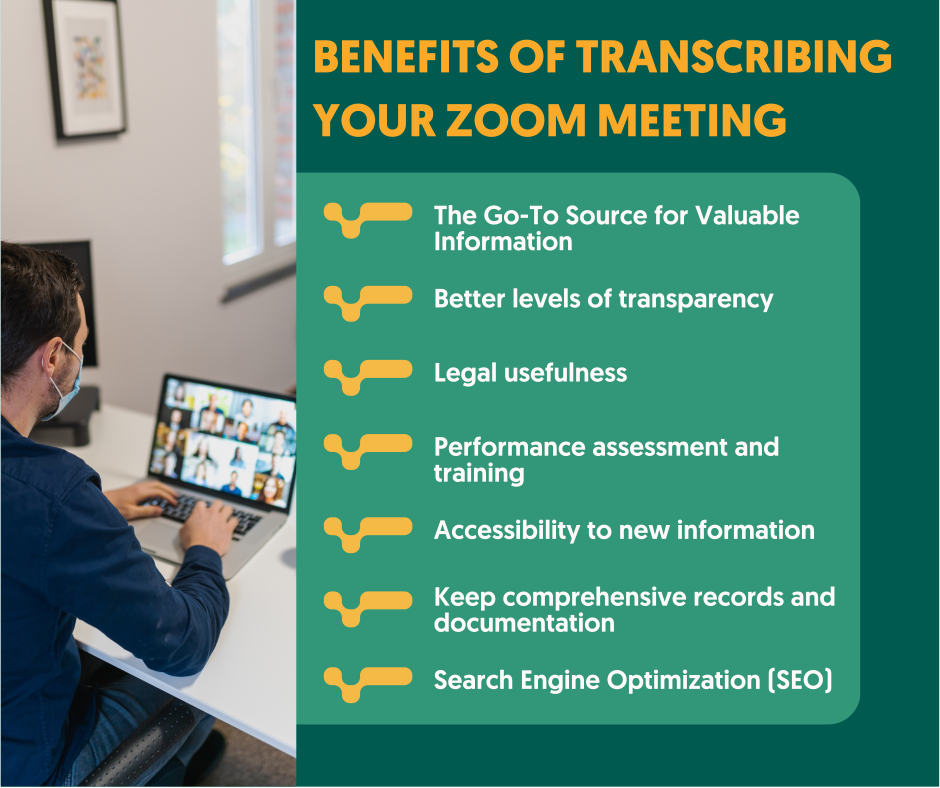
The Go-To Source for Valuable Information
Meetings take place at all levels of a company. It is a discussion, brainstorming, and goal-setting session. However, because most meetings take 45-60 minutes, going through the whole meeting minutes, notes, or tape to get a single piece of information becomes chaotic and frustrating. Transcriptions allow you to quickly find the information you need by going through the whole transcript for terms such as dates/times, deadlines, tasks, metrics, queries, etc.
Better Levels of Transparency
The fundamental driver for any organization’s success is trust. Approximately more than 65% of individuals say they choose a brand based on its openness. Sharing is a great way to enhance transparency.
Transcripts serve to build trust among stakeholders, board members, customers, and employees. It helps to reinforce and creates the firm’s public image and reduce the potential for misunderstanding.
Legal Usefulness
Transcripts are essential if your business is mandated by law or must meet specific compliance standards. Even if your company is not legally required to do so, transcribe your meetings to avoid complications.
Where a disagreement ensues with a client regarding specific contractual obligations or a defect in service, transcripts of meeting calls and such may help resolve the problem.
Be sure to follow your region’s call recording legislation before recording talks with third parties.
Performance Assessment and Training
Transcripts enable supervisors to make an arbitrary assessment of an employee’s performance. Marketers, for example, may have a low outreach but often exchange fresh ideas during meetings. These qualities might serve as a reference point for managers to motivate employees.
Get a customized offer
Request a quote for your transcription needs
Accessibility to New Information
A meeting transcript is a thorough record. It is critical in the current day to make critical information available to all who matter. Meeting transcripts guarantee that important meeting insights do not slip through the cracks due to bad internet access.
Some people learn better by listening, while others learn better by reading. As a result, sharing Zoom transcripts with employees allows them to comprehend in their chosen manner.
Keep Comprehensive Records and Documentation
Keeping thorough documentation is made more accessible by automating your meeting transcribing process. Companies’ archives can be read by higher management at review meetings.
Decision-makers may identify strengths and shortcomings and implement better plans. Additionally, since transcripts are text-based, they will require less storage space when uploaded to the cloud than video recordings.
Search Engine Optimization (SEO)
The problem with audio and video material is that search engine crawlers cannot access it. That implies that no matter how great your content is, it will be challenging to rank in search results.
As a result, including a transcript with your video is an excellent method to make your material accessible and easy to locate. This is especially true for a podcast produced by your company.

Steps to transcribing a Zoom meeting
Do you seek to use a high accuracy, on-demand service that transcribes your zoom recordings to text files that are perfected by you or by our language experts and professional subtitlers?
With our automated service, you can transcribe your research interviews and lectures and add captions or subtitles to make your video content SEO friendly.
To begin, simply follow these steps.
- Record the Zoom meeting: Use a recorder to have your zoom meeting recorded.
- Upload the meeting recording to Amberscript: Simply upload your audio or video clip to our secure network. You may submit audio clips, taped phone conversations, audiobooks, or anything else that can be saved as a digital file.
- Select the language of the meeting: Specify the language in which you wish your text to be written. Our language specialists are native speakers who produce documents with the utmost accuracy in material that has been made more legible or words typed verbatim.
- Choose whether you want an automated or manual transcript: Pick your preference of transcription style and go through our transcriber’s magic. Our human-made transcription service allows our language experts to transcribe with up to 100% accuracy. Our machine-made transcription service automatically converts your audio and video to text with our AI recognition, which saves hours of transcription time.
- Receive your file: We’ll handle all the transcribing, editing, and file formats. You can now receive your file as a document ready to be exported in SRT, VTT, and many other formats, with optional timestamps and speaker distinction.
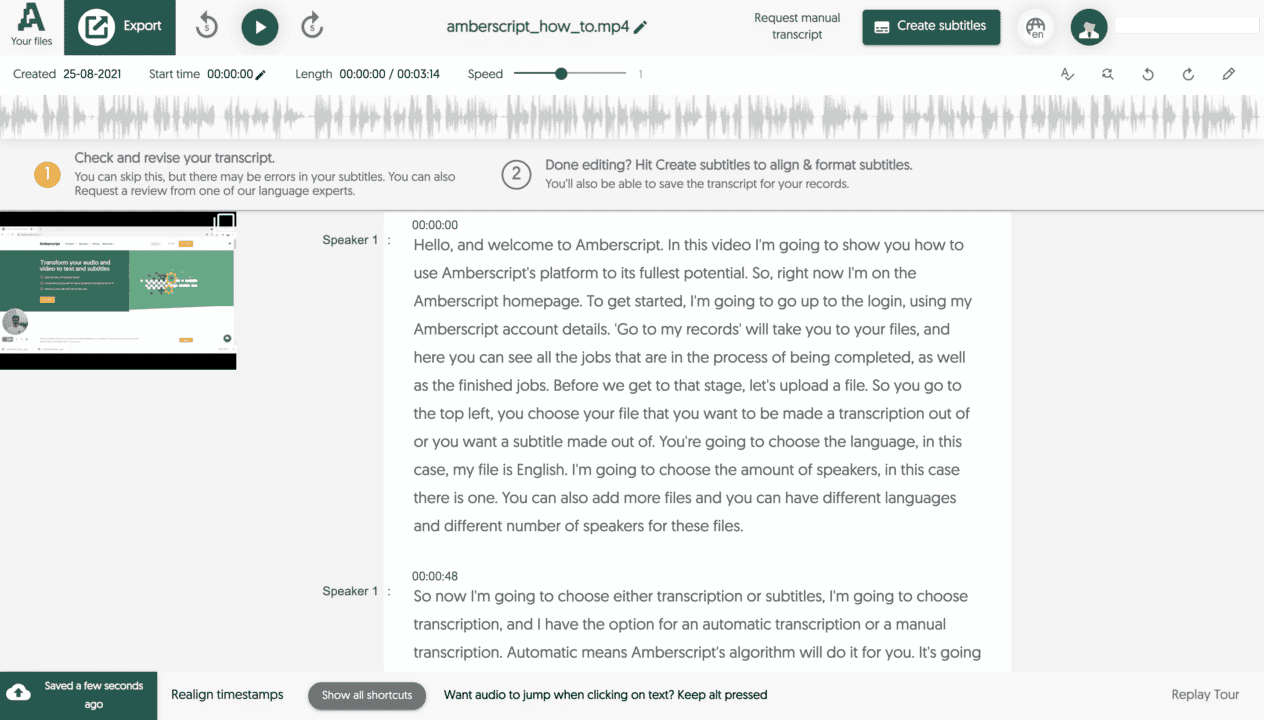
About Amberscript
Amberscript is an interdisciplinary company with a mission to protect users from information loss and promote social inclusion. We employ automation to make your audio transcription activities more accessible and affordable than ever.
We also deliver accurate and quick professional transcripts of audio and video files using the best transcribers who guarantee clear and authentic transcripts, while doing comprehensive quality checks.
Frequently asked questions
-
What subtitle file formats are supported?
Our software allows you to export the transcript from the video or audio file as an SRT, EBU-STL or VTT file.
-
How do I order translated subtitles?
To order translated subtitles, you can upload your file like you would normally do. You can then select manual subtitling. Once you have selected this, an option will appear where you will be able to select the language the subtitles need to be translated to. If the language that you want is not one of the options you can contact us through our contact form.
-
What is the price?
For our prices, please refer to our pricing page.
-
Can I change the position of the subtitles?
That needs to be done using a video editor like VLC. Go to Tools > Preferences [CTRL + P]. Under Show settings, select the option that says All to switch to the advanced preferences. Navigate to Input/Codecs > Subtitle codecs > Subtitles. Under Text subtitle decoder set, the Subtitle justification to left, right or center.
-
How do I add subtitles to a YouTube video?
To add subtitles to your Youtube video, simply add the file you have created using Amberscript to your video in the Youtube Studio. Click on “subtitles”, then “add” and finally “upload file” and select the SRT file.
-
How do I export my subtitles?
Once your file is ready and available in your account, you can simply click on the file name and then select the “export file” button at the top left of the page. You can then select the file format, style of sutitles (between BBC and Netflix) and alignment. Please note that you can only export a file if you have validated your email address when creating an account.
-
How do I generate subtitles?
You can generate subtitles automatically using Amberscript. Our software allows you to convert your video file to text and then export the transcripts as SRT, EBU-STL or VTT files, which can easily be inserted into a video-editor.
10 Best Transcription Services in 2025
- What is transcription?
- Why use a transcription service?
- Amberscript
- Rev
- GoTranscript
- Temi
- Scribie
- Sonix
- GMR Transcription
- Otter.ai
- TranscribeMe
- SpeechPad
- The Verdict
For years the only way to get a written record of what was said in an audio or video recording was to type it all out yourself, that is, until transcription services were popularized. Nowadays, with the internet, transcription services have become much more widely available and even more reliable than in days gone by. But what are the best transcription services on the market?
Foot pedals, text-to-speech software, and artificial intelligence have all helped to make transcription services faster, less error-prone, and more affordable, but with so many excellent companies offering transcription services online, how do you choose the best one for your needs?
In this article, we will explain what transcription is, the benefits of using a professional transcription service, and we’ll look at and compare ten of the very best transcription services in 2025.
What is transcription?
Transcription is the process of typing out the audio heard on a voice or video recording so that you have a written record of what was said and who said it. Many of the best transcription services also feature timestamps so that you know when something was said in the recording, which makes it easier to find and refer back to later on when you need to.
Why use a transcription service?
There are a number of excellent reasons to use a professional transcription service versus trying to transcribe the audio yourself. Let’s go over a few of the main reasons for why so many companies rely on transcription services as an integral part of their business.
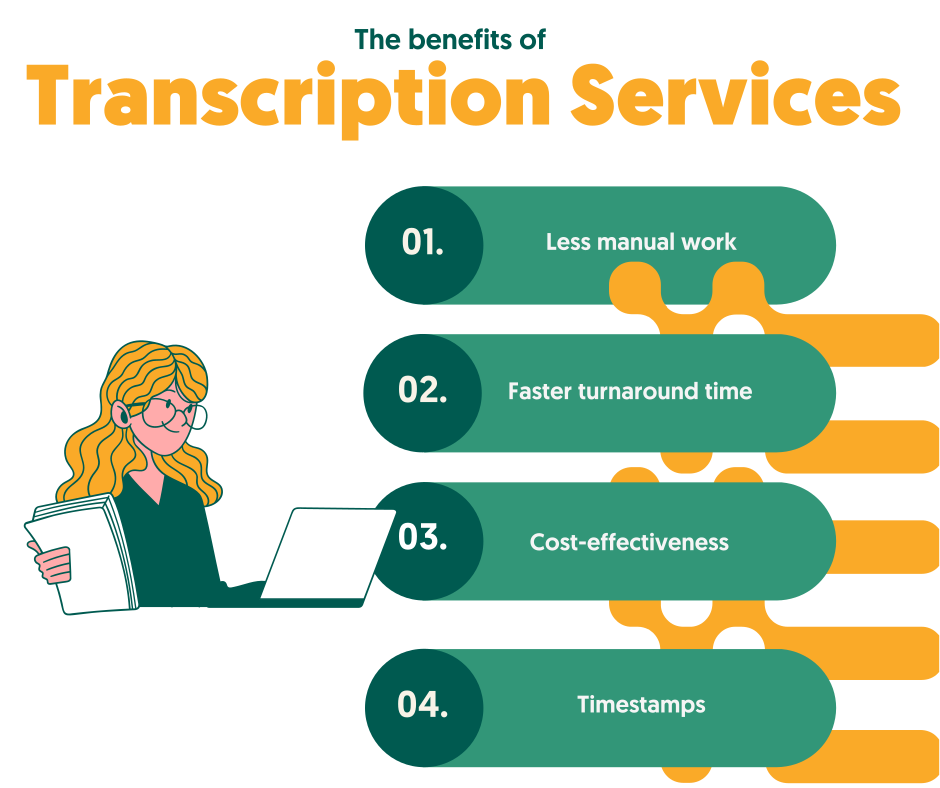
Less manual work
Transcription is hard work, and it’s a lot trickier than you might think at first glance. It can be hard to make out what was said, who said it, and when they said it, but even if you have a crisp, clean audio recording, you still need to actually listen to it all and type it out, which requires a ton of time and manual work on your part.
Faster turnaround times
Professional transcriptionists are able to transcribe one audio hour in as little as two to three hours, but for the average person, with no experience transcribing audio, this can take up to eight hours or longer. So, if you want to free up your time or allow your employees to work on other, more important tasks, then hiring a professional transcriptionist might be the best solution for you.
Reduced error rates
Oftentimes, the audio you want to transcribe wasn’t recorded with the best possible quality, and as such, it can be hard to make out exactly what was said. Things get even more complicated when there are multiple people speaking on the recording, especially if it’s an audio-only recording. Then, there’s the fact that people often speak with accents or mumble, which makes transcribing accurately incredibly difficult.
Professional transcriptionists are trained and experienced at transcribing less-than-perfect audio accurately. By using a professional transcription service, you can reduce the number of errors in your transcribed document, which will allow you to maintain an accurate record of exactly what was said on the recording, and by whom.
Cost-effectiveness
When you consider the amount of time it takes an average person to transcribe audio and video, caption videos, and translate foreign languages, the value that you can receive when using a professional transcription service becomes apparent. If you were to do all of these tasks yourself, you could easily spend an entire day transcribing only a single audio hour.
Passing the task off to one of your employees is also time-consuming and costly, not to mention the fact that it takes them away from their other duties. Therefore, using a transcription service is, in most cases, a cost-effective solution that allows you to get the accurate transcription you need without having to spend all day or possibly even several days on the task.
Timestamps
In many instances, it’s helpful to have a timestamp in your document so that you can refer back to a certain time in the audio to reference what was said. This is especially helpful in medical, legal, and other technical recordings, which can be long, monotonous, and confusing.
Trying to timestamp things yourself is a huge challenge in and of itself, but when you use a professional transcription service, you’ll get an accurate document that shows not only what was said but who said it and exactly when it was said in the recording, which makes referring back to certain statements a breeze when it would otherwise be a tedious, tiresome task.
Get a customized offer
Request a quote for your transcription needs
The Top Ten Best Transcription Services in 2025
Now that we’ve gone over what transcription is and looked at some of the very best reasons to use a professional transcription service in 2025, let’s turn our attention to some of the best professional transcription services online and see what makes them so good. We will compare their features and benefits so that you can choose the one that will work best for you, your needs, and your budget.
1. Amberscript
Amberscript has to be the first transcription service on this list, as we found them to be the best overall transcription service in numerous different categories, including best overall accuracy and best value for money.
After reviewing the service, it’s no surprise that many of the world’s biggest companies use Amberscript for their transcription services, including Amazon, Microsoft, Disney+, Netflix, and Warner Bros.
Amberscript offers a couple of different solutions based on your individual needs. For those who need a great but not pixel-perfect transcription, who want to save some money and don’t mind perfecting the script themselves, Amberscript offers an automated transcription service that has one of the fastest turnaround times online, for an incredibly low price given the quality of the transcription.
Alternatively, if you want a perfect, or as near to perfect as you can get, transcription, then Amberscript’s professional all-inclusive manual transcription service is probably the best you can find anywhere; it was certainly the best we found after reviewing dozens of transcription services online.
Benefits of using Amberscript
Amberscript’s subtitle services are:
Edit your own text within minutes or leave the work to our experienced subtitlers.
Our experienced subtitlers and thorough quality controls ensure 100% accuracy of your transcriptions and subtitles.
Thanks to a variety of integrations and API interfaces, you can fully automate your workflows.
Your data is in safe hands. We are GDPR compliant + ISO27001 & ISO9001 certified.
Features & Benefits of Amberscript
Some of the best features of Amberscript include automatic transcription, automatic subtitles, data annotation, manual transcription, manual subtitles, as well as API and custom models. Plus, Amberscript features an excellent online tool that makes uploading, editing, and exporting your audio and completed transcription as easy as can be.
2. Rev
Rev is a very close second, as they offer many of the same excellent features as Amberscript, including per minute transcription and captioning. Rev also supports foreign language subtitles which is a feature that’s particularly helpful when your audio recording has multiple speakers who are speaking in different languages throughout the recording.
Rev is also trusted by a number of the world’s foremost companies, including CBS, Visa, Marriot, and many highly esteemed academic institutions such as Duke University, UCLA, The University of Michigan, and the University of Texas at Austin.
Features & Benefits of Rev
Some of the best features of choosing to hire Rev for your transcription services include the following: simple, upfront pricing, speedy delivery, secure online ordering, a top-quality guarantee, and excellent world-class support and customer service. Another standout feature of Rev is that they offer live captioning for Zoom meetings and video conferences.

3. GoTranscript
GoTranscript is another excellent choice for your transcription needs. They guarantee 99% accuracy and have incredibly quick turnaround times, averaging about 6 hours.
You can order your transcription service online, upload your audio, and receive your finished document without ever having to speak with anyone in person, making GoTranscript one of the best choices if you want to have the job done quickly and don’t want to spend time on a long phone call with someone trying to upsell you on premium services that you neither need nor want.
Some companies that use GoTranscript for their professional transcription needs include Forbes, The Huffington Post, TechCo, and Entrepreneur.
Features & Benefits of GoTranscript
Some of the best features you can expect to receive when working with GoTranscript include verbatim results with legal-level quality, rush ordering, a 100% satisfaction guarantee, custom orders, and the ability to order your transcription instantly without ever having to speak to anyone.
4. Temi
Temi offers one of the fastest turnaround times available anywhere with a speech-to-text service that can be ready in as little as five minutes, not a typo. They also feature some of the very best prices you can find online with a 90=95% accuracy guarantee.
Temi doesn’t feature manual transcription services, so this is entirely an AI service, but the results for the price are truly hard to beat.
The trick to using automated AI-type transcription services such as Temi is to ensure that the original audio quality of the recording you’re uploading is crisp and clear so that the software can work its magic.
If your audio file is distorted, distressed, or is otherwise of a lower quality, then you’ll definitely want to use a professional manual transcription service from one of the bigger professional brands such as Amberscript or Rev.
But, if your audio recording is of a high-quality, and you don’t mind tweaking and fine-tuning the transcription, then it’s really hard to beat Temi in terms of price and turnaround time.
Some companies that use Temi include broadcasting mainstay PBS and sports giant ESPN.
Features & Benefits of Temi
The main features of Temi are the incredibly quick turnaround time and super cost-effective price point. Temi also features a free transcription editor so that you can fine-tune your finished document right there from within the site’s dashboard.
5. Scribie
Like some of the other big names in online transcription, Scribie features both automated but imperfect and human-based, much more accurate transcriptions. Scribie guarantees 99% accuracy for manual human-based transcriptions, making them a reliable choice for any business that needs to ensure accuracy.
The average turnaround time for receiving your finished document is around 36 hours which is not exactly the best, but at $0.80 per audio minute, their rates are certainly competitive, compared with some of the other professional transcription services offering manual transcription.
Features & Benefits of Scribie
Scribie features a good overall level of accuracy, reasonable prices, and an excellent online transcription editor that can be used from within the user interface. For these reasons, it’s a reliable transcription service that’s well worth considering, especially if you don’t need your document to be completed in a hurry.
6. Sonix.ai
Sonix is quickly becoming one of the trusted sources for reliable, professional transcription services online in 2024. What makes Sonix stand out from the crowd is the fact that they support 35+ languages. Sonix is entirely automated, meaning that they offer AI-based transcription, translation, and subtitling.
There are also a number of unique features offered by Sonix that would cost you a ton of additional money if you used another service, including automated file sharing, publishing, and team collaboration tools.
For these reasons, Sonix is now trusted as the go-to professional transcription service for many ivy-league universities such as Stanford and Yale and major companies like ScotiaBank, Vice, The Gap, Sephora, and a little company called Google.
Features & Benefits of Sonix
Some of the best features and benefits of Sonix include language support for 35+ different languages, rapid turnaround times, translation services, file sharing, file publishing, and a number of different team collaboration tools that enable teams to view, edit, and share the finished document amongst each other.

7. GMR Transcription
GMR Transcription is entirely human-based, meaning that the site entrusts all of its transcriptions to professional freelancers who have been vetted for their abilities and accuracy. Automated transcription services are popular these days, in part because of the value that they offer for the money, but automated transcriptions are never perfect, and when you want something done right, there’s no substitute for a real human.
GMR employs all of their transcriptionists in the U.S., ensuring that the person transcribing your audio will have a native level of English comprehension. They also offer a 99% accuracy guarantee. GMR also has excellent customer service and support, so if you have any issues, you’ll be able to get them addressed and resolved quickly by a human rather than by an AI chatbot, which is actually a significant and underrated benefit.
GMR is used by a ton of world-class companies, including McDonald’s, ADP, Amazon, Chevron, Dell, and the best university in the world: Oxford.
Features & Benefits of GMR Transcription
The main reason to use GMR Transcription is because they guarantee that your audio or video file will be transcribed by a professional transcriptionist rather than by an automated AI software. GMR features relatively quick turnaround times, a free trial service, and excellent customer support.
8. Otter.AI
Otter.AI is a bit different from the other professional transcription services we’ve looked at so far in that they are primarily focused on generating smart notes. Otter allows teams to work together by sharing documents, files, folders, and notes together online from within the dashboard.
However, although Otter offers all of these advanced capabilities, they are still one of the best transcription services online in 2024, and a membership with Otter includes 600 minutes, or ten hours, of free transcriptions each month, making them one of the best value transcription services online in 2024.
On top of all that, Otter also offers live captioning for Zoom calls and other videoconferences, which is quickly becoming one of the most sought-after transcription services online.
Some household names that trust Otter.Ai with their transcription needs include IBM, Verizon, DropBox, and Zoom, along with educational institutions like Columbia University and Tulane University.
Features & Benefits of Otter.AI
Powerful AI-generated noted taking, live captioning on Zoom and videoconferencing sites, as well as a tremendous number of free transcriptions each month.
9. TranscribeMe
TranscribeMe is another AI-based transcription service, but it is without a doubt one of the very best ones available online in 2024. The site is powered by Ai datasets, which are constantly being improved upon to ensure the highest level of accuracy from a non-human-based transcription software.
Because of the accuracy of the transcriptions, rapid turnaround times, and excellent rates offered by TranscribeMe, the site is one of the only AI-based transcription services trusted in technical sectors such as the medical and legal sectors, where accuracy is of the utmost importance.
Some of the big names using TranscribeMe include Ipsos, Oracle, Meta (formerly Facebook,) and the best university in America: Harvard.
Features & Benefits of TranscribeMe
There are a ton of excellent features and benefits that come along with using TranscribeMe for your professional online transcription needs in 2024, including a security guarantee that’s second to none, data annotation, custom AI datasets, and automated translation services.
10. SpeechPad
Last but not least, SpeechPad, is one of the oldest transcription services online and has thousands of happy customers who rely on them exclusively. Like many of the other online transcription services we’ve looked at, SpeechPad offers a 99% accuracy guarantee so that you can rest assured that your audio or video recording will be transcribed accurately.
SpeechPad offers very quick turnaround times, captioning services, foreign language support, and competitive prices, making them a reliable choice for those looking to have professional transcriptions and translations completed online.
Some of the companies that regularly use SpeechPad include Yahoo, LinkedIn, L’oreal, and NYU University.
Features & Benefits of SpeechPad
The main features of SpeechPad are the rapid turnaround times, the 99% accuracy guarantee, an excellent captioning service, and the fact that the site supports a number of different foreign languages. The site is also fairly reasonably priced, especially for foreign language transcription and translation, with services starting at $3.00 per audio minute for foreign languages.
The Verdict
After looking at dozens of professional transcription services, we were able to narrow the list down to the ten companies listed in this article. Each of the transcription services listed above can save you time, money, and a ton of effort. Plus, they all offer accurate transcriptions and quick turnaround times.
That said, if we could only recommend one transcription service in 2024, it would have to be Amberscript, as we found that they provided the best quality, the highest degree of accuracy, the quickest average turnaround times for manual transcriptions, and the best overall value for money with all factors taken into consideration.
Frequently asked questions
-
Can I add a glossary with specific words to the transcription job?
Yes, we also offer specialized transcription, which can include jargon or specific vocabulary. To learn more about this or discuss specifics, please contact us.
-
Can I translate my subtitles and transcriptions via your app?
No, translation is not available in the automatic services but you can order translated manual subtitles services on our platform. Unfortunately, we do not offer translated manual transcriptions. Please check our prices here.
-
Can you also deliver transcriptions for other media formats?
We deliver data annotation for speech-to-text solutions. However, if you have a special request, please contact our sales team here.
-
Can you transcribe audio with foreign accents?
Yes, our software is constantly being trained to pick up on accents and know how to understand them. Want to know more about how this works? Read it here!
-
Can I adjust the formatting?
From your account, you can export the transcript in different formats. So if you require both a Word file and an SRT file, you can simply export the file twice.
Best Transcription Softwares
Table of Contents
For years the only way to get a written record of what was said in an audio or video recording was to type it all out yourself, that is, until transcription services were popularized. Nowadays, with the internet, transcription services have become much more widely available and even more reliable than in days gone by. But what are the best transcription services on the market?
Foot pedals, text-to-speech software, and artificial intelligence have all helped to make transcription services faster, less error-prone, and more affordable, but with so many excellent companies offering transcription services online, how do you choose the best one for your needs?
In this article, we will explain what transcription is, the benefits of using a professional transcription service, and we’ll look at and compare ten of the very best transcription services in 2024.
What is transcription?
Transcription is the process of typing out the audio heard on a voice or video recording so that you have a written record of what was said and who said it. Many of the best transcription services also feature timestamps so that you know when something was said in the recording, which makes it easier to find and refer back to later on when you need to.
Why use a transcription service?
There are a number of excellent reasons to use a professional transcription service versus trying to transcribe the audio yourself. Let’s go over a few of the main reasons for why so many companies rely on transcription services as an integral part of their business.
Less manual work
Transcription is hard work, and it’s a lot trickier than you might think at first glance. It can be hard to make out what was said, who said it, and when they said it, but even if you have a crisp, clean audio recording, you still need to actually listen to it all and type it out, which requires a ton of time and manual work on your part.
Faster turnaround times
Professional transcriptionists are able to transcribe one audio hour in as little as two to three hours, but for the average person, with no experience transcribing audio, this can take up to eight hours or longer. So, if you want to free up your time or allow your employees to work on other, more important tasks, then hiring a professional transcriptionist might be the best solution for you.
Reduced error rates
Oftentimes, the audio you want to transcribe wasn’t recorded with the best possible quality, and as such, it can be hard to make out exactly what was said. Things get even more complicated when there are multiple people speaking on the recording, especially if it’s an audio-only recording. Then, there’s the fact that people often speak with accents or mumble, which makes transcribing accurately incredibly difficult.
Professional transcriptionists are trained and experienced at transcribing less-than-perfect audio accurately. By using a professional transcription service, you can reduce the number of errors in your transcribed document, which will allow you to maintain an accurate record of exactly what was said on the recording, and by whom.
Cost-effectiveness
When you consider the amount of time it takes an average person to transcribe audio and video, caption videos, and translate foreign languages, the value that you can receive when using a professional transcription service becomes apparent. If you were to do all of these tasks yourself, you could easily spend an entire day transcribing only a single audio hour.
Passing the task off to one of your employees is also time-consuming and costly, not to mention the fact that it takes them away from their other duties. Therefore, using a transcription service is, in most cases, a cost-effective solution that allows you to get the accurate transcription you need without having to spend all day or possibly even several days on the task.
Timestamps
In many instances, it’s helpful to have a timestamp in your document so that you can refer back to a certain time in the audio to reference what was said. This is especially helpful in medical, legal, and other technical recordings, which can be long, monotonous, and confusing.
Trying to timestamp things yourself is a huge challenge in and of itself, but when you use a professional transcription service, you’ll get an accurate document that shows not only what was said but who said it and exactly when it was said in the recording, which makes referring back to certain statements a breeze when it would otherwise be a tedious, tiresome task.
Get a customized offer
Request a quote for your transcription needs
The top 10 Best Transcription Softwares:
1. Amberscript
Amberscript is one of the most effective transcription tools in the market today. The platform offers both automatic and manual transcription services. The software also has solutions fit for both personal users and businesses. But businesses will benefit more. That’s because they can request customized solutions using the power of AI that transcribes the text for you, which you can then polish up; or have professional native transcribers do the hard work for you.
But what truly stands out about this software is its impressive security and privacy features. Clients can have peace of mind when it comes to the protection of their data, since the software is GDPR compliant.
Amberscript works on desktop and mobile. With its help, you can upload some video formats such as WMA, M4A, MP3, MP4, AAC, and WAV. It also comes with an online text editor. Once you’ve created your free account, you can upload your file, select the number of speakers and begin transcription.
Using this impressive tool, you can save at least half the time you would use during manual transcription. It exports file types such as JSON, text file, SRT, VTT, EBU-STL, XML, Word, etc. The browser-based platform also offers transcription for 70+ languages.
Additionally, Amberscript is especially suitable for transcribing research interviews and lectures. Reputable institutes such as Grundl Institute and HVA (Amsterdam University of Applied Sciences), and Nordunet are among Amberscript’s customers.
Pricing
Pricing starts at $10 for an hour for audio or video. It has a 10 min free trial for all users who sign up
Features
- Automatic transcription and subtitles
- Advanced dashboard
- Add multiple speakers
- Online Text Editor
- Full API
- Multi-user accounts
Benefits
- High accuracy of up to 90%
- Quick turnaround with the use of AI
- Ready-to-go transcript without putting in the work
- Recognition software that picks out academic terminology
- Converts audio and video to SEO and social media-friendly content
- Access to professional quality checkers
Tools in Comparison
| Software | Features | Pricing | Unique Benefits |
| Amberscript | High accuracy, ease of use, strong security | Customized pricing and subscription option, free trial available | Meeting transcription, integrations, best for security and accuracy |
| Sonix.ai | Multiple languages, integrations | Subscription-based, free trial available | Fast and supports multiple languages |
| Otter.ai | Real-time transcription, collaboration features | Free and premium plans | Good for real-time transcription |
| Descript | Editing and transcription in one, video support | Subscription-based, free trial available | Combines editing and transcription, supports video |
| Trint | AI-powered, easy editing, team collaboration | Subscription-based, free trial available | AI-powered for easy editing |
| Maestra | Subtitle generation, multi-language support | Varies, multiple plans | Good for subtitle generation in multiple languages |
| Colibri.ai | User-friendly, customizable | Subscription-based | Customizable |
| Transkriptor | Simple interface, accurate, affordable | Varies, multiple plans | Simple and affordable with good accuracy |
| Meetgeek.ai | Meeting transcription, integrations | Subscription-based, free trial available | Focused on meeting transcriptions |
2. Sonix.ai
Sonix.ai is easy and fast to use. You simply upload your audio file and receive the transcript in less than 5 minutes! The browser based software translates, and organizes your audio and video files in over 40 languages. Multiuser permissions make it easy to share transcripts for large teams. Customers can choose from dozens of export options.
Pricing:
Users will receive a 30 minute free trial and then pay $10 for every extra hour they need!
Features:
- Online text editor
- Auto speaker separation
- Search previous transcriptions
Benefits
- Has a free trial
- Requires little experience with previous transcription software
- Rated as one of the best transcription software for medical use

3. Otter.ai
Otter.ai is an accessible and easy-to-use transcription software. It is a reliable go-to tool powered by AI. All you need to do is upload your audio to Otter.ai and let it do its magic.
Like AmberScript, it offers automatic transcription. Furthermore, it allows the integration of your recordings and audio from Dropbox and Zoom.Whether your audio files are in UK or US English, the software got you covered.
Using the Otter mobile app, you can transcribe live recordings, therefore, it can come in handy in your next Zoom Meeting. If you need software that searches, manages, and edits your recordings from any device, then you need Otter.ai.
Pricing
It is free, but up to 600 minutes per month of transcription. Also, you can only export TXT files-types. Pro accounts start at $8.33 per month for 6000 minutes and allow users to users’ access PDF, DOCX, and SRT file formats.
Features
- Identification of speakers by name
- Mobile or web audio
- Highlighting of words when you rewind
- Developed search by speakers, time range, and much more for the paid versions
- Uses TLS encryption and optimizes AES-256 encryption for live audio
Benefits
- Has a free option
- Shareable to all team members
- Enables Single-Sign-On for businesses
- Fast rewind and skips the quiet bits of a lengthy audio
4. Descript
Start transcribing your audio or video now for free using Descript. But keep in mind, the free plan limits you to only 3 hours of transcription. Just like Otter.ai, this software offers automatic transcription for your recordings. It comes packed with a speedy podcast editor and a fully functional video editor. Largely used by businesses and creatives, it is suitable for your vlogging and sales.
Besides that, users enjoy a wealth of resources and news via webinars, blogs, and events. The software gets updated constantly with new features to deliver the best user experience. Additionally, you can add other editors to your basic plan with ease, edit transcriptions and create screen recordings.
Pricing
It is free with a finite vocabulary of 1000 words and watermarks. Starts at $12 per month if you prefer the paid option, but it’s limited to 10hrs of transcription per month.
Features
- You can select any of its voices on sale when converting your text to speech
- Record your podcast, transcribe and edit it all at once
- Achieve high-quality sound by getting rid of echo and background noise from your audio
- Construct transferable pages for your recording quickly
- Descript adds captions to your videos timely
- You can create beautiful videos of your podcast hassle-free
- Removes filler words
Benefits
- Availability of fast correction tools
- Creation of customized payment for a team of 20 or more
- Allows purchasing of more transcription hours at $2 per hour once you’ve reached your limit
- Discounted prices for students, teachers, and charities
5. Trint
Supporting up to 31 languages, Trint is an AI-powered transcription software. It integrates faultlessly with your business platforms and you get to enjoy quality security. You can also grant your team access to this transcription tool, irrespective of where they are around the world.
Do you need to create content but are lacking some resources? Are you a freelancer and have limited time to complete your project? This software will transcribe your recording quickly.
Trint enables you to assign the names of your speakers and find the specific word you are looking for. Individuals and small teams can begin transcribing using the free trial as soon as they sign up. Large companies need to fill a form located at the main hope page of the software.
Export your files in formats such as Word, Doc, and CSV. Supported formats for audio include MP3, M4A, MP4, AAC, and WAV. Keep in mind you can only upload 3GB of file caped at 3 hours.
Pricing
You can either pay monthly or annually. The monthly packages start at $60 per month while the annual packages at $48 per month.
Features
- Safe and private production of content
- Addition of custom vocabularies
- Combination of transcripts into a script entailed with time codes
- Sync with Adobe Premiere Pro
- Use of strikethrough and Highlight is available
- Edit simultaneously with team members in secure workspaces
- Live transcription, review of security and analytics inclusive in the enterprise package
Benefits
- Leave notes using comments written on certain sections
- Create markers
- It allows pausing of your plan for only $5 per month
- No more extra costs after payment
6. Maestra
One of the most reliable transcription software in 2024 is Maestra. It is an incredibly quick audio-to-text converter supporting over 50 languages. Some of the popular languages include English, French, and Spanish.
Maestra allows you to create video captions and add subtitles automatically. And your content will be accessible to larger consumers. According to research, three-quarters of your audience will complete your videos if it has captions. Also, remember that more than half of YouTube users are non-English speakers. Therefore, Maestra is a worthy investment.
File type exports available for your texts are Word, PDF, TXT, and Maestra Cloud. You can also Export in MP3, FLAC, WAV, SRT, VTT after adding and editing text to your audio or video.
Since it uses the cloud, you can access your files anywhere, anytime as long as you have a strong internet connection. Save your time by up to five times and get going today with your free Maestra trial.
Pricing
You can begin your free trial with each of the paid versions, which start at $29 per month. This plan limits you to up to 5 hours each month. But you can cancel it and select another plan at any time. Teachers, students, and non-profit organizations get to enjoy a 20% discount on the plans.
Features
- High accuracy
- Advanced text editor
- Voiceovers and converts your videos to other languages instantly
- Uses bold texts to identify the current time
- Move from voiceovers, captions, and transcripts by the tap of a button
- Guaranteed privacy and security
- Video dubbing enabled.
Benefits
- Add or restrict team permissions
- Translation services of up to 50+ languages
- Share and edit files with your members live
- Create more than 150 distinct voices
- Cloud-based
7. Murf.ai
Recently updated with a new voice catalog, Murf.ai prioritizes quality. Using Murf, you can edit recorded voices and import links from YouTube and Vimeo. You also gain access to free music, which you can add to your videos.
The largest upload size limit is 50 Mb for the free plan, 200 and 400 MB for the basic and pro plan, respectively. Expect a Full HD quality in all your video exports. You can export your audio in either MP3 or MP4 formats. And if you’re a student, you can upload the transcribed files into e-learning software, like Adobe Captivate and Articulate.
In terms of languages, Murf supports Chinese, Tamil, Hindi, Korean, among others. As you can see, this a very handy tool for students, teachers and event businesses.
Pricing
There is a free plan whose limit is 10 minutes of voiceover time. The basic plan is $156 a year, which comes to $13 per month. You can get a onetime plan that goes for $9 and 30 minutes of voice production.
Features
- A large collection of voices spread over over 15 languages
- Upload videos, images, or music to integrate with your chosen voice
- Produce a pitch, edit punctuations, and create emphasis
- AI-powered all-in-one tool to write and correct scripts and convert them to voiceovers
- Unlimited downloads and commercial usage rights for the paid versions
- Centralized billing and an account manager for the Enterprise plan.
Benefits
- Requires little to no experience to use
- Saves a considerable amount of time when making voiceovers
- Access to a complete voice collection with any subscription
- Immediately change your text and audio upload to your desired voice
- Optimized accuracy

8. Colibri.ai
Would you like to attend your meeting smarter? Colibri.ai is transcription software that will allow you to do so. It transcribes your Slack meetings and Zoom calls as they take place. You will find your transcripts, summaries, and audios all in one place for your quick editing. Additionally, you can share your files with other members.
With Slack, Colibri allows your team to go through your meeting transcripts. This is true, whether your meeting is ongoing or finished. Besides that, it supports text exports of several file formats, including PDF, DOCX, and TXT.
Colibri supports only English. But with the Pro and Business plans, users can access other languages upon request. The text search is up to date and has high playback speeds.
Colibri is the ideal tool for creating online lectures for students and creating transcripts of meetings. One integrated with a web-conferencing software, it initiates the transcription process.
Pricing
A free plan is available with a 5-hour transcription limit. The starter plan starts at $16 every month and is billed per year, saving users at least 20%. If you choose per-month basis billing, you will need to part with $20.
Features
- Records your audios automatically
- Integrates with web-conferencing tools such as Zoom, Microsoft Teams, and many more.
- Enables live transcription
- Provides an option of highlighting important parts of the audio
- Automatic identification of speakers
- Dial into web-conferencing applications available
Benefits
- Create closed captions of the meetings
- Simple saving and transfer of files
- Zoom sign-in available
- Tailored vocabulary and language models as well as shared workspaces available for the Business Plan

9. oTranscribe
Accessible from your browser, oTranscribe is great transcription software packed with efficient features. It will meet all your needs at no cost.
The transcription software supports up to 24 languages and you can transcribe your audio file on your phone or desktop. The software has received many positive reviews from the Guardian, The Next Web, and other companies.
oTranscribe accepts audio uploads of MO3 and WAV format only. You cannot access your files from another device as it ensures your file stays in your local storage. Also, you can only store up to 100 transcript copies.
For those seeking transparency in Transcription software, oTranscribe is your go-to tool. The whole app and its components are open sources under the MIT license, meaning its source code is accessible at no cost. Additionally, you can share or modify it and also verify its trustworthiness
Pricing
It is free software and has no paid versions.
Features
- Your recorded files stay on your device
- Export to Google Text, Markdown, and plain text enabled
- Sync your videos with the impressive player
- Auto-saves your transcripts automatically on your browser
Benefits
- Playback, forward, and stop your videos using one keyboard using shortcuts
- Mark your transcripts with timestamps for east navigation
- You don’t need to switch between QuickTime and Word
- Automatically stores an offline copy of itself in your cache
10. Meetgeek.ai
Last but not least, we have Meetgeek.ai. It’s an impressive transcription tool optimized for teams. It also you to concentrate on the meeting by instantly converting the audio into text. Later, you can edit the text to achieve perfection.
Once you have linked it with your calendar, Zoom, and Microsoft Teams, it will record your calls or live meetings. At the end of the meeting, you will get a transcript in your inbox. What’s even better, you can manage calls you want the software to record and transcribe.
It saves your conversations on the web, allowing you to access the old recording and certain words with ease. Also, you’re free to download the transcripts to Dropbox, Google Drive, or where you prefer. Whether it’s for personal use or business, Meeteek.ai is a worthy consideration. It’s backed up by Google for Startups, Earlygame Ventures, and others.
Owing to its recent update on December 2021, Meetgeek has some new features. Support for Slack and Trello is available. You can transfer highlights in text or video to your Slack channels. Also, you can add speaker tags to your Zoom Calls live. Just allow the requested permission on Zoom and organize your transcripts by speakers.
Pricing
The basic plan is free, but the pro plan starts at $12 per host and is charged monthly.
Features
- Transparency – All participants know of the recording and can choose to leave the meeting before it begins
- Safe and secure storage of data since its GCP and AWS compliant
- All meeting attendees can access the recording and share it with other people
Benefits
- Highlight transcripts using voice commands, AI-generated recommendations, and clipping parts of the audio files
- Cuts back time spent in minute-writing
- High accuracy in meeting details
- Sharing highlights during calls to inform your teams of any changes as soon as they take place
Conclusion
Whether it’s your favorite podcast or recent video that needs transcribing, the paid and free transcription software on this list will meet your needs. They are effective, secure, and easy to use. All you need is to sign up, upload your files and start transcribing.
We hope now you can make an informed selection. Thanks for stopping by, and best of luck!
Zoom etiquette for students: do’s and don’ts during the meeting
Online meetings have been around as far back as the inception of the internet itself. However, a lot of people from different parts of the world preferred the basic way of meeting. That was up until now. However, Covid-19 came into the discussion, and it changed the way people interact. Online meetings became popular. Apps like Zoom became a must-have for many on their PC or mobile phones.
Even the education systems of many countries started adopting Zoom meetings as an alternative to meeting physically in class. Lecturers, teachers, and students have all had to adapt to the new life of working or learning from home. However, this new way of meeting is still new to many.
This is why it is important to learn some zoom etiquettes while having meetings on the platform. This article will focus on Zoom etiquette for students. They need to know a few things that can help with learning.
Zoom etiquette: do’s and don’ts
Students need to follow proper zoom meeting etiquette. It could be the difference between a wholesome learning experience and a complete waste of time behind the screen. It will also improve the relationship between the lecturers and the students. We would use this etiquette in the form of dos and don’ts. We would also discuss the importance of each rule of engagement. Let’s get right to them.
What are the do’s of a Zoom meeting?
1. Appropriate outfit
Online meetings can be enjoyed from anywhere. For students, most times, this happens at home. However, the time for a zoom meeting should be treated as a time at work and away from home. When ‘work’ is mentioned in the context of students, it refers to ‘class.’ Therefore, students must treat zoom meeting classes like they are in actual classrooms. This means dressing well. Some meetings or classes involve the use of videos by participants, while some others do not. You might think it is unnecessary to dress in a class that does not require the zoom video option. But it is the first important step; dressing well.
Why it is important to dress well during an online meeting:
- One of the obvious reasons is in the case of using videos. If you are not dressed for class, you won’t be able to participate if called by the host to contribute or answer a question. Dressing well gives others, especially the lecturer, the impression that you are interested in the class.
- Another reason that is not very obvious to many has to do with mood and work setting. Dressing for class in the right way sets you in a mood that makes it easier to concentrate. Your mind feels ready for class, so concentration becomes achievable. Dress like you would if you are going to class and prepare your brain and mind for the class. This is another important reason why it is necessary to dress well.
2. Looking into the camera
Another zoom meeting etiquette for students that falls under the list of “do’s” is the proper use of cameras. One could be called during the class to make presentations or answer a question. What is the best way to do this? Talking while facing the camera is the best way to do this. It is important to set up the camera in a way that makes it easy for you to look directly into it while talking.
Why it is important to look into the camera?
- Speaking directly into the camera prevents the students from getting distracted by happenings in the surrounding.
- It is also important to look into the camera because it gives the impression of a focused student. Other participants find it easier to focus on what is being said if the speaker speaks directly into the camera. The presentation will be well received if the student looks into the camera.
3. Staging the background
Staging the background is quite necessary, and it should be done before the start of the meeting. Here are some tips for setting up the stage for a meeting.
- The background should be a wall.
- Only the wall should be exposed, and not the other belongings in the room.
- Choose a stage that allows you to face a light source.
Why it is important to stage the background properly
- You should remember that the camera would show not just the student but also everything behind the student. This is why it is important to have a background that is proper and plain. A background that shows the things in the room could be a source of distraction. But backing a wall helps others focus on the student and not the room.
4. Appropriate names
Before you can log into a zoom meeting, you have to input a name that stands as a source of identification. You can also change the name at any point during the meeting. This is one key feature of zoom meetings that attendees, especially students, need to use properly.
Why it is important to use appropriate names
The use of nicknames and short forms of names is not ideal. For reasons such as attendance and the likes, you must use your real name. The class should be treated as a professional workspace, so the use of names should be proper.
Now that we have gone over the Dos of zoom meetings, here are some don’ts to help put things in order.
Don’ts of Zoom meetings
1. Don’t unmute your mic if there’s no need
It is wrong to leave the mic on when you are not talking. It would contribute to noise and distract others from learning and concentrating in class. The option to turn off the mic and video is available when joining a meeting. So, one should not forget to set it properly before joining the meeting.
2. Don’t publicize private meetings
The meeting ID is always sent to students before the class. While some classes set up a meeting password, others do not. Whichever is the case, it is proper zoom meeting etiquette for students not to make the zoom meeting public. This is to ensure that only the students have access to the meeting.
3. Don’t exit and join the meeting unnecessarily
Some zoom meetings give notifications when a new member joins the meeting or when they exit the meeting, which is why it is proper to avoid leaving or joining the meeting frequently. It would draw attention to what is being discussed.
4. Avoid noisy environment
A student should not choose a noisy environment as the place for zoom meetings. It will distract the students from learning. If one is speaking in a noisy environment, it will also distract others.
5. Avoid other types of distractions
Some other types of “don’ts” that one should avoid during a zoom meeting
- Avoid turning on notifications during meetings.
- Eating during meetings should be avoided.
Recording Meetings
One of the many options available to students during zoom meetings is to record them. A student can decide to listen to a meeting for learning purposes. This allows the student to visit and revisit the class at will and take note of previously missed points. However, there is a problem with revisiting an entire recording that could very well last hours. It will be difficult to listen to all, especially if one is listening for a single point. So how does one overcome such problems? Let’s answer that.
Transform your audio and
video to text and subtitles
- High accurate, on demand service
- Competitive pricing with the fastest turnaround using AI
- Upload, search edit and export with ease.
Transcription
Transcription is the process of converting audio and video recording to texts. It is the easy solution to getting the best out of a recorded zoom meeting. But it is also important to get quality transcription in order to get the right information and avoid mistakes. That is where we come in at Amberscript.
Amberscript
We provide the best and most reliable transcription service for our clients. Our system makes use of AI software to generate text from videos automatically. The whole process is simple and smooth.
How to transcribe your video
After recording your zoom meetings, you can easily transcribe them using our website. All you have to do is visit our website and select your preferred service. Upload your video and leave the rest to our experts. Your transcript would be ready in no time.
Our transcription services
Choose and learn about any of the two transcription services on our website.
Zoom meeting provides convenience and ease for its users. This is especially true for students. If one can follow the proper zoom meeting etiquettes for students, the experience would be wholesome. You can also use our transcription services to convert your recorded meetings to text and read it at your pace and convenience.
Ok vs. Okay – which one is correct?
Language is dynamic, and it is always something exciting learning about the dynamism that each language presents. The English language is no different. As a speaker and learner of this popular language, you come across a situation that seems tricky and demands careful attention. In situations like this, people use what is known as an eye test. This is a way of using what you have seen about the changes in the language to assume and judge the dilemma before you. Sometimes, it works, and some other times, it doesn’t. One of such dilemmas is the variation that exists in the usage of the words “OK” and “Okay.” Many have questions about the use of these two words. Which is right, “OK” or “Okay?” What is the difference between OK and Okay? How do you spell Ok? Here are some of the questions that learners of the language seek to answer. This article is here to provide those answers. It will also reveal some interesting facts about the usage of OK and Okay. Before that, let us start with the origin of the word.
OK or Okay: Which came first?
When you consider other English words, you find that a word that seems like the abbreviated version of the other always comes after the original word. In simple terms, the original word comes before the abbreviated version. This makes the situation before us quite interesting. It is one of those cases where a simple “eye test” would fail. Did you know that “OK” came first, and it’s not an abbreviation of the word “Okay?” Well, now you know. In fact, “Okay” was derived from “OK.” The next thing one would want to know is how that came about. Understanding the origin of “OK” in the English language would help to clear some confusion.
What is the origin of “OK”?
It all started with the phrase “all correct.” As stated earlier, English is dynamic, and that played a part here. In the mid-1800s, most speakers of the language were pronouncing the phrase above as “oil korrect” or “orl korrect.” Then from pronunciation, it went into writing. After much writing usage, the two words’ initials were adopted, and that was the birth of “OK.” In addition, something happened at that time that contributed to the establishment of OK in the English language. Let’s go back in time to a bit of political history.
President Martin Van Buren of the United States was running for reelection. This president was from Kinderhook in New York. He had the nickname “Old Kinderhook.” He adopted the name for his reelection and soon shortened it to “OK.” Though, in the end, everything was not OK with “OK.” He lost. However, his campaign, the buzz around the election made the word popular throughout the country. While President OK was finding his way out of the office, “OK” was finding its way into the dictionary.
What is the origin of “Okay”?
The word Okay emerged a few decades after the “OK” incident. This is according to the Oxford English Dictionary. It was invented as a way of spelling the word in a way that looks more formal and acceptable. This might be because “OK” looks like an abbreviation. But for whatever reason, the word “Okay” came around, and it’s here to stay. Now that the origin is clear, people tend to wonder which one is right.
Which is right: OK or Okay?
Both are right and can be used interchangeably. People tend to assume that Okay is more formal. However, many popular brands and companies have been seen using either OK or Okay on their website and in their written speech. Wall Street Journal and The Guardian both use “OK” in their publications, while others like Reuters, New York Times, The Star-Ledger all use “Okay.” So, for most, it’s definitely in terms of preference. You can use the one you prefer.
What is the difference between OK and Okay?
There is no difference in terms of use and role. Both can be used as a noun, verb, and adjective. Due to their versatile usage, you often find that some people use them in different contexts. For example, you might find that statements like “the teacher okays the use of abbreviation in his assignment” are more common in writing than “the teacher OKs the use of abbreviation in his assignment.” Both are right. However, one important point to note is consistency in writing. If you decide to start with “OK”, it is better to maintain it throughout the text. The same goes for “Okay”.
Transcription
Now that you know all there is to know about OK and Okay. The issue of transcription comes up. When there is audio content or video content with the speaker using those words, how do you transcribe them correctly and with the needed consistency? Some content lasts for hours, and it is very difficult to do the transcription yourself. Now that’s where we come in.
Transform your audio and
video to text and subtitles
- High accurate, on demand service
- Competitive pricing with the fastest turnaround using AI
- Upload, search edit and export with ease.
Amberscript
Amberscript is a trusted and efficient service provider that deals with transcription and subtitles. We offer the most reliable means of converting your audio and video content to text. Our services make use of AI speech recognition software, experts, and seasoned professionals to give you the best and the best only. The goal is to bring technology, language, and science together. We use technology and science to help people understand the different languages that exist today. We also help to reduce the error that results from issues regarding communication.
Manual Transcription
One of our services aimed at bridging the gap between spoken words and written text is the use of manual transcription. Manual transcription allows you to work with our professionals and have your transcription tailored to your satisfaction. How does it work?
How can you transcribe using Amberscript?
You can get your manual transcription done in these simple steps:
- Visit our website and register or log in.
- Upload your files into the dashboard.
- Choose your language of choice, and number of speakers.
- Select manual transcription. You can indicate your preference. For example, you can state that you prefer “OK” or “Okay.” You can make other preferences.
- The text is automatically generated.
This is where our professionals come in. They perfect the text. They help to distinguish the speakers using variations in sizes, fonts, and others. A quality checker would check the final result.
The resulting text is sent to you in an editable format. You can export after checking that all is to your satisfaction. The available format includes Word, JSON, and others.
With those simple steps, you have a quality transcription at your disposal ready for professional use.
Subtitles
If you have created visual content and include interviews, social media content, seminars, and the likes, it is important to add subtitles to your content. Subtitles help you get the message across to a wider audience. However, your content might have different speakers using the word “OK.”
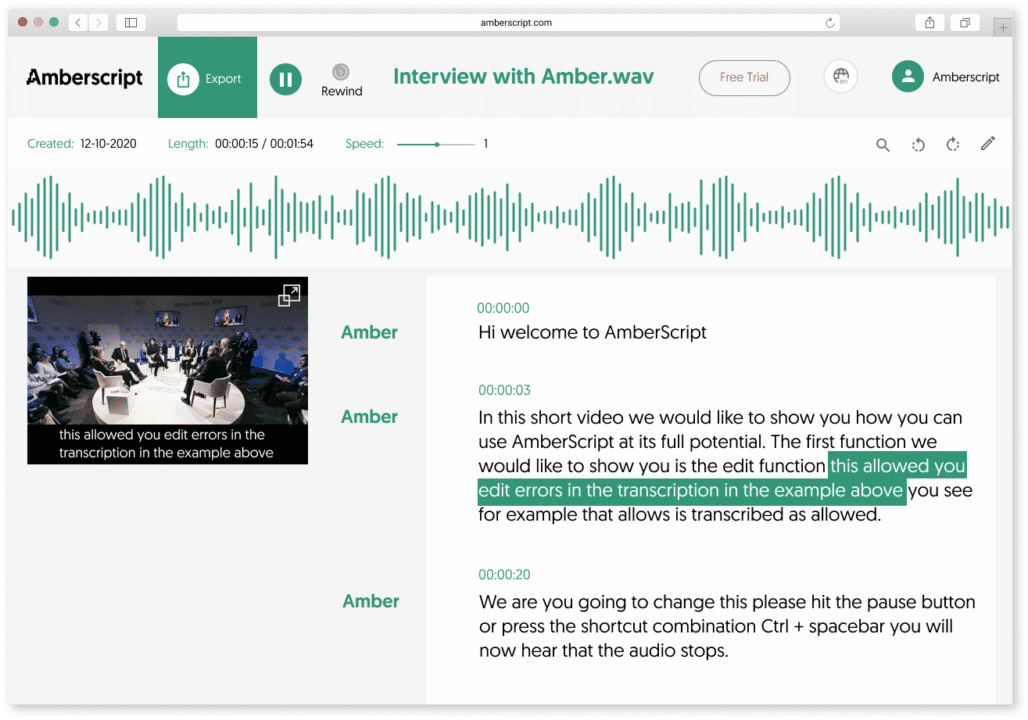
This is another one of our excellent services. We allow users to tailor the subtitle of their video content to their preference. It is about what you want and what you feel is okay for your audience. You can work with our expert subtitlers to perfect your subtitle file.
How to use our manual subtitle?
- Visit our website and register or log in.
- Upload the files on the dashboard provided.
- Choose your preferred language from the numerous options available. First, you indicate the language of the video and then the language needed for the subtitle.
- Select manual subtitles service.
- Our speech recognition software generates subtitles. Then our experts help to make the necessary changes and adjustments to the generated subtitle.
The final subtitle is checked for errors using a quality checker. There are two options for exporting the file. Either you download the video with the subtitle as one file or download the subtitle separately in formats like Text, SRT, VTT, or EBU-STL, and others.
You can also get timestamps and speaker distinction.
Just like that! You have a well-edited subtitle to go with your video.
Why Us?
We offer you the best and the most reliable services that give you the needed satisfaction. We aim to make your work easier. Transcription or subtitle, the goal is to ease your workload.
Here are some reasons why you should consider working with us.
- Security: Our software operates on a secured web server. Confidentiality is assured when you work with us.
- We accept various audio and video formats. They include MP3, MP4, WAV, AAC, WMA, and M4A.
- Our transcription process is done in minutes.
“OK” and “Okay.” Both are correct. Your preference will determine what you go for. Now that you know that they are both acceptable, go ahead and use our transcription services to convert your content into the text of your choosing. One form of the word that might not be acceptable is “ok.” This is because the original word came from initials, so it is maintained in capital letters. The best bit about language is its dynamism, and we are here to enjoy it.
Qualitative and quantitative research: differences and roles
Qualitative and Quantitative research are the two major types of research methods employed by social scientists, psychologists, and others when trying to understand more about a concept in society. Both research methods vary in approach. The ultimate goal determines which method is employed. Though they are often used together in many research works, these two have their differences. To understand more about the two research methods, it is important to get in-depth knowledge about them. Informed knowledge would help you decide which method is more suited to your research goals, which is why this article answers the following questions: What is qualitative research? What is quantitative research? What is the data collection method for both? What are some of their similarities and differences?
Quantitative Research

What is Quantitative Research?
Quantitative research involves the use of numbers and graphs. The goal of quantitative research is to test the relationship between variables. In this method, researchers use numbers and graphs to test existing theories. Quantitative research helps to confirm or deny a general assumption in a field of study or society in general.
Quantitative Data Definition
These are the variables collected using various methods and techniques in a bid to affirm or reject a theory. Researchers use different methods for data collection. These methods depend majorly on the target or aim of the research. What are some of the methods?
- Surveys
This is the most common method of data collection in quantitative research. This method uses questions to sample people’s opinions of individuals, set of respondents, or communities that fall under the scope of the research. The questions in the survey are mostly closed-ended, multiple, or polar questions. Conversion of numbers to analyzed data follows.
- Experiments
When collecting data from a controlled environment, experiments are used. The environment is set up to either support or oppose the point of the research. The numerical data in the experiment have a cause-and-effect relationship with the research topic. - Observations
Observation involves a more natural setting. The researcher does not interact directly with respondents. He collects variables and interprets them within the context of the research — no control over the types of variables.
Quantitative Data Analysis
Analyzing the data is the next step in the research. Quantitative analysis involves processing numerical data into facts, theories, or assumptions. Statistics is used in analyzing quantitative data. They are of two types:
- Descriptive Statistics
The analysis aims to describe the relationship between the variables and the theory. - Inferential Statistics
This type of analysis compares data and identifies differences between data and theories. It helps to study the relevance of the data collected with other data types collected for the research.
When to use quantitative research
- To determine changes in variables in natural phenomena. Examples include changes in temperature level.
- To determine numerical efficiency when using different marketing methods.
Qualitative Research
What is Qualitative Research?
This focuses more on opinions and reactions, and it is non-numerical. This type of data includes language, basic concepts about society, and so on. Data is analyzed after collection to understand why and how people interpret social happenings. Qualitative research takes into account the reason for those answers. People’s experiences are also considered in the course of the study.
Qualitative Data Definition
Data collected to understand a concept in the societal setting is qualitative data.
The data is often collected in a natural setting. The results are not controlled or determined. Most of the qualitative data collection methods involve the active participation of the researcher in the environment. Here are some of the methods:
- Interview
It is the simplest and most direct method. The researcher asks open-ended questions. He records their response and reaction, takes into account their stance and experience. Interviews are best done with one respondent at a time to prevent influenced answers. - Focus Group
Some individuals are grouped in discussions. These individuals have a unifying criterion that makes them suitable for the research. The discussion is held in a relaxed setting. The researcher records points and arguments for further analysis. If you would like to know more on how to run a focus group, please read our comprehensive A to Z guide.

- Ethnography
The researcher lives or participates with the community or the respondents to observe the behavior that relates to the research topics. This data collection method allows the researcher to collect data from the respondents in their most natural environment. The researcher does not influence the answer or result.
Qualitative Data Analysis
Data collected through various methods are collected in the form of texts or converted to texts. Analyzing and summarising the texts helps to generate results about the research topic. Inferential analysis of the summarized data generates theories or hypotheses.
When to use Qualitative Research
Here are some projects that require qualitative research:
- When accessing ideas and experience-based opinions about a new product.
- To understand dynamics involved in purchase choices.
- To study the market reaction to changes in marketing.
- Studying the emotions and attitudes of society on a trending topic.
- Understanding the public opinion about a company or brand’s image.
Combining Qualitative and Quantitative Data
In the course of research work, there are times when it is necessary to combine the two research methods and collect both data types. Academic research and marketing research are some common examples. You can collect quantitative data to sample preference between limited marketing options, while qualitative data is collected to learn more about the customers’ background and experience.
Key differences
Differences between qualitative and quantitative data collection determine their use and purposes. Here are some of them:
| Qualitative Data | Quantitative Data |
|---|---|
| For descriptive purposes. Generation of ideas is also involved. | To test the accuracy and efficiency of generated ideas. |
| Interpretation, inference, and summarization are the analysis method. | Statistics is the main tool for analysis. |
| Most qualitative data are available in texts or equivalents. | Mainly available as numerical values. |
| Researchers use open-ended questions. | Researchers use multiple-choice questions. |
Transform your audio and
video to text and subtitles
- High accurate, on demand service
- Competitive pricing with the fastest turnaround using AI
- Upload, search edit and export with ease.
Transcription with Amberscript
Some of the qualitative and quantitative data collection methods include interviews and focus group discussions. They are often recorded as audio or video content. Before one can analyze the collected data, they have to be transcribed into text.
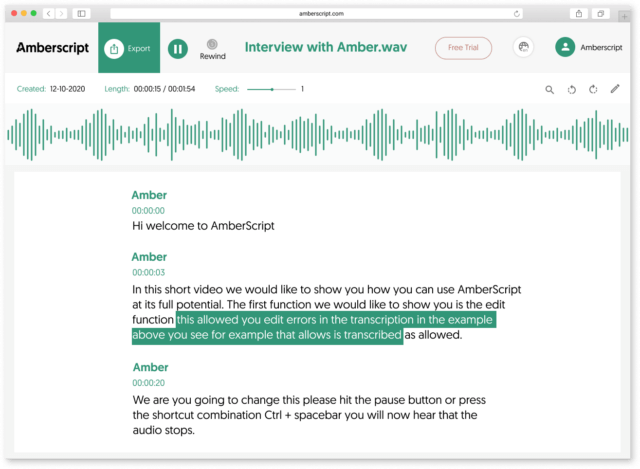
Amberscript gives you a trusted and efficient transcription service. We help to convert your audio and video content to text in a matter of minutes. This makes it easier for you to move on with the data analysis and interpretation. Our automatic transcription service makes use of AI speech recognition software to give you the best.
How can you transcribe using Amberscript?
This will, no doubt, be the simplest part of your research work. Here are the steps involved:
- Visit the Amberscript website, log in or register and select automatic transcription.
- Upload your content (audio or video) to the editor.
- The speech recognition software begins the process of automatic transcription and completes it in minutes.
- A draft of the transcription is provided using our online text generator. This allows you to edit the text if necessary.
- Another option available is the use of professional editors to help edit the text to your preference.
- After completion, you can save and export or download the file. The file can be downloaded as a word document. For data annotation, JSON and XML are the recommended options. Other formats include VTT and SRT.
Manual Transcription
Our services also include manual transcription. We have professionals trained in various languages to help transcribe your content to text. If you prefer manual transcription for some reason, you can go ahead and make use of our expert services.
Benefits of using transcription services from Amberscript
Transcription from audio to text must be done with the highest efficiency. This is to prevent loss of data or misinterpretation of data due to transcription errors. We provide the best services that ensure that your data and variables are not lost in transcription.
Here are some other reasons why we are the best for your audio and video transcription:
- When you upload a confidential interview or other content, you do not have to worry about exposure. The IT software is built on a secured web server that assures cybersecurity. Also, we store data adequately.
- The audio and video transcription software format include MP3, MP4, WAV, AAC, WMA, and M4A.
- You can also get automatic or manual subtitles for your videos.
Quantitative and Qualitative data is necessary for the completion of most research work. It is important to identify where and when to use each type. The aim of the research also plays a major role in this selection process. Determine the topic or scope of the research, and then, you can go ahead and draw out a research plan. When the data is recorded, our transcription services allow you to convert them to text and continue your analysis. Now you have everything you need for a wholesome experience.
Meet our transcribers: Lukas
Amberscript uses AI to automatically transcribe audio and video files, but we are especially proud of our pool of more than 500 transcribers and subtitlers who provide manual services. Transcribers and subtitlers make sure that AI-generated text is near perfect! Today we are sharing one of our transcribers, Lukas’s story.
Tell us a bit about yourself and your background.
My background is mostly related to teaching and transcribing. Before joining Amberscript, I used to transcribe TV programs when I was still a student at university. After my studies, I got a job as a teacher in Austria, but next to that I was transcribing dissertations.
Currently, I live in Cambodia, where I am a teacher of English grammar, math, biology, and other subjects. Next to that, I am also a transcriber at Amberscript.
What made you start working with Amberscript?
I applied not only because I already had some transcribing experience, but also because Amberscipt is at the forefront of technology. Amberscript develops the tech of the future and I wanted to be a part of it.
What does a typical working day look like for you?
I combine working at Amberscript together with my teacher’s job in Cambodia. Usually, I transcribe for a few hours in the morning, then I teach at school in the daytime, and in the evening I transcribe for a few hours again. I always choose how many hours I want to work – on the weekends I work longer hours, but when there’s an exam season at school, I work less. I also work from various different places – sometimes at home or a cafe and sometimes by the river close to my home. There is no fixed transcribing schedule as I always choose how much I want to work that day.
Did you face any challenges when you started working as a transcriber?
In the beginning, it was challenging to work with verbatim transcriptions, as you have to capture every background noise and write it down. However, I could always choose which transcriptions I want to do. I specifically chose verbatim transcriptions as I wanted to get used to them and challenge myself. Now, I even prefer doing verbatim transcriptions as I write everything I hear and I do not have to correct any mistakes that are made by speakers.
Could you tell us more about what it is like to be a transcriber at Amberscript?
What I really like is that I transcribe audio or video files on a variety of topics. Sometimes I also transcribe an audio file about a topic that is unfamiliar to me or I choose to transcribe audio that has a distinct dialect (e.g. Austrian dialect). This makes the job even more interesting and I also feel that I am learning a lot whilst transcribing.

Become a transcriber, subtitler or translator
- Work wherever you want
- Have a flexible work schedule
- Pay-out every month
How to transcribe audio using Google Docs?
Table of contents
- Pros and Cons of Transcribing with Google Docs
- Is Google Docs Transcription good enough?
- Which types of transcription can Google Docs provide
- Google Docs
- Machine-Made Transcription
- How to transcribe using Amberscript
- Human-Made Transcription using Amberscript
- More About Amberscript
Transcription of audio content is gradually becoming a crucial part of content development. There are various reasons why anyone would need to transcribe their audio content.
Manually transcribing content takes time and nerves. But transcriptions are important to make your content truly accessible to everyone; including people who are deaf or hard of hearing. Apart from transcription services like Amberscript, which makes it easier and faster for you to transcribe content automatically and manually, there is also Google Docs.
Google Docs, which most people probably don’t know, has many extra features exclusive to Google Chrome users. One of these features allows these users to convert voice notes to text. This feature is known as voice input. We explain these features to you and give you all the information you need to know about automatic as well as manual transcription.
Pros and Cons of Transcribing with Google Docs
Pros:
- Convenience: Google Docs is easily accessible from anywhere with an internet connection. This makes it an ideal tool for transcribing recordings remotely, without having to be physically present in the same location as the recording.
- Collaboration: Google Docs allows multiple users to work on the same document simultaneously. This is particularly useful for transcribing long recordings, as it enables multiple transcribers to work on different sections of the recording at the same time, which can significantly speed up the transcription process.
- Voice typing: Google Docs has a built-in voice typing feature that allows users to transcribe recordings using their voice. This can be a convenient option for users who find it easier to dictate their transcriptions rather than typing them out manually.
Cons:
- Accuracy: Google Docs transcription is not always 100% accurate. The accuracy of the transcription depends on the quality of the recording, the clarity of the speakers’ voices, and the complexity of the language used. In some cases, the transcription may require significant editing and correction to ensure accuracy.
- Limited functionality: Google Docs is not specifically designed for transcription, and as a result, it has limited functionality when it comes to features such as playback speed control, timestamp insertion, and speaker identification. These features can be crucial for certain types of transcription, such as legal or medical transcription.
- Security: Google Docs is a cloud-based tool, which means that the transcription data is stored on Google’s servers. While Google has robust security measures in place, some users may be uncomfortable with storing sensitive or confidential transcription data on a third-party platform.
Is Google Docs Transcription good enough?
While Google Docs can be a useful tool for transcribing recordings, it’s important to note that its accuracy may not always be 100%. While the built-in voice typing feature can be convenient, it’s still necessary to carefully review and edit the transcription for accuracy. For specialized transcription needs, such as legal or medical transcription, it may be better to use a dedicated transcription software or service that offers more advanced features and greater accuracy. Nevertheless, by combining the use of Google Docs with the best free audio editing software, users can create polished transcriptions and audio recordings that meet their needs.
Which types of transcription can Google Docs provide
Google Docs can be used for general transcription needs, such as transcribing interviews, podcasts, and meetings. However, it may not be suitable for specialized transcription needs, like legal or medical transcription, as it lacks some features that are often required for these types of transcriptions.
Types of transcription
There are several ways to transcribe your audio content. In general terms, those ways can be classified into two:
Both types can effectively get the job done if one is patient and committed to the process.
Though manual transcription does take time, many people still use it for reasons that include privacy, security, and the likes. Some don’t like the idea of using third-party software or apps to transcribe their audio files. So, the use of manual mode comes in handy.
There are several ways to transcribe your audio files manually. One of such is Google Docs.
Google Docs
This is a product from Google that enables content developers to write and edit text. Google Docs can transcribe audio to text. This feature is known as voice typing. It is similar to the voice feature on google that allows you to search on the Google engine using your voice.
The voice typing feature on Google Docs is only available in the Chrome browsers.
You can use the Google Docs voice typing feature by following these steps:
- Just make sure you are connected to the internet. If you want to access your file offline, use Google Chrome as your browser. You can also download the Google Docs app on your mobile phone.
- Visit the Google Docs website.
- The process requires that you register your Google mail. If you do not have one, you can easily open a new Google mail account.
- Enter your Gmail address and open the docs page
- Start a New Document on the page
- At the top of the screen, click on the “Tools” option and click on Voice Typing. Alternatively, use this shortcut ⌘+Shift⇧+S / Command CMD+Shift⇧+S. Note that this feature is only available if you are connected to the internet.
- Permit the voice typing feature to use your pc or laptop microphone.
- Start transcribing your audio by talking into the microphone.
- The laptop or PC has an inbuilt microphone. However, you can use an external microphone for better capture. This increases voice recognition accuracy and reduces errors.
- You can edit the file as you transcribe.
- Google Docs automatically saves your audio transcription to the online drive if you are connected to the internet and on the device if you are not connected.
Google Docs voice typing is just one method of transcription. There are several others we are referring to in the following. This much we can say already, one major disadvantage of manually typing in order to transcribe, is the time required to complete the process. Transcribing a 30 minute audio recording may well take an operating time of twice that. Not to mention keeping the error to the minimum.
Machine-Made Transcription
Another method of transcribing your audio content is through the use of third-party software. This software automatically transcribes your audio files within minutes; provides the draft for you to check and edit; then gives you the option of saving using the format of your choice. One of such third-party software with excellent accuracy is Amberscript.
Amberscript
Amberscript is a reliable transcription service that offers you more than conversion of audio to text. They have a holistic model of services that leaves you wanting more. The automatic transcription is done using their AI speech recognition software. This software transcribes the audio content in minutes and presents the result which you can further edit, save, and export. The website offers transcription services for video files as well.
Benefits of using Amberscript
Amberscript’s subtitle services are:
Edit your own text within minutes or leave the work to our experienced subtitlers.
Our experienced subtitlers and thorough quality controls ensure 100% accuracy of your transcriptions and subtitles.
Thanks to a variety of integrations and API interfaces, you can fully automate your workflows.
Your data is in safe hands. We are GDPR compliant + ISO27001 & ISO9001 certified.
How to transcribe using Amberscript
The process is very simple and straightforward:
- Visit the Amberscript website and log in or register in the upper right corner of the page.
- Upload your audio or video file to the online editor.
- Choose your service: We offer machine-made and human-made transcription services
- In case of the machine-made option, after the speech recognition software completed transcribing your files you can edit the text with the online text editor feature . Editing includes changes like paragraphs, highlighting a part of the text, some special words, and many others.
- Once the editing is done, save and export your file. Machine-made transcription is available in more than 39 major languages.
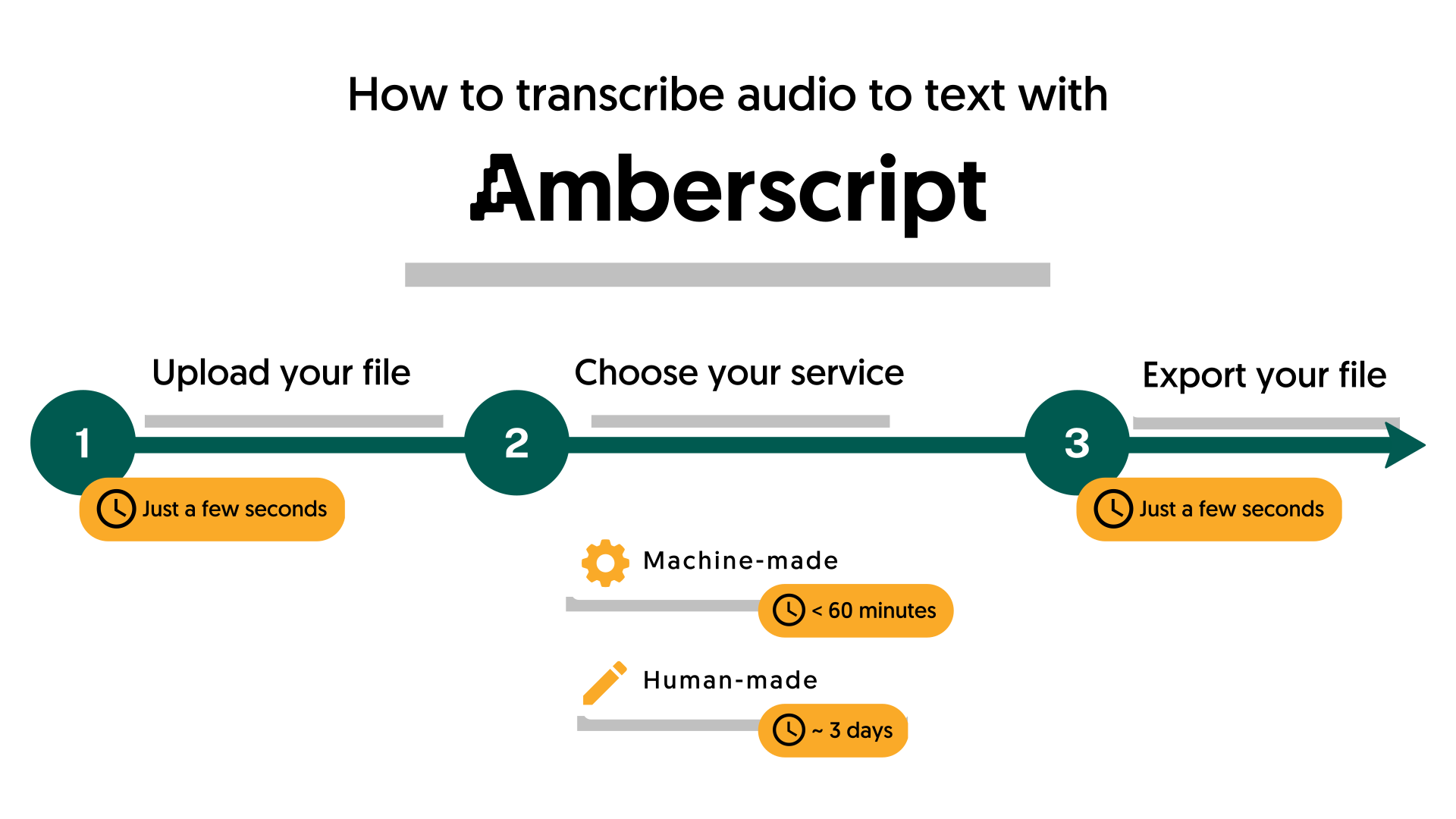
Human-Made Transcription using Amberscript
If you insist on the use of manual transcription for reasons best known to you, but you do not have the time to do that yourself, Amberscript has got you covered. We have professional transcribers that are expert and native speakers of the language chosen. These experts are available in 15 different languages. You can make use of our services for your audio transcription.
Amberscript offers two types of manual transcription services:
- The clean read service allows the expert to transcribe your audio using the highest-accuracy text to make the transcription more readable.
- The verbatim service allows the expert to transcribe all the words and phrases exactly as said.
Choose one of these features, and the experts would deliver in no time. The steps involved are basically the same as the steps involved in automatic transcription. The one difference is the product selected. Select manual transcription, and you are good to go.
Get a customized offer
Request a quote for your transcription needs
More About Amberscript
Here are some points to note about the Amberscript Machine-Made Transcription:
- The transcript can be saved in different formats. This basically depends on why you need the transcription. For data annotation, JSON and XML are the recommended text. Amberscript provides both formats. There are other formats available; they include Text, SRT, VTT, EBU-SLT, etc.
- In terms of security and confidentiality, Amberscript takes those very seriously. Our IT infrastructure is built on a secured web service located in Frankfurt, Germany. The data is processed by Amberscript and is stored on highly secured servers with regular backups. You need not worry if you want to secure your uploaded file.
- The audio transcription mode accepts audio format that includes MP3, MOV, WAV, WMA, AAC, and many others.
- Other services include data annotation, automatic subtitles, manual subtitles, or business solutions.
Google Docs transcribes your audio content using the voice typing feature. This is an excellent tool by Google, allowing those that prefer the do-it-yourself model of transcription to do so without stress. You can make use of this feature by using Google Chrome. Amberscript provides the automatic alternative. Select based on your preference and enjoy the service.
Frequently asked questions
-
What is the turnaround time?
Our state-of-the-art speech AI delivers results in less than an hour (depending on the size of the file, it can take only takes a few minutes). Just upload your audio into our system and we will notify you as soon as the file is ready! if you would like to learn about turnaround times for our manual subtitling services, click here.
-
Are there limitations on the number of files I can upload?
No, you can upload as many files as you would like.
-
Can I adjust the formatting?
From your account, you can export the transcript in different formats. So if you require both a Word file and an SRT file, you can simply export the file twice.
-
Can I translate my subtitles and transcriptions via your app?
No, translation is not available in the automatic services but you can order translated manual subtitles services on our platform. Unfortunately, we do not offer translated manual transcriptions. Please check our prices here.
-
Can I add a glossary with specific words to the transcription job?
Yes, we also offer specialized transcription, which can include jargon or specific vocabulary. To learn more about this or discuss specifics, please contact us.
-
Do you offer cloud transcription services?
Yes, our services are offered on the cloud.
Legal Transcription: When and why you might need it?
In recent years, the need for accurate and timely legal transcription has increased. Despite its acceptance, some misunderstandings exist. What exactly is it and why is it so critical? Here’s everything you need to know about legal transcription.
Lawyers, judges, and other professionals in the field often work with large amounts of audio and video recordings. Witness statements, legal agreements, video interviews – here are just a few examples of these recordings. Nowadays, audio and video recordings are transcribed into text, either by legal transcribers (called “court reporters”) or automatically, using speech-to-text software.
WARNING: This post is written with an informational purpose and should not be considered legal advice (!).
Table of contents
- What is legal transcription?
- Transcription in law offices – what is it commonly used for?
- How is transcription used for legal documentation?
- The benefits of legal transcription
- Legal transcription: human-made or machine-made
- The benefits of using transcription tools for lawyers
- Things to consider before ordering a legal transcript
What is legal transcription?
Legal transcription is the conversion of any legal and audio material into text format. In the legal field, transcription can be applied in several ways, including:
- Recordings of official meetings and court hearings are transcribed or captioned.
For public affairs, this is required by the new EU policies on digital accessibility. Transcripts are also used in private legal hearings, particularly to make it easier and faster to view and analyze evidence. For example, you can search for a particular word mentioned in the recording and immediately see when and in what context it was spoken.
- Lawyers can use transcripts as legal documents.
Again, audio/video evidence is much easier to examine when it is in text form. This way, there is no need to go back and watch the video or listen to the recording several times, but just do it once and then produce a transcript or automatic subtitles.
Transcription in Law Offices – What is it commonly used for?
Transcription is a vital tool in law offices as it allows attorneys and other legal professionals to create accurate and detailed records of speech that can be used in a variety of legal contexts. For example, transcription may be used to document witness statements, depositions, hearings, and other legal proceedings. These transcripts are often used to prepare legal briefs, motions, and other legal documents, as well as to review the testimony of witnesses and other parties involved in a case.
Transcription is also important for creating accurate and comprehensive records of meetings, negotiations, and other important discussions that occur within a law office. These transcripts may be used to track the progress of a case, document agreements reached between parties, or provide a record of important decisions made by legal teams. Additionally, transcription can be used to create transcripts of audio or video recordings, such as surveillance footage or phone calls, which can be used as evidence in court.
Transcription can also be used to document communications with clients, ensuring that all parties have a clear and accurate record of any agreements or decisions made during the course of representation.
How is transcription used for legal documentation?
Transcription is often used for legal documentation as it provides a detailed and accurate record of words that can be used as evidence in court or other legal proceedings. For example, court reporters use specialized software and equipment to transcribe the words of judges, attorneys, witnesses, and other parties involved in a legal case.
These transcripts are often used to create official records of court proceedings, which can be used by attorneys to prepare for trial, by judges to make rulings, and by appeals courts to review decisions. Transcripts may also be used to resolve disputes over what was said during a deposition or other legal proceeding, or to provide a written record of a settlement agreement. Overall, transcription is an essential tool for legal professionals who need to create accurate and reliable records of words for use in legal proceedings.
The advantages of legal transcription
Many lawyers are aware of the benefits of expert legal transcription. This greatly increases productivity, and workers have more time to focus on their core tasks.
Most expert legal transcription also includes timestamps and speaker identification, which helps lawyers develop their cases.
Legal transcripts lend greater precision to the presentation of evidence. In addition, this format makes it easier to highlight crucial details. Digitally saved legal transcripts are easier to organize and highlight. In addition, you can quickly find what you are looking for with the click of a button.

Learn more about our legal transcription services
Learn moreLegal transcription: human-made or machine-made
In general, you have two options: hire a company to produce transcripts for you or use an automated transcription service, such as Amberscript. Both choices have their advantages, which you can examine in the table below (look at the parts marked with an X):
| Feature | Human-made | Machine-made |
|---|---|---|
| Faster turnaround time | X | |
| Higher accuracy | X | |
| Privacy | X | |
| Legal jargon | X | |
| Legal compliance | X | X |
You should choose between human-made and machine-made transcription based on your priorities. If you want to make sure that you are the only human being reviewing your files, you should rely on automatic transcription tools. Sometimes it is difficult for software to transpose legal jargon, but you can always make these small changes yourself. For common language, our tool achieves 90% accuracy.
Request a quote
The biggest advantage of hiring a transcriber is that you will receive a 99% accurate transcript without the need to make changes. Compared to automated transcription, however, it takes days instead of a few minutes.
Do you need a legal transcription? Amberscript’s transcription service is accurate, fast and easy to use! If you have any questions about the way we work, please feel free to contact us. Do you want to try it for free? Then click the button below and enjoy 10 minutes for free!
The benefits of using transcription tools for lawyers
Transcription tools are a valuable asset for lawyers and legal professionals, offering a range of benefits that help improve the efficiency and effectiveness of legal processes. Here are some key advantages of using transcription tools in legal settings:
- Versatility: Transcription tools can transcribe a variety of audio and video recordings, including phone calls, meetings, depositions, and court hearings, making them a versatile tool for legal professionals.
- Compliance: Transcription tools can help ensure compliance with legal and ethical requirements, such as providing transcripts of legal proceedings to all parties involved in a case.
- Collaboration: Transcription tools can facilitate collaboration among legal teams, allowing them to share and review transcripts of legal proceedings and discussions.
- Efficiency: Using transcription tools can improve the efficiency of legal processes by reducing the time and resources needed to create accurate and detailed transcripts of legal proceedings.
Things to consider before ordering a legal transcript
- Accuracy in transcription – for official matters, transcripts must be very accurate. Otherwise, you run the risk of running into legal problems.
- Professional jargon – there are many specific terms in the legal field that are familiar to professionals, but not to software.
- Turnaround time – keep in mind when you need the transcript to be ready.
- Privacy – all transcribers are required to sign a non-disclosure agreement (NDA). In any case, many people prefer to review their files themselves without third-party involvement.
- Compliance with the law – any way of producing a transcript is legal, as long as it is accurate and secure.
Benefits of using Amberscript
Amberscript’s transcription services are:
Edit your text in minutes or leave the work to our experienced transcribers.
Our experienced transcribers and thorough quality controls ensure 100% accuracy of transcripts and subtitles.
Through a series of integrations and API interfaces, you can fully automate your workflows.
Your data is in safe hands. We are GDPR compliant + ISO27001 and ISO9001 certified.
Frequently asked questions
-
Can I add a glossary with specific words to the transcription job?
Yes, we also offer specialized transcription, which can include jargon or specific vocabulary. To learn more about this or discuss specifics, please contact us.
-
Can you also deliver transcriptions for other media formats?
We deliver data annotation for speech-to-text solutions. However, if you have a special request, please contact our sales team here.
- Do you offer transcription services of pre-recorded files?
-
Do you provide legally trained transcriptionists?
Yes, we do. If you need a legally trained transcriptionist, please contact us via here.
-
Do you provide full verbatim or clean read transcripts?
In the manual transcription service, we provide both transcription types.
How to get a transcript an audio file? 3 easy ways to convert speech to text
Whether you’re looking to transcribe your long audio files or just to easily transcribe your lecture, the whole process can move faster if you have the right tool on your side! In this article, we’ll discuss how to get a transcript of an audio file and what methods you should use to ensure that you get reliable text.
There are three different ways to transcribe audio:
- Transcribing your audio file yourself
- Have a company make your transcripts
- Use an automated transcription service such as Amberscript
Of course, some methods are faster than others to transcribe audio, while some are more cost effective – let’s dive in to see what one’s are right for you!
| Yourself | Manual transcription company | Amberscript Perfect | Amberscript Direct | |
| Time | 5 hours | 1 week No work yourself | 5 days or sooner No work yourself | 1 hour |
| Price | Free | $100 | ~ $30 | $3 |
How to transcribe your audio yourself?
Of course, it is possible to convert your audio to text yourself. This is completely free and very accurate. The disadvantage of making your own transcriptions is that transcribing audio to text is a very time-consuming and mentally demanding process.
For example, a beginner will spend about 8 to 10 minutes transcribing 1 minute of audio. This is not an ideal option when, for example, you are a journalist. As a journalist, you are often busy making sure that you release the news first.
Making a transcript yourself would is usually fine when you only have a few minutes of content to turn into text but it’s a long process.
But if you’re in a hurry, have a large volume of content to transcribe or simply just want to spend your time on other thing – making the transcript yourself probably isn’t for you!
Recruit the help of a transcription company
It is also possible to have your transcripts made by a company. This is usually 100% accurate and you don’t have to work on the transcription yourself! Though, the disadvantage of having a company make your transcriptions is that a higher price tag is attached.
If you choose to use a company to take over the process for you, you’ll usually have access to a platform where you can send your files. The companies team of transcribers will get to work and produce a transcript of your audio file.
The downside is that having a manual transcription made costs around $2,00 per audio minute and can take at least a week.
How Amberscript’s technology helps to reduce transcriptions time and costs
At Amberscript you can choose our Human-made services and let our team of professional transcribers handle the whole process for you. We use advance Automatic Speech Recognition (ASR) technology to speed up the process and reduces the costs. The technology listens to the audio and creates a rough draft that our team perfects to 100% accuracy.
Transform your audio and
video to text and subtitles
- High accurate, on demand service
- Competitive pricing with the fastest turnaround using AI
- Upload, search edit and export transcripts with ease.
Transcribe an audio file using technology
It’s possible to have your transcripts made automatically using Amberscript.
Our speech to text software converts your audio into text in an average of 5 minutes. All you have to do is make improvements to make your transcription 100% correct.
This can be done very easily through our unique editor that ‘glues’ your audio to your transcription. This helps you easily make corrections.
The editor also makes it easy to find certain words in your transcript and play the corresponding piece of audio. Our software can convert speech to text in 39 languages! This includes English transcriptions. This is considerably faster than making a transcript yourself or having it made by a company.
Moreover, using an automated transcription service is a lot cheaper than having your transcript made by someone else. If you have an average amount of content to produce and don’t need to rely on 100% accurate text, this is the best option for you
Conclusion
There are different ways to transcribe an audio file. Each method has its pros and cons.
As seen in the table above manual transcriptions are free, but cost a lot of time. Having a company make a transcription is easy, but a lot more expensive and slower. Automated transcription service is cheaper than having a transcription made by a company and is the fastest option, but you will have to make improvements yourself. The best option for you depends on your wishes and options. But what’s best is that you can get a taste of how ASR works by getting 10 minutes of free transcription time when you sign up for an Amberscript account!
What does Verbatim mean?
Do you want to have an audio file transcribed? You will probably be offered a choice between verbatim and edited (clean) transcription. Below is explained what verbatim transcription means and the difference between the three different options between verbatim transcription. This guide will also assist you in deciding which form of transcription best suits your needs.
Try to imagine what it would look like if you put a conversation on paper word for word. A conversation that is written out this way looks strange for those who are used to normal written language. This is because during a conversation speakers often stutter and repeat words. Therefore, speaking language is very different from the written language in certain aspects. This is also where the difference lies between verbatim transcription and edited or clean transcription.
First thing first – What is the Verbatim meaning?
A verbatim transcript captures every single spoken word in the recording and puts it into text. This means that it will include all false starts, grammatical errors, interjections, and stutters. It is the most comprehensive form of transcribing and ensures a transcription that is 100% faithful and complete. These verbal cues provide insightful information about the recording and give a sense of the scenario in which the conversation took place. The advantage of a verbatim transcription is that the context is also exposed. From this context, additional information can be deducted.
What’s the difference between verbatim transcription and edited (clean)?
There are two main types of transcription:
Verbatim Transcription
Verbatim means that the transcriptionist will type out each and every word heard in the audio file. This includes false starts, self-corrections, filler words, grammatical errors, interjections, and signs of active listening, repetitions, and stutters.
Edited or Clean transcription
An edited transcription is instead a form of edited transcription in which the transcriptionist cleans up stammers and repetitions, corrects grammatical errors and ensures that the core message of what is being said in the conversation is clear. In this case, the transcriptionist’s objective is not only to report the dialogue but also to ensure the transcript is flowing and easy to read. A clear transcription reads more pleasantly than a verbatim transcription. Incidentally, dialogues in books are also edited transcriptions most of the time.
Here’s how two sentences would be transcribed in non-verbatim and verbatim form:
Example 1
Clean: I saw Josh yesterday. He seemed really tired, he must have been working very hard lately.
Verbatim: And so, I saw Josh yesterday and ehm… he seemed, like, really tired. Uhm, he must, like, he must have been working very hard or I don’t know…Yeah, I guess.
Example 2
Clean: I think she just left to go grocery shopping.
Verbatim: Oh well, you know, I guess… I think she uhm, she left to go grocery shopping.
Pros and Cons for Verbatim vs Edited Transcription
Verbatim Transcription
Advantages:
- Highly accurate record of the original content
- Useful for legal and medical transcription
- Provides context, including tone and emotion
Disadvantages:
- Difficult to read with filler words, repetitions, and hesitations
- May not be the best choice for all types of content
Edited Transcription
Advantages:
- Easier to read with non-essential elements removed
- More concise and effective for conveying the message
Disadvantages:
- May sacrifice some accuracy for readability
- May require interpretation, introducing errors or inconsistencies
Which one suits my needs more?
Verbatim transcripts allow the reader to deduce the context of the conversation from the transcribed text. Because verbatim transcription also includes non-speech sounds like “mm-hmm (affirmative)” or “mm-mm (negative)”.
A few examples for when a verbatim transcription can be the best choice:
Market research, where it is important for the researcher to know if the interviewee is telling the truth and to capture as many verbal and non-verbal cues as possible.
In the legal environment where it is extremely important in what context the speaker tells something. The court often requires verbatim transcriptions.
A focus group interview where the emotions of the interviewee play an important role.
The automatic transcription service provided by Amberscript generates verbatim transcriptions. Our software transcribes all audio to text, this includes all repetitions, stutters, and interjections.
In the manual transcription services, you can choose between the two types of transcriptions.
Learn more about Amberscript’s transcription services and choose the option that most suits your needs.
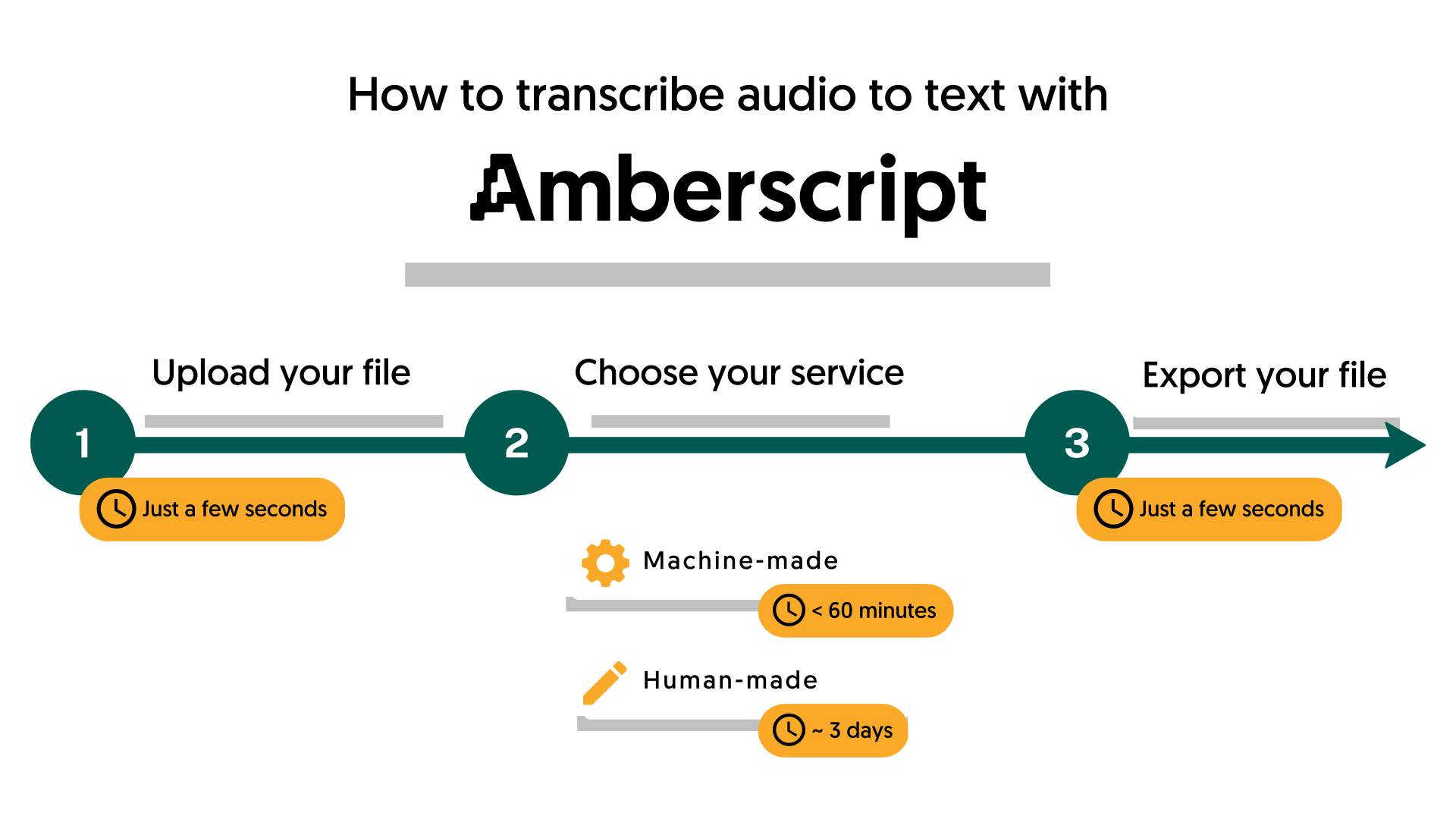
Finding the Perfect Transcription Provider
While on the market to find yourself a transcription provider, it’s important to follow a few tips to ensure a smooth and successful collaboration.
First, you need to make sure you choose a reputable and reliable transcription provider. Look for a provider with experience in your industry or subject matter to ensure they have the necessary knowledge to accurately transcribe the recording.
Second, communicate your expectations clearly from the start. This can include turnaround time, specific formatting requirements, and any other special instructions or preferences.
Third, provide any necessary background information or terminology to help the transcriptionist understand the context of the recording. This can be especially important for technical or specialized content.
Finally, be prepared to review and provide feedback on the finished transcript. This can help ensure that the transcript is accurate and meets your expectations. By following these tips, you can help ensure a successful collaboration with your transcription provider, whether you choose edited or verbatim transcription. However, since you are on our blog right now, you’ve found the perfect choice!
Learn more about Amberscript’s transcription services and choose the option that most suits your needs.